VPN meaning
A clear, practical guide explaining what a VPN means, how it works, and when to use it.
VPN meaning: what it is, how it works, and why it matters
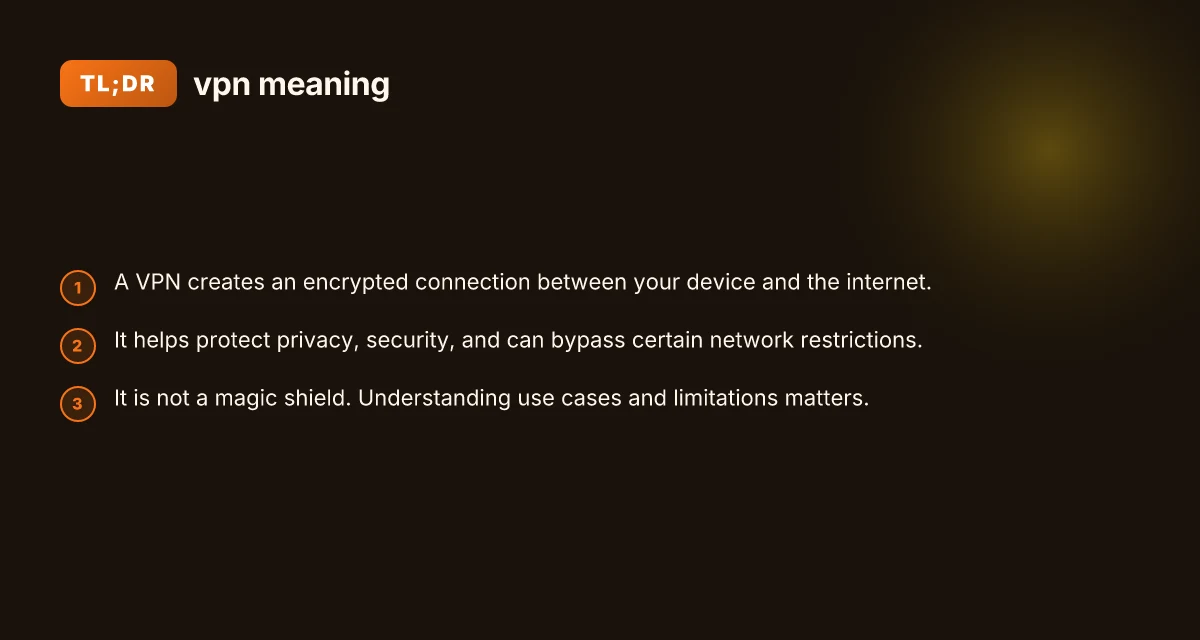
A VPN, or virtual private network, is a technology that creates a secure, encrypted tunnel between your device and the internet. When you use a VPN, your data travels through this private channel, which can help protect it from eavesdroppers on public Wi‑Fi, your internet service provider, or anyone else trying to observe your traffic. At its core, a VPN is about privacy, security, and control over how you connect to online services.
VPN features to compare for individuals
| Feature | Description | Typical value / note | Why it matters |
|---|---|---|---|
| Jurisdiction | Country where provider is based | (e.g., US, UK, privacy-friendly) | Impacts data requests and retention |
| Privacy policy | Data collection practices | No-logs / partial logs / full logs | Affects user anonymity |
| Encryption | Strength and protocol support | AES-256 with modern protocols | Core security baseline |
| Speed impact | Typical performance change | Low / moderate / high | User experience matters |
| Kill switch | Automatic connection protection | Yes / no / optional | Prevents data leaks if VPN drops |
| Simultaneous connections | Devices supported at once | 1 / 5 / unlimited | Device sharing and family use |
| Browser extensions | Availability for Firefox/Chrome | Yes / no / limited | Convenience vs. risk |
| P2P/Torrent support | Allowed or blocked | Allowed / blocked / restricted | Legal and speed considerations |
| Streaming support | Unblocks geo-restricted content | Yes / no / sometimes | Access to libraries |
Compiled November 2026; check the provider's site for current details.
How a VPN works
A VPN works by creating a virtual point-to-point connection through a secure tunnel. Here are the essential steps:
- Your device (computer, phone, tablet) connects to a VPN server.
- The data leaving your device is encrypted before it ever leaves your device.
- The VPN server forwards your traffic to its destination on the internet.
- The responses from the destination go back to the VPN server, are encrypted, and then sent to your device.
In practice, this means three big things happen:
- Encryption: Your data is scrambled so onlookers can’t read it easily.
- IP masking: Your real IP address is hidden. The destination sees the VPN server’s IP.
- Tunneling protocols: The “how” of the secure path varies (for example, OpenVPN, WireGuard, IKEv2).
Different devices and VPN services offer different protocol options. Some prioritize speed (like WireGuard), while others emphasize compatibility or features (like split tunneling, kill switches, or obfuscated traffic). The right choice depends on your needs and the tradeoffs you’re willing to make.
Common reasons people use a VPN
People choose VPNs for a mix of privacy, security, and access reasons. Here are the most common use cases: VPN in China illegal
- Public Wi‑Fi safety: Encrypting traffic on cafes, airports, hotels, and libraries to reduce risk of interception.
- Privacy from ISPs and trackers: Masking your browsing activity from your internet service provider, advertisers, and some network observers.
- Accessing geo‑restricted content: Appearing to browse from a different country to access services or libraries available there.
- Remote work and security: Extending a company’s private network to remote employees, keeping corporate data inside a secure tunnel.
- Censorship circumvention: Reaching sites or apps that may be blocked or throttled in certain regions (with awareness of legal and policy implications).
These use cases overlap, and many users adopt VPNs for more than one reason.
VPN protocols primer comparison
| Protocol | Encryption | Speed | Privacy features | Compatibility | Notes |
|---|---|---|---|---|---|
| OpenVPN | AES-256 | Moderate | Strong | Widely supported | Open-source, configurable |
| WireGuard | ChaCha20/Poly1305 | High | Good | Modern OS support | Fast, simpler codebase |
| IKEv2 | AES-256 | High | Moderate | Mobile-friendly | Stable on reconnects |
| L2TP/IPsec | 3DES/AES-128/256 | Moderate | Moderate | Broad support | Older, less secure defaults |
| SSTP | AES-256 | Moderate | Moderate | Windows-focused | VPN-friendly on restricted networks |
| PPTP | MPPE | Low | Weak | Legacy | Not recommended |
Compiled November 2026; check the provider's site for current details.
What VPNs can and cannot protect you from
A VPN is a powerful tool, but it isn’t a guarantee of absolute privacy or security. Here’s a quick accountability checklist: VPN fundamentals for beginners
What a VPN can do:
Encrypts data between your device and the VPN server.
Hides your real IP from the sites you visit (to the extent the VPN provider’s network is trusted).
Helps secure traffic on shared or public networks. VPN fundamentals explained
Can help you access services that are region-locked or restricted.
What a VPN cannot do:
Make you completely anonymous on the internet. The VPN provider can see your traffic unless you’re using additional privacy tools and practices.
Protect you from malware, phishing, or insecure apps. You still need endpoint security and safe browsing habits. VPN fundamentals and uses
Bypass legal requirements or service terms. Some services actively detect and block VPN traffic.
Prevent data leaks at the app level (for example, if an app sends data outside the encrypted tunnel).
Trust and policy matter: when you pick a VPN, you’re trusting the provider with your data and your online habits. Many people choose providers with transparent privacy policies, independent security audits, and a clear “no logs” stance. It’s worth reading reviews and understanding how a service handles data retention, jurisdiction, and disclosures.
VPN protocols: a quick primer
The way a VPN secures your traffic is defined by the protocol. Different protocols trade off speed, reliability, and security: VPN fundamentals and types
- OpenVPN: A longstanding, widely supported protocol known for strong security and configurability.
- WireGuard: A newer protocol praised for simplicity and speed, with robust cryptography.
- IKEv2/IPsec: Fast and stable on mobile networks. Good for roaming between networks.
- L2TP/IPsec, PPTP: Older or less common today. May be less secure or slower and are usually not recommended for new setups.
Some VPN apps let you switch protocols. If you’re after modern speed and efficiency, WireGuard is a common default choice. For compatibility with older devices or networks, OpenVPN remains a solid option.
VPNs for individuals vs. organizations
- Individual use: Most people look for simple apps, reliable privacy, good speed, and reasonable price. Features like a kill switch (disconnects the internet if the VPN drops), split tunneling (send some traffic outside the VPN), and obfuscated servers (to bypass restricted networks) can be valuable.
- Business use: Enterprises deploy more complex solutions, including site‑to‑site VPNs for linking offices and remote workers to private networks. They emphasize access controls, auditing, strong authentication, and integration with identity providers.
Cloud and hybrid setups also influence VPN use. When an organization uses public cloud resources, a VPN can help secure and route traffic between on‑premises environments, cloud resources, and remote workers.
A practical comparison: features to look for
Here is a simple feature comparison to help you choose a VPN service. This table is a quick guide. Specifics vary by provider and plan.
- Feature: Kill switch | Purpose: Disconnects all traffic if the VPN drops, preventing accidental exposure.
- Feature: Split tunneling | Purpose: Lets you choose which apps or destinations go through the VPN and which don’t.
- Feature: No logs policy | Purpose: Minimizes data collected about your online activity.
- Feature: Jurisdiction | Purpose: The country where the provider is based. Affects privacy legality and data requests.
- Feature: Simultaneous connections | Purpose: How many devices you can run under one account.
- Feature: Obfuscated servers | Purpose: Makes VPN traffic look less like VPN traffic, helping with VPN blocks.
- Feature: Speed and reliability | Purpose: Real‑world performance, especially for streaming or gaming.
- Feature: Customer support and transparency | Purpose: Availability of help and open information about security practices.
If you’d like, I can tailor a provider comparison based on your needs, such as streaming, gaming, or strict privacy requirements. VPN fundamentals and security
How to turn on and use a VPN
Getting started is usually straightforward:
- Choose a reputable VPN provider and sign up.
- Download and install the provider’s app on your devices (Windows, macOS, iOS, Android, etc.).
- Open the app, log in, and choose a server location.
- Connect. The app will show a status indicator when the VPN is active.
- Optional: explore settings like a kill switch, auto‑start with device, split tunneling, and protocol choice.
If you’re on a corporate network, you may have to use a specific VPN profile provided by your organization. In consumer setups, you generally have more control over server locations and features.
VPN myths and realities
- Myth: A VPN makes you completely anonymous. Reality: It adds privacy by hiding your activity from your ISP and masking your IP, but you still leak information through apps, trackers, and browser fingerprints. Plus, the VPN provider can see your traffic.
- Myth: A VPN fixes all security problems. Reality: It protects data in transit, but you still need up‑to‑date software, strong passwords, and secure devices.
- Myth: All VPNs are the same. Reality: Quality varies widely in terms of encryption, logging policies, speed, server coverage, and support. Do your homework before choosing.
When not to use a VPN
- If a service blocks VPNs and you’re comfortable with access limitations, a VPN might not help.
- If you rely on a service that requires your real location for compliance, a VPN could cause issues.
- If you’re on a trusted private network with strong controls, a VPN might add latency without a meaningful privacy gain.
How to turn on and use a VPN (checklist style)
| Step | Action | Typical detail | Common pitfalls |
|---|---|---|---|
| 1 | Choose provider | Compare features listed above | Trustworthiness matters |
| 2 | Install app | Desktop/mobile | Wrong OS version |
| 3 | Connect to server | Pick location | Auto-connect to wrong region |
| 4 | Verify connection | Check IP/leaks | DNS or WebRTC leaks |
| 5 | Enable kill switch | Toggle in settings | Forget to enable |
| 6 | Use split tunneling | Optional feature | Misconfigures traffic |
| 7 | Regular updates | Keep app updated | Using outdated protocol |
Compiled November 2026; check the provider's site for current details. VPN not working in China
Final recommendation
If your goal is to protect data on public networks, guard privacy from opportunistic observers, or access content from a different region, a reputable VPN can be a practical tool. Start with a provider that offers transparent privacy policies, a clear no‑logs stance, robust encryption, and accessible support. Consider trying a plan with a trial period so you can evaluate speed, reliability, and features like kill switch and split tunneling in real‑world use.
For everyday users curious about the meaning of vpn meaning, think of it as a private, secure tunnel for your online journey. It doesn’t replace good security hygiene, but it can be a valuable layer when used thoughtfully and with an informed choice of provider.
| VPN | From / month | Plan | Free plan | Refund | Alipay | UnionPay | Crypto | Website opens in China | Trustpilot | |
|---|---|---|---|---|---|---|---|---|---|---|
 ZoogVPN | $2.49/mo | 27 months: $59.99 | Yes | 7 days | ✓ | ✓ | ✓ | ✓ | ✓ Yes (2.5 s) | 4.2/5 (195 reviews) |
 NordVPN | $3.49/mo | 27 months: $94.23 | No | 30 days | ? | ✗ | ✓ | ✓ | ✗ Blocked | 4.2/5 (51,628 reviews) |
 ExpressVPN | $3.00/mo | 28 months: $84 | No | 30 days | ✗ | ✗ | ✓ | ✗ | ✗ Blocked | 4.4/5 (29,706 reviews) |
 Surfshark | See site | See site | No | 30 days | ✗ | ✗ | ✗ | ✓ | ✗ Blocked | 4.3/5 (31,823 reviews) |
 Proton VPN | $2.99/mo | 12 months: $35.88 | Yes | 30 days | ✗ | ✗ | ✗ | ✓ | ✓ Yes (2.5 s) | 2.1/5 (1,040 reviews) |
 Astrill VPN | $12.50/mo | 24 months: $300 | No | See site | ✗ | ✗ | ✗ | ✓ | ✗ Blocked | 1.3/5 (110 reviews) |
 Private Internet Access | $2.03/mo | 40 months: $81.2 | No | 30 days | ✗ | ✗ | ✗ | ✗ | ✗ Blocked | 4.2/5 (11,033 reviews) |
 CyberGhost | $2.19/mo | 28 months: $61.32 | No | 45 days | ✗ | ✗ | ✗ | ✓ | ✗ Blocked | 4.0/5 (24,178 reviews) |
 PureVPN | $1.69/mo | 60 months: $101.55 | No | 31 days | ? | ✗ | ✗ | ✓ | ✓ Yes (2.6 s) | 4.4/5 (17,994 reviews) |
 AdGuard VPN | $2.99/mo | 24 months: $71.76 | Yes | 30 days | ✓ | ✗ | ✓ | ✓ | Official site blocked; our special link opens (2.3 s) | 4.3/5 (290 reviews) |
 Mullvad | $5.61/mo | €5/mo | No | 14 days | ✗ | ✗ | ✗ | ✓ | ✗ Blocked | 3.2/5 (192 reviews) |
 Windscribe | $5.75/mo | 12 months: $69 | Yes | See site | ✗ | ✗ | ✗ | ✓ | ✗ Blocked | 4.7/5 (13,355 reviews) |
 StrongVPN | See site | See site | No | 30 days | ✓ | ✗ | ✗ | ✗ | ✗ Blocked | 4.4/5 (2,695 reviews) |
 LightXtreme 闪连 | $7.08/mo | 12 months: $84.99 | Yes | 30 days | ✓ | ✓ | ✓ | ✓ | ✓ Yes (2.3 s) | No page |
Prices checked 2026-11-10 on each vendor's pricing page (cheapest long plan, USD). Check the vendor's checkout for the final price.
Payment methods checked 2026-11-10 on each vendor's payment pages: all 14 take cards and PayPal; ✗ = not listed, ? = the vendor's own pages disagree.
China access: whether the official website opens from mainland China networks (tests the website only, not the VPN connection). Last checked 2026-11-11 04:07 Beijing time.
Trustpilot score and review count checked 2026-11-10.