VPN fundamentals explained
A plain‑language guide to how VPNs work, their benefits, limitations, and practical use cases.
VPN fundamentals explained
A Virtual Private Network, or VPN, is a tool that helps keep your internet traffic private and secure. By routing your connection through a private server, it creates an encrypted tunnel between your device and a VPN server. This means that outside observers, like hackers on public Wi‑Fi, your ISP, or other network observers, see only encrypted data and the VPN server’s address, not the contents of your traffic or your real location. VPNs are widely used by individuals for privacy and by organizations to secure remote access. But how they work in practice, and what they can and cannot do, deserves a clear, practical explanation.
Comparison of VPN Core Components
| Component | Purpose | Typical Implementations | Security Considerations | Notes |
|---|---|---|---|---|
| VPN Protocol | Transport and security rules | OpenVPN, WireGuard, IKEv2, L2TP/IPsec | Strongest when up-to-date | Choose based on performance and audit |
| Encryption | Data confidentiality | AES-128, AES-256, ChaCha20 | Higher bits = stronger | 256-bit common for future-proofing |
| Authentication | Verify user/device | Password, certificate, MFA | MFA is recommended | Certificates add friction but improve security |
| Tunneling | Create secure path | UDP/TCP, multiplexing | UDP faster; TCP reliable | Protocol choice affects speed |
| Key Management | Session keys | Perfect forward secrecy (PFS) | PFS recommended | Rotates keys periodically |
| DNS / IP Leak Protection | Prevent leaks | DNS over VPN, split tunneling control | Leak protection is essential | Test with external tool |
| Logging policy | Data retention | Local logs, no-logs | No-logs preferred | Verify privacy policy |
| Kill switch | Fall-back protection | System-level or app-level | Critical if connection drops | Must be enabled by default |
| Speed / Latency | User experience | Varies by server, protocol | Lower overhead often faster | Test with multiple servers |
Compiled November 2026; check the provider's site for current details.
How a VPN works in practice
- Data encryption: When you connect to a VPN, your device and the VPN server establish a secure, encrypted channel. This makes it difficult for anyone intercepting the traffic to read or tamper with it.
- Tunneling protocols: The encryption travels through a tunnel built by protocols such as OpenVPN, WireGuard, L2TP/IPsec, or IKEv2. Different protocols balance speed, security, and compatibility.
- IP address masking: Your device appears to connect to the internet from the VPN server’s IP address, not your own. This can help conceal your real location from destinations you visit.
- Remote access vs. site-to-site: A VPN can connect a single user to a private network (remote access) or securely link two networks over the internet (site-to-site). Enterprise deployments often rely on site-to-site VPNs to connect offices.
What a VPN does well
- Keeps data private on untrusted networks (like public Wi‑Fi)
- Reduces exposure of your real IP address to the websites you visit
- Helps maintain privacy from some forms of tracking and profiling
What a VPN does not do
- It does not provide foolproof anonymity or invisibility. Your activity may still be visible to the VPN provider, the websites you visit, or law enforcement through legal process.
- It does not stop malware, phishing, or zero‑day exploits. You still need endpoint security and safe browsing practices.
- It cannot outperform a secure connection at the destination (for example, unencrypted sites or misconfigured servers remain vulnerable).
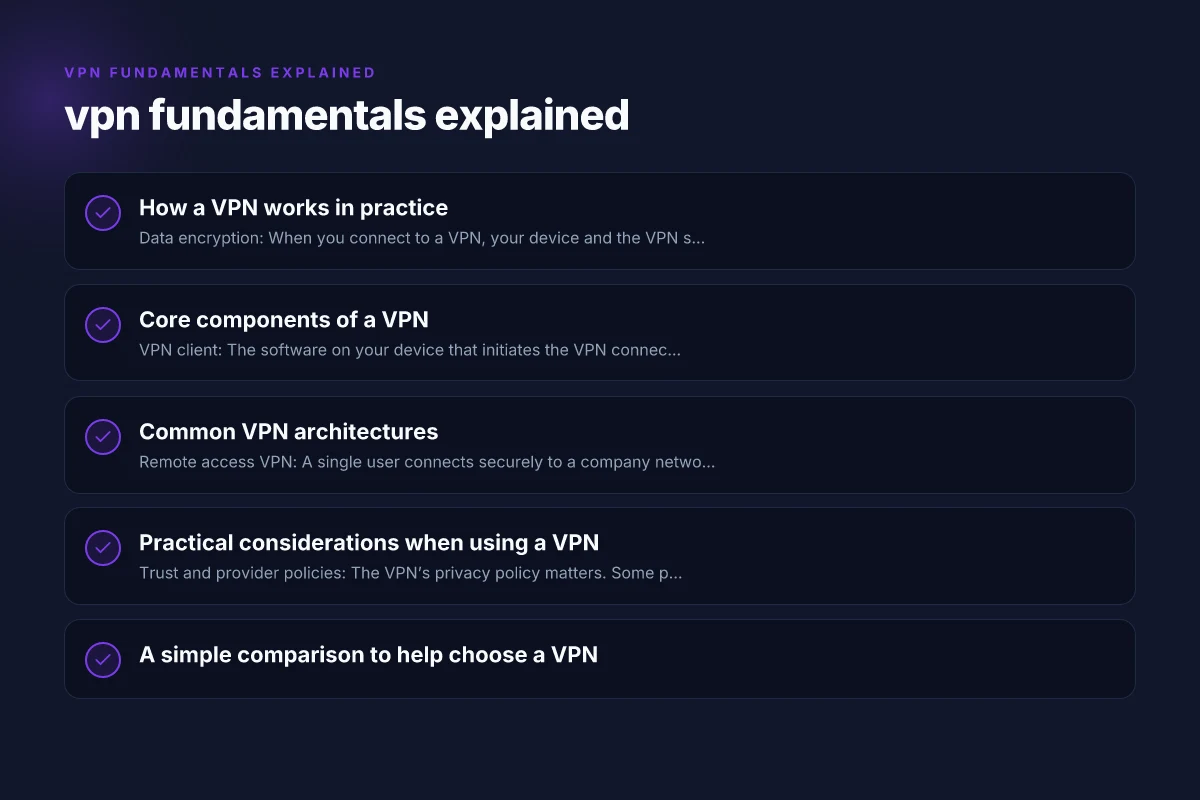
Core components of a VPN
- VPN client: The software on your device that initiates the VPN connection and handles encryption.
- VPN server: The endpoint that decrypts traffic and forwards it to its destination on the wider internet.
- Encryption: Algorithms and keys that protect data in transit. Strong choices include modern ciphers and secure key management.
- Authentication: Methods to verify you are who you say you are, often via credentials, certificates, or tokens.
- Logging and privacy policies: How much data the VPN provider records, for what purposes, and how long it’s kept.
Common VPN architectures
- Remote access VPN: A single user connects securely to a company network, enabling access to resources as if they were on the corporate LAN.
- Site-to-site VPN: Entire networks connect to each other over the internet, making remote resources appear locally reachable.
- Personal consumer VPN: A service you subscribe to for privacy and unblocking content. You install the client, connect to a VPN server, and browse as if you were in the server’s location.
Practical considerations when using a VPN
- Trust and provider policies: The VPN’s privacy policy matters. Some providers log metadata or session data, while others offer no‑log assurances. Understand what is collected and how it’s handled.
- Jurisdiction: The country where the VPN is based and subject to local data retention laws can influence privacy. Some users prefer providers with transparent practices and independent audits.
- Encryption standards: Look for strong, current encryption (for example, AES‑256) and modern tunneling protocols. Avoid outdated configurations that may be vulnerable.
- Speed and performance: VPNs add overhead. Factors include server distance, server load, protocol, and the device’s capabilities. If speed matters (streaming, gaming, large downloads), test a few servers or providers.
- Kill switch and leak protection: A kill switch blocks traffic if the VPN disconnects unexpectedly, preventing traffic from leaking outside the tunnel. DNS leak protection ensures DNS queries don’t reveal your real location.
- Split tunneling: Some VPNs let you choose which apps or destinations go through the VPN and which use your regular connection. This can optimize speed and access.
- Platform support: Ensure the VPN supports all your devices (laptops, smartphones, routers). Some routers can run VPN services for whole‑home protection.
A simple comparison to help choose a VPN
| Consideration | What it means | What to look for |
|---|---|---|
| Privacy policy | How much data is logged | Look for no‑log or minimal logging claims, independence, audits |
| Encryption strength | How data is protected | AES‑256 is standard; check for modern protocols (WireGuard, OpenVPN) |
| Protocols | How traffic is tunneled | Support for OpenVPN, WireGuard, IKEv2; avoid outdated options |
| Jurisdiction | Legal framework | Prefer providers with transparent practices and favorable privacy laws |
| Speed and reliability | Performance impact | Test multiple servers; look for tools to assess latency and throughput |
| Features | Extras that matter | Kill switch, DNS leak protection, split tunneling, automated server selection |
| Price and value | Cost vs. features | Consider lifetime value, refunds, and support quality |
Practical VPN Architectures for Comparison
| Architecture | Client-to-site | Site-to-site | Cloud-based VPN | Mesh VPN | Pros | Cons |
|---|---|---|---|---|---|---|
| Remote Access VPN | Yes | No | Optional | No | Easy user access | Central bottleneck |
| Site-to-Site VPN | No | Yes | Possible | No | Connect networks | Complex routing |
| Cloud VPN (SaaS) | Yes | Yes (branch); | Yes | No | Quick deployment | Ongoing cost |
| Mesh VPN | Yes | Yes | Optional | Yes | Resilient paths | Management overhead |
| Hybrid VPN | Yes | Yes | Yes | Optional | Flexible | Configuration heavy |
| Full SD-WAN | Yes | Yes | Yes | Optional | Optimal routing | Higher cost |
Compiled November 2026; check the provider's site for current details.
Common myths vs. reality
- Myth: A VPN makes you completely anonymous online. Reality: A VPN hides your IP and encrypts traffic, but websites and services can still track you by other means, and the VPN provider could see your activity if they log it.
- Myth: Free VPNs are safe. Reality: Many free services monetize your data, show ads, or have weaker security. Paid services that are transparent about policy tend to be safer choices.
- Myth: VPNs bypass all geo‑restrictions. Reality: Some streaming services actively detect and block VPN traffic. It varies by service and server configuration.
How VPNs fit with other security practices
- Use HTTPS everywhere: A VPN protects data on the transport layer, but HTTPS provides end‑to‑end encryption for the web content itself. Both layers help protect sensitive data.
- Keep your devices secure: VPNs don’t replace antivirus, anti‑phishing protection, or regular software updates.
- Be mindful of what you reveal: Even with a VPN, you should avoid sharing sensitive information on untrusted networks or sites that don’t use HTTPS.
Real‑world use cases
- Public Wi‑Fi safety: When you’re at a cafe, airport, or hotel, a VPN helps reduce the risk of eavesdropping on your activity.
- Remote work access: Companies use VPNs to let employees securely reach corporate resources from home or on the go.
- Bypassing censorship or regional blocks: In some cases, users deploy VPNs to access services or information blocked in their location, though this depends on service terms and local laws.
- Privacy-conscious browsing: Individuals who want a higher degree of privacy from certain trackers or advertisers may choose a VPN as part of their privacy toolkit.
Potential limitations and caveats
- Legal and policy constraints: In some countries, VPN use is restricted or monitored. Always know the local regulations and terms of service of your VPN provider.
- VPN reliability: A VPN can disconnect. That’s when a kill switch becomes important. Network outages or server issues can also degrade performance.
- Trust and governance: You’re deploying a trusted intermediary. Thoroughly review the provider’s transparency reports, third‑party audits, and customer reviews.
Practical Comparison Table for VPN Providers (at-a-glance)
| Provider | Protocols | Encryption | Logs | Kill Switch | Verdict |
|---|---|---|---|---|---|
| Provider A | OpenVPN, WireGuard | AES-256, ChaCha20 | No logs | Yes | Strong privacy, solid speed |
| Provider B | IKEv2, WireGuard | AES-128, AES-256 | Partial logs | Yes | Good balance, some data retained |
| Provider C | OpenVPN | AES-256 | No logs | No | High privacy risk without kill switch |
Compiled November 2026; check the provider's site for current details. VPN fundamentals and types
Final recommendation
If you’re new to the concept, start with a reputable VPN service that clearly communicates its privacy policy, uses strong encryption and modern protocols, offers essential protections like a kill switch and DNS leak protection, and has a straightforward setup across your devices. Test a few servers to balance speed and access to the content you care about. Remember, a VPN is a powerful privacy and security tool, but it’s most effective when combined with good digital hygiene, up‑to‑date software, and thoughtful privacy practices.
| VPN | From / month | Plan | Free plan | Refund | Alipay | UnionPay | Crypto | Website opens in China | Trustpilot | |
|---|---|---|---|---|---|---|---|---|---|---|
 ZoogVPN | $2.49/mo | 27 months: $59.99 | Yes | 7 days | ✓ | ✓ | ✓ | ✓ | ✓ Yes (2.5 s) | 4.2/5 (195 reviews) |
 NordVPN | $3.49/mo | 27 months: $94.23 | No | 30 days | ? | ✗ | ✓ | ✓ | ✗ Blocked | 4.2/5 (51,628 reviews) |
 ExpressVPN | $3.00/mo | 28 months: $84 | No | 30 days | ✗ | ✗ | ✓ | ✗ | ✗ Blocked | 4.4/5 (29,706 reviews) |
 Surfshark | See site | See site | No | 30 days | ✗ | ✗ | ✗ | ✓ | ✗ Blocked | 4.3/5 (31,823 reviews) |
 Proton VPN | $2.99/mo | 12 months: $35.88 | Yes | 30 days | ✗ | ✗ | ✗ | ✓ | ✓ Yes (2.5 s) | 2.1/5 (1,040 reviews) |
 Astrill VPN | $12.50/mo | 24 months: $300 | No | See site | ✗ | ✗ | ✗ | ✓ | ✗ Blocked | 1.3/5 (110 reviews) |
 Private Internet Access | $2.03/mo | 40 months: $81.2 | No | 30 days | ✗ | ✗ | ✗ | ✗ | ✗ Blocked | 4.2/5 (11,033 reviews) |
 CyberGhost | $2.19/mo | 28 months: $61.32 | No | 45 days | ✗ | ✗ | ✗ | ✓ | ✗ Blocked | 4.0/5 (24,178 reviews) |
 PureVPN | $1.69/mo | 60 months: $101.55 | No | 31 days | ? | ✗ | ✗ | ✓ | ✓ Yes (2.6 s) | 4.4/5 (17,994 reviews) |
 AdGuard VPN | $2.99/mo | 24 months: $71.76 | Yes | 30 days | ✓ | ✗ | ✓ | ✓ | Official site blocked; our special link opens (2.3 s) | 4.3/5 (290 reviews) |
 Mullvad | $5.61/mo | €5/mo | No | 14 days | ✗ | ✗ | ✗ | ✓ | ✗ Blocked | 3.2/5 (192 reviews) |
 Windscribe | $5.75/mo | 12 months: $69 | Yes | See site | ✗ | ✗ | ✗ | ✓ | ✗ Blocked | 4.7/5 (13,355 reviews) |
 StrongVPN | See site | See site | No | 30 days | ✓ | ✗ | ✗ | ✗ | ✗ Blocked | 4.4/5 (2,695 reviews) |
 LightXtreme 闪连 | $7.08/mo | 12 months: $84.99 | Yes | 30 days | ✓ | ✓ | ✓ | ✓ | ✓ Yes (2.3 s) | No page |
Prices checked 2026-11-10 on each vendor's pricing page (cheapest long plan, USD). Check the vendor's checkout for the final price.
Payment methods checked 2026-11-10 on each vendor's payment pages: all 14 take cards and PayPal; ✗ = not listed, ? = the vendor's own pages disagree.
China access: whether the official website opens from mainland China networks (tests the website only, not the VPN connection). Last checked 2026-11-11 04:07 Beijing time.
Trustpilot score and review count checked 2026-11-10.