VPN Free Change Location: How to Switch Your IP Address Safely
Learn how free VPNs change your apparent location, what limits to expect, and how to choose a safer option.
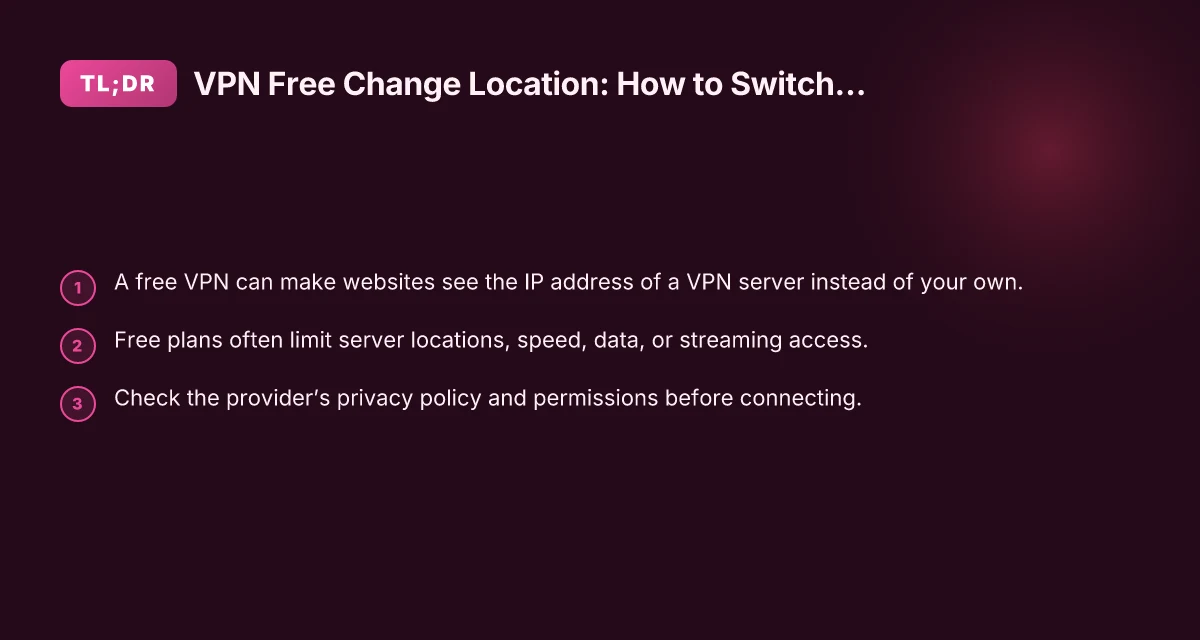
If you want a VPN free change location option, choose a reputable free VPN, connect to one of its available server locations, and check that your public IP address has changed. A VPN routes your internet traffic through a server, so websites generally see that server’s IP address rather than the IP address assigned by your internet provider. Free plans can be useful for basic privacy or occasional browsing, but they commonly offer fewer locations and more restrictions than paid plans.
How free VPN location switching methods compare
| Method | Changes public IP? | Location choices | Encrypts traffic? | Main limitation |
|---|---|---|---|---|
| Free VPN | Yes | Often limited | Usually yes | Data or server limits |
| Paid VPN | Yes | Usually broader | Usually yes | Subscription cost |
| Proxy | Usually | Varies | Not always | May not encrypt traffic |
| Tor Browser | Yes, through relays | Not user-selected in the same way | Yes, within Tor | Can be slow |
| Mobile network | Sometimes | Tied to network routing | No VPN encryption | Location may not change |
| Public Wi-Fi | No, by itself | Tied to network | No VPN encryption | Network privacy risks |
Compiled November 2026; check the provider's site for current details.
| VPN | Obfuscation | From / month | Plan | Free plan | Refund | Alipay | UnionPay | Crypto | Website opens in China | Trustpilot | |
|---|---|---|---|---|---|---|---|---|---|---|---|
 ZoogVPN | Turn on manually Shadow | $2.49/mo | 27 months: $59.99 | Yes | 7 days | ✓ | ✓ | ✓ | ✓ | Official site blocked; our special link opens (4.4 s) | 4.2/5 (195 reviews) |
 NordVPN | Turn on manually Obfuscated Servers / NordWhisper | $3.49/mo | 27 months: $94.23 | No | 30 days | ? | ✗ | ✓ | ✓ | ✗ Blocked | 4.2/5 (51,628 reviews) |
 ExpressVPN | ✓ On by default all servers | $3.00/mo | 28 months: $84 | No | 30 days | ✗ | ✗ | ✓ | ✗ | ✗ Blocked | 4.4/5 (29,706 reviews) |
 Surfshark | ✓ On by default Camouflage, with OpenVPN | See site | See site | No | 30 days | ✗ | ✗ | ✗ | ✓ | ✗ Blocked | 4.3/5 (31,823 reviews) |
 Proton VPN | Turn on manually Stealth, free plan too | $2.99/mo | 12 months: $35.88 | Yes | 30 days | ✗ | ✗ | ✗ | ✓ | ✗ Blocked | 2.1/5 (1,040 reviews) |
 Astrill VPN | Turn on manually StealthVPN / OpenWeb | $12.50/mo | 24 months: $300 | No | See site | ✗ | ✗ | ✗ | ✓ | ✗ Blocked | 1.3/5 (110 reviews) |
 Private Internet Access | Turn on manually Shadowsocks, OpenVPN only | $2.03/mo | 40 months: $81.2 | No | 30 days | ✗ | ✗ | ✗ | ✗ | ✗ Blocked | 4.2/5 (11,033 reviews) |
 CyberGhost | Turn on manually selected servers | $2.19/mo | 28 months: $61.32 | No | 45 days | ✗ | ✗ | ✗ | ✓ | ✗ Blocked | 4.0/5 (24,178 reviews) |
 PureVPN | Turn on manually switch to OpenVPN | $1.69/mo | 60 months: $101.55 | No | 31 days | ? | ? | ✗ | ✓ | ✗ Blocked | 4.4/5 (17,994 reviews) |
 AdGuard VPN | ✓ On by default TrustTunnel | $2.99/mo | 24 months: $71.76 | Yes | 30 days | ✓ | ✗ | ✓ | ✓ | Official site blocked; our special link opens (3.7 s) | 4.3/5 (290 reviews) |
 Mullvad | Turn on manually QUIC / Shadowsocks / LWO | $5.61/mo | €5/mo | No | 14 days | ✗ | ✗ | ✗ | ✓ | ✗ Blocked | 3.2/5 (192 reviews) |
 Windscribe | Turn on manually Stealth / WStunnel | $5.75/mo | 12 months: $69 | Yes | See site | ✗ | ✗ | ✗ | ✓ | ✗ Blocked | 4.7/5 (13,355 reviews) |
 StrongVPN | Turn on manually Scramble, OpenVPN TCP | See site | See site | No | 30 days | ✓ | ✗ | ✗ | ✗ | ✗ Blocked | 4.4/5 (2,695 reviews) |
 LightXtreme 闪连 | Not listed | $7.08/mo | 12 months: $84.99 | Yes | 30 days | ✓ | ✓ | ✓ | ✓ | ✓ Yes (3.5 s) | No page |
Prices checked 2026-11-10 on each vendor's pricing page (cheapest long plan, USD). Check the vendor's checkout for the final price.
Obfuscation checked 2026-11-14 on each vendor's site and help center: "on by default" = nothing to set; "turn on manually" = switch protocol or mode in settings; "not listed" = the vendor describes no obfuscation.
Payment methods checked 2026-11-10 on each vendor's payment pages: all 14 take cards and PayPal; ✗ = not listed, ? = the vendor's own pages disagree.
China access: whether the official website opens from mainland China networks (tests the website only, not the VPN connection). Last checked 2026-11-18 01:02 Beijing time.
Trustpilot score and review count checked 2026-11-10.
What “changing your location” means
A VPN changes the IP address that many websites use to estimate your location. For example, connecting to a VPN server in another country may make a website treat your connection as coming from that country.
This is an apparent online location, not a change to your physical location. A VPN does not move your device, change its GPS coordinates, or guarantee that every app will use the VPN connection. Websites may also estimate location through account details, cookies, browser settings, GPS access, or other signals.
A VPN can help protect traffic on public Wi-Fi and reduce the visibility of your browsing activity to the network operator. It does not make you anonymous, prevent all tracking, or protect you from phishing and malware by itself.
How to use a free VPN to switch locations
The general process is straightforward: Free VPN That Can Change Location: What to Use and What to Know
- Select a VPN provider with a clearly explained free plan and a credible privacy policy.
- Download the app from the provider’s official website or your device’s official app store.
- Create an account if the service requires one, then review the requested permissions.
- Open the server list and choose one of the locations available on the free plan.
- Connect and wait for the app to confirm that the VPN is active.
- Check your public IP address using a reputable IP-checking website.
If the displayed IP remains unchanged, disconnect and reconnect, try another server, and make sure the VPN is allowed to run in the background. You can also check the app for a connection or leak-test feature. Avoid entering sensitive information until you have confirmed the connection is working as expected.
Some services offer a quick-connect button rather than a location list. Quick connect typically selects a nearby or recommended server, which may not be in the country you want. Free plans may also restrict which countries or cities you can select.
What free VPN plans typically include
The main trade-off is usually choice and capacity. A free plan might be enough for occasional browsing, but it may not suit regular video streaming, large downloads, or a precise location requirement.
| Feature | What a free plan may offer | What to check |
|---|---|---|
| Server locations | A small selection of countries | Whether your preferred country is included |
| Data allowance | A monthly or daily cap, or unlimited data | How quickly the cap resets |
| Speed | Lower speeds during busy periods | Whether speeds are suitable for calls or video |
| Devices | One connection or a limited number | Whether your phone and computer are covered |
| Streaming | No guarantee of access | Whether the service says streaming is supported |
| Support | Basic help resources | How to contact support if connection fails |
The details vary by provider and can change over time. Read the current plan terms rather than relying only on advertisements or old reviews. How Can I Tell If a VPN Is Blocking My Internet?
Free VPN plan features to check
| Feature | What to look for | Why it matters | Common free-plan trade-off |
|---|---|---|---|
| Server locations | Available countries and cities | Determines apparent location | Fewer choices |
| Data allowance | Clear limit or unlimited terms | Affects browsing and streaming | Monthly or daily cap |
| Connection speed | Published limits or practical performance | Affects loading and video | Congestion or throttling |
| Device support | Apps for your devices | Makes setup easier | Fewer simultaneous devices |
| Encryption | Clear security details | Helps protect traffic | Varies by provider |
| Privacy policy | Data collection and retention explained | Shows what is logged | Greater data collection may apply |
| Kill switch | Available in the app | Helps prevent exposure on disconnect | May be absent |
| Streaming access | Service-specific support | Determines whether playback works | Often unreliable |
Compiled November 2026; check the provider's site for current details.
Choosing a safer free VPN
A VPN provider can handle your internet traffic while you are connected, so its trustworthiness matters. “Free” does not automatically mean unsafe, but a service still needs a way to fund its infrastructure. Understand how the provider pays for the service and whether it collects or shares data.
Before installing an app, look for: Free VPN With Location Changer: What to Look For and How to Choose
- A plain-language privacy policy that explains what is collected and why.
- Clear information about logging, data retention, and sharing with third parties.
- A credible security record and regular app updates.
- Transparent limits on data, speed, and server locations.
- An official app with a recognizable developer name.
- A support page that explains how to report connection or privacy issues.
Be cautious of apps that promise unlimited access to every country without explaining how the service works. Avoid VPN apps that request unrelated permissions, display excessive advertising, or make broad privacy claims without evidence. A VPN can also slow your connection because traffic takes an additional route, and a distant server may increase that delay.
Privacy, streaming, and location limitations
Changing your IP address may affect what websites show you, but it does not guarantee access to region-restricted content. Streaming services often use additional checks and may block known VPN server addresses. A free plan’s limited servers can make this more likely, and there is no guarantee that a particular service will work.
Other location signals can cause a mismatch. A browser may have permission to access GPS location, while an account may have a home country saved in its settings. Cookies can also preserve previous preferences. If a website still shows your usual location, review its location permissions and account settings, clear relevant site data if appropriate, and reconnect to the VPN. Do not falsify information where a service’s rules or local laws prohibit it.
Also remember that a VPN does not replace basic account security. Use strong, unique passwords and multifactor authentication, keep your device updated, and avoid suspicious links. For sensitive work, confirm that your organization permits the VPN you plan to use. NordVPN Windows: How to Download, Install, and Use the App
Safer free VPN decision checklist
| Check | Safer sign | Warning sign | What to do |
|---|---|---|---|
| Provider identity | Clear company and contact details | Unknown operator | Research the provider |
| Privacy policy | Explains logs and data use | Vague or missing policy | Avoid sharing sensitive activity |
| App source | Official app store or provider site | Unverified download link | Install only from trusted sources |
| Permissions | Relevant to VPN functions | Requests unrelated access | Review or reject permissions |
| Security details | Encryption and safeguards explained | Unsupported security claims | Verify claims before use |
| Business model | Funding is explained | Unclear how the service earns money | Check for data or ad trade-offs |
| Streaming expectations | Limitations stated clearly | Guaranteed access claims | Expect services to block VPNs |
| Connection behavior | Kill switch or leak protection documented | No explanation of disconnect handling | Test cautiously before sensitive use |
Compiled November 2026; check the provider's site for current details.
Recommendation
For occasional browsing, a reputable free VPN can be a practical way to use a different IP address and add a layer of protection on public Wi-Fi. Check that the free plan includes the location you need, verify the connection, and understand its data and privacy limits. If you need reliable access to a specific country, faster speeds, or regular streaming, compare established paid plans rather than assuming a free service will meet those needs.