VPN for Microsoft Edge Extension: What It Does and How to Choose
Learn how an Edge VPN extension works, what it protects, and how to choose a safe, reliable option.
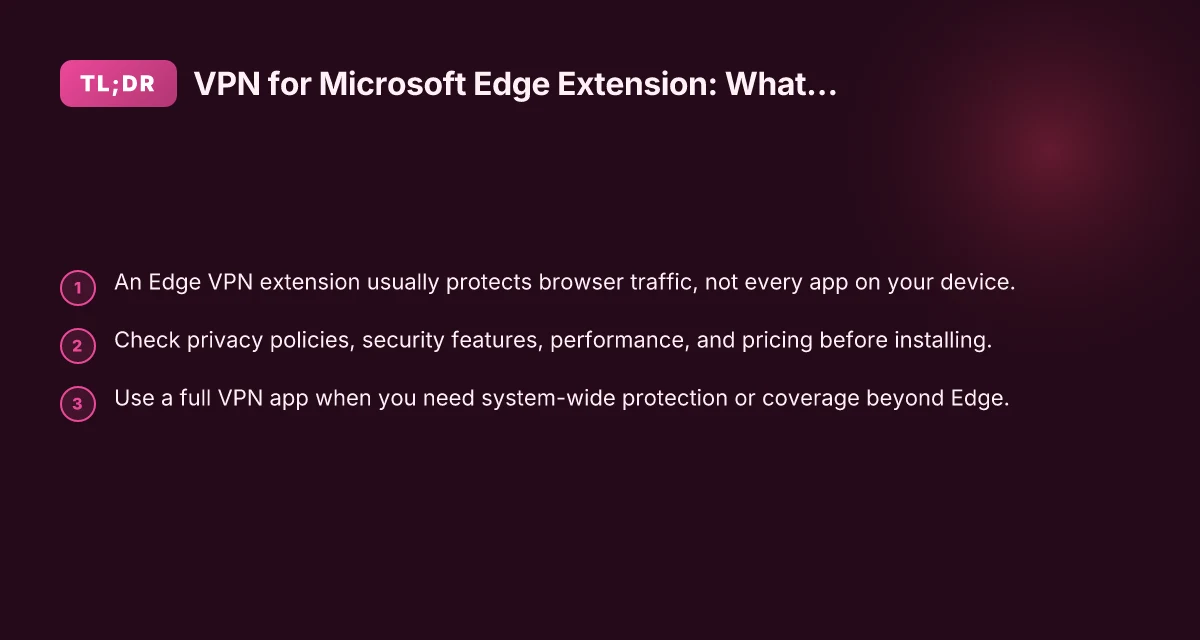
A VPN for Microsoft Edge extension is a browser add-on that routes Edge traffic through a VPN provider’s servers. It can help protect browsing on public Wi-Fi, reduce the visibility of your IP address to websites, and let you connect through another region. The key distinction is that many extensions protect only browser traffic, while a VPN app can cover other apps and services on your device.
How Edge VPN options compare
| Option | Changes browser traffic | Covers non-browser apps | Typical setup | Best fit |
|---|---|---|---|---|
| Edge VPN extension | Usually | Usually no | Install from Edge Add-ons | Browser-only use |
| Full VPN app | Yes, across the device | Yes | Install the provider’s app | Broader device protection |
| Proxy extension | Routes browser traffic through a proxy | Usually no | Add proxy settings or extension | Basic location or access needs |
| Private browsing mode | No VPN routing | No | Open an InPrivate window | Reducing local browsing traces |
| Secure DNS setting | Changes DNS handling | No | Change browser or device settings | DNS privacy or filtering |
| VPN built into a security suite | Depends on the suite | Often | Enable the suite’s VPN feature | Existing suite subscribers |
Compiled November 2026; check the provider's site for current details.
| VPN | Obfuscation | From / month | Plan | Free plan | Refund | Alipay | UnionPay | Crypto | Website opens in China | Trustpilot | |
|---|---|---|---|---|---|---|---|---|---|---|---|
 ZoogVPN | Turn on manually Shadow | $2.49/mo | 27 months: $59.99 | Yes | 7 days | ✓ | ✓ | ✓ | ✓ | Official site blocked; our special link opens (4.4 s) | 4.2/5 (195 reviews) |
 NordVPN | Turn on manually Obfuscated Servers / NordWhisper | $3.49/mo | 27 months: $94.23 | No | 30 days | ? | ✗ | ✓ | ✓ | ✗ Blocked | 4.2/5 (51,628 reviews) |
 ExpressVPN | ✓ On by default all servers | $3.00/mo | 28 months: $84 | No | 30 days | ✗ | ✗ | ✓ | ✗ | ✗ Blocked | 4.4/5 (29,706 reviews) |
 Surfshark | ✓ On by default Camouflage, with OpenVPN | See site | See site | No | 30 days | ✗ | ✗ | ✗ | ✓ | ✗ Blocked | 4.3/5 (31,823 reviews) |
 Proton VPN | Turn on manually Stealth, free plan too | $2.99/mo | 12 months: $35.88 | Yes | 30 days | ✗ | ✗ | ✗ | ✓ | ✗ Blocked | 2.1/5 (1,040 reviews) |
 Astrill VPN | Turn on manually StealthVPN / OpenWeb | $12.50/mo | 24 months: $300 | No | See site | ✗ | ✗ | ✗ | ✓ | ✗ Blocked | 1.3/5 (110 reviews) |
 Private Internet Access | Turn on manually Shadowsocks, OpenVPN only | $2.03/mo | 40 months: $81.2 | No | 30 days | ✗ | ✗ | ✗ | ✗ | ✗ Blocked | 4.2/5 (11,033 reviews) |
 CyberGhost | Turn on manually selected servers | $2.19/mo | 28 months: $61.32 | No | 45 days | ✗ | ✗ | ✗ | ✓ | ✗ Blocked | 4.0/5 (24,178 reviews) |
 PureVPN | Turn on manually switch to OpenVPN | $1.69/mo | 60 months: $101.55 | No | 31 days | ? | ? | ✗ | ✓ | ✗ Blocked | 4.4/5 (17,994 reviews) |
 AdGuard VPN | ✓ On by default TrustTunnel | $2.99/mo | 24 months: $71.76 | Yes | 30 days | ✓ | ✗ | ✓ | ✓ | Official site blocked; our special link opens (3.7 s) | 4.3/5 (290 reviews) |
 Mullvad | Turn on manually QUIC / Shadowsocks / LWO | $5.61/mo | €5/mo | No | 14 days | ✗ | ✗ | ✗ | ✓ | ✗ Blocked | 3.2/5 (192 reviews) |
 Windscribe | Turn on manually Stealth / WStunnel | $5.75/mo | 12 months: $69 | Yes | See site | ✗ | ✗ | ✗ | ✓ | ✗ Blocked | 4.7/5 (13,355 reviews) |
 StrongVPN | Turn on manually Scramble, OpenVPN TCP | See site | See site | No | 30 days | ✓ | ✗ | ✗ | ✗ | ✗ Blocked | 4.4/5 (2,695 reviews) |
 LightXtreme 闪连 | Not listed | $7.08/mo | 12 months: $84.99 | Yes | 30 days | ✓ | ✓ | ✓ | ✓ | ✓ Yes (3.5 s) | No page |
Prices checked 2026-11-10 on each vendor's pricing page (cheapest long plan, USD). Check the vendor's checkout for the final price.
Obfuscation checked 2026-11-14 on each vendor's site and help center: "on by default" = nothing to set; "turn on manually" = switch protocol or mode in settings; "not listed" = the vendor describes no obfuscation.
Payment methods checked 2026-11-10 on each vendor's payment pages: all 14 take cards and PayPal; ✗ = not listed, ? = the vendor's own pages disagree.
China access: whether the official website opens from mainland China networks (tests the website only, not the VPN connection). Last checked 2026-11-18 01:02 Beijing time.
Trustpilot score and review count checked 2026-11-10.
What an Edge VPN extension does
A VPN extension creates a connection between your browser and a VPN server. Websites you visit see the server’s IP address rather than your usual public IP address. Depending on the provider and the extension’s design, your browser connection may also be encrypted between Edge and the VPN server.
An extension can be useful when you want a quick way to change your apparent browsing location or add protection to browser sessions. However, it does not automatically make you anonymous. Websites may still identify you through account logins, cookies, browser fingerprinting, or other information you share.
Extension or full VPN app?
The word “VPN” can describe different kinds of Edge extensions. Some are browser-only VPN proxies. Others are companion controls for a VPN app installed on your computer. Their coverage can differ, so check the provider’s documentation rather than assuming every extension offers the same protection.
| Feature | Edge VPN extension | Full VPN app |
|---|---|---|
| Typical traffic covered | Browser traffic | Traffic from most or all device apps |
| Setup | Install through the browser’s add-on store or provider | Install a desktop or mobile app |
| Best for | Browser-focused use and quick server switching | System-wide protection and device-level controls |
| Common limitation | Other apps may use your regular connection | May require more setup or device resources |
How to choose a VPN for Microsoft Edge
A trustworthy provider should explain what the extension does, what data it collects, and how it handles that data. A polished interface or a large server list alone does not prove that a service is safe. Best VPN Plugin for Edge: Top Picks and How to Choose
Before installing, compare these factors:
- Privacy policy: Look for a clear explanation of connection logs, browsing data, account information, and retention. Be cautious of vague claims.
- Security: Check whether the extension uses a secure connection and whether the provider documents its encryption and security practices.
- Leak protection: Look for safeguards against DNS or IP leaks. If offered, test them rather than relying only on marketing claims.
- Performance: Server distance, congestion, and your internet connection can affect speed. A nearby server is often a good starting point.
- Server locations: Confirm that the locations you need are available on your chosen plan.
- Ease of use: Useful features may include a server selector, connection status, and a quick-connect option.
- Cost and limits: Free plans may limit speed, locations, data, or simultaneous connections. Review renewal pricing and cancellation terms.
- Provider reputation: Consider independent security reviews, a long-standing privacy policy, and a clear support process.
Free extensions deserve particular scrutiny. Some may rely on advertising, impose data limits, or collect more information than you expect. A free service is not automatically unsafe, but read its permissions and privacy terms before granting access.
What to check when choosing an Edge VPN extension
| Check | Why it matters | What to look for | Warning sign |
|---|---|---|---|
| Coverage | Extensions may protect only browser traffic | Clear explanation of what is routed | Claims to protect the whole device without details |
| Privacy policy | The provider may process browsing data | Plain-language data and logging disclosures | Vague or missing policy |
| Provider identity | Trust depends on who operates the service | Verifiable company and support details | Unclear ownership |
| Security features | Helps assess connection protection | Encryption and leak-protection details | Unsupported security claims |
| Permissions | Broad access can expose browsing activity | Permissions that match stated features | Unexplained access requests |
| Reliability | Poor connections can interrupt browsing | Connection controls and help resources | No clear troubleshooting guidance |
| Cost and limits | Free plans may have restrictions | Transparent pricing and usage limits | Hidden fees or unclear limits |
Compiled November 2026; check the provider's site for current details. Free VPN for PC Extension Edge: What to Choose and How to Use It
Installing and using an Edge VPN extension
The safest route is to find the extension through Microsoft Edge Add-ons or follow installation instructions on the VPN provider’s official website. Confirm the developer name and avoid lookalike extensions with similar branding.
A typical setup looks like this:
- Open the Edge Add-ons store and search for the provider’s official extension.
- Review the developer, description, permissions, and user feedback.
- Select Get and approve the installation.
- Sign in or create an account if required.
- Choose a server location and connect.
- Visit an IP-checking website to confirm that your browser appears to use the VPN server’s address.
Keep the extension updated, and disconnect or change servers if the connection is unstable. If the add-on asks for broad permissions, check whether they match its stated purpose. Browser permissions can grant access to sensitive activity, so install only extensions you trust.
Limitations and common mistakes
An Edge VPN extension can improve privacy in some situations, but it is not a complete security solution. It does not necessarily cover other browsers, email clients, games, or background software. If the extension is a proxy rather than a full VPN connection, its protection may be limited to specific browser traffic. Cisco IPsec: What It Is, How It Works, and When to Use It
Also keep these points in mind:
- A VPN does not prevent phishing, malware, or unsafe downloads.
- Signing in to a personal account can identify you even when your IP address changes.
- A VPN does not make illegal activity legal or guarantee access to every website.
- Website location checks may use signals beyond your IP address.
- If the VPN disconnects, traffic may resume over your regular connection unless a suitable protection feature is available.
For sensitive work or broader device coverage, consider the provider’s full VPN app. Check whether it includes a kill switch, which can block internet access if the VPN connection drops. Availability and behavior vary by provider and operating system.
Choosing an option for your needs
| Need | Suitable choice | Coverage to expect | Check before choosing |
|---|---|---|---|
| Protect browsing in Edge | Edge VPN extension | Edge traffic, depending on the service | Whether other apps are excluded |
| Protect all device traffic | Full VPN app | Device-wide traffic, subject to settings | Supported devices and app controls |
| Use a VPN while traveling | Extension or full VPN app | Depends on the chosen option | Availability and connection reliability |
| Reduce local browsing traces | InPrivate mode | Local browser history handling | It does not provide VPN routing |
| Change DNS handling | Secure DNS setting | DNS requests, not all traffic | Provider and browser compatibility |
| Keep setup simple | Edge extension | Usually browser-focused | Permissions and setup steps |
| Use existing security tools | VPN in a security suite | Depends on the suite | Included features and coverage |
Compiled November 2026; check the provider's site for current details. VPN SSL BWG Online Service: What It Is and How to Use It
Choosing the right option for your needs
If you mainly want to protect browsing in Edge or switch the browser’s apparent location, a reputable extension may be convenient. If you need coverage for all internet-connected apps, use a full VPN app instead. Some people install both, but check the provider’s instructions to avoid conflicting connections.
For work, school, or streaming, review the relevant organization’s rules and the service’s terms before connecting. A VPN can change how a website sees your connection, but it does not guarantee that a particular service will work or that using a different location is permitted.
Recommendation
Choose a VPN for Microsoft Edge extension only after confirming that it comes from the provider’s official source, clearly explains its privacy practices, and offers the features you need. Use it for browser-focused protection. Choose a full VPN app when you want broader coverage across your device.