Best VPN Plugin for Edge: Top Picks and How to Choose

Compare the best VPN plugins for Edge, understand browser-extension limits, and find the right option for privacy, streaming, or speed.


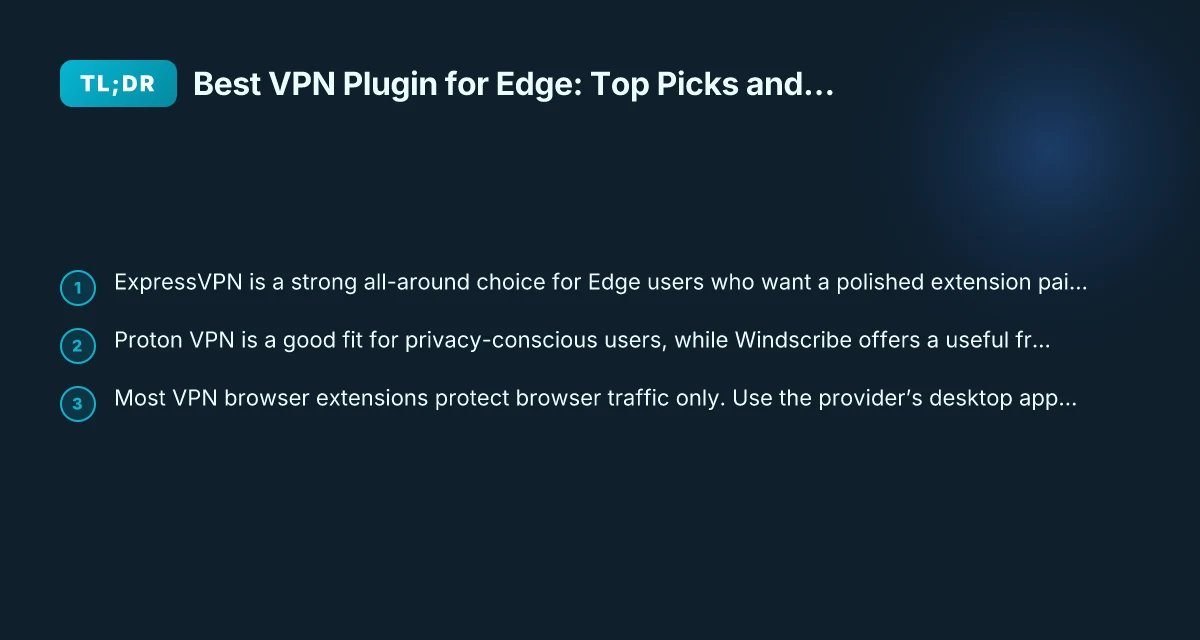
If you’re looking for the best VPN plugin for Edge, ExpressVPN is a strong all-around pick for ease of use and a close connection between its browser extension and desktop app. For a privacy-focused alternative, consider Proton VPN. For a free starting point, Windscribe is worth a look. The right choice depends on whether you want simple controls, broader device protection, streaming access, or a no-cost plan.
Edge supports extensions from the Microsoft Edge Add-ons store, and many Chrome extensions also work when you allow extensions from other stores. Before installing any VPN extension, check the publisher, current plan terms, supported features, and privacy policy. Availability and features can change.
| VPN | Obfuscation | From / month | Plan | Free plan | Refund | Alipay | UnionPay | Crypto | Website opens in China | Trustpilot | |
|---|---|---|---|---|---|---|---|---|---|---|---|
 ExpressVPN | ✓ On by default all servers | $3.00/mo | 28 months: $84 | No | 30 days | ✗ | ✗ | ✓ | ✗ | ✗ Blocked | 4.4/5 (29,706 reviews) |
 Proton VPN | Turn on manually Stealth, free plan too | $2.99/mo | 12 months: $35.88 | Yes | 30 days | ✗ | ✗ | ✗ | ✓ | ✗ Blocked | 2.1/5 (1,040 reviews) |
 Windscribe | Turn on manually Stealth / WStunnel | $5.75/mo | 12 months: $69 | Yes | See site | ✗ | ✗ | ✗ | ✓ | ✗ Blocked | 4.7/5 (13,355 reviews) |
 NordVPN | Turn on manually Obfuscated Servers / NordWhisper | $3.49/mo | 27 months: $94.23 | No | 30 days | ? | ✗ | ✓ | ✓ | ✗ Blocked | 4.2/5 (51,628 reviews) |
 Surfshark | ✓ On by default Camouflage, with OpenVPN | See site | See site | No | 30 days | ✗ | ✗ | ✗ | ✓ | ✗ Blocked | 4.3/5 (31,823 reviews) |
 Private Internet Access | Turn on manually Shadowsocks, OpenVPN only | $2.03/mo | 40 months: $81.2 | No | 30 days | ✗ | ✗ | ✗ | ✗ | ✗ Blocked | 4.2/5 (11,033 reviews) |
 ZoogVPN | Turn on manually Shadow | $2.49/mo | 27 months: $59.99 | Yes | 7 days | ✓ | ✓ | ✓ | ✓ | Official site blocked; our special link opens (4.4 s) | 4.2/5 (195 reviews) |
 Astrill VPN | Turn on manually StealthVPN / OpenWeb | $12.50/mo | 24 months: $300 | No | See site | ✗ | ✗ | ✗ | ✓ | ✗ Blocked | 1.3/5 (110 reviews) |
 CyberGhost | Turn on manually selected servers | $2.19/mo | 28 months: $61.32 | No | 45 days | ✗ | ✗ | ✗ | ✓ | ✗ Blocked | 4.0/5 (24,178 reviews) |
 PureVPN | Turn on manually switch to OpenVPN | $1.69/mo | 60 months: $101.55 | No | 31 days | ? | ? | ✗ | ✓ | ✗ Blocked | 4.4/5 (17,994 reviews) |
 AdGuard VPN | ✓ On by default TrustTunnel | $2.99/mo | 24 months: $71.76 | Yes | 30 days | ✓ | ✗ | ✓ | ✓ | Official site blocked; our special link opens (3.7 s) | 4.3/5 (290 reviews) |
 Mullvad | Turn on manually QUIC / Shadowsocks / LWO | $5.61/mo | €5/mo | No | 14 days | ✗ | ✗ | ✗ | ✓ | ✗ Blocked | 3.2/5 (192 reviews) |
 StrongVPN | Turn on manually Scramble, OpenVPN TCP | See site | See site | No | 30 days | ✓ | ✗ | ✗ | ✗ | ✗ Blocked | 4.4/5 (2,695 reviews) |
 LightXtreme 闪连 | Not listed | $7.08/mo | 12 months: $84.99 | Yes | 30 days | ✓ | ✓ | ✓ | ✓ | ✓ Yes (3.5 s) | No page |
Prices checked 2026-11-10 on each vendor's pricing page (cheapest long plan, USD). Check the vendor's checkout for the final price.
Obfuscation checked 2026-11-14 on each vendor's site and help center: "on by default" = nothing to set; "turn on manually" = switch protocol or mode in settings; "not listed" = the vendor describes no obfuscation.
Payment methods checked 2026-11-10 on each vendor's payment pages: all 14 take cards and PayPal; ✗ = not listed, ? = the vendor's own pages disagree.
China access: whether the official website opens from mainland China networks (tests the website only, not the VPN connection). Last checked 2026-11-18 01:02 Beijing time.
Trustpilot score and review count checked 2026-11-10.
Edge VPN options at a glance
| Option | Edge extension | Full VPN app | Best for | Main consideration |
|---|---|---|---|---|
| ExpressVPN | Supported | Supported | Ease of use | Paid service |
| NordVPN | Supported | Supported | All-round protection | Paid service |
| Surfshark | Supported | Supported | Multiple devices | Paid service |
| Proton VPN | Supported | Supported | Privacy-focused use | Check plan features |
| Windscribe | Supported | Supported | Flexible free option | Free plan has limits |
| Private Internet Access | Supported | Supported | Advanced settings | Paid service |
Compiled November 2026; check the provider's site for current details.
Best VPN plugins for Edge at a glance
A VPN extension can be convenient, but products differ in what they protect. Some extensions control a VPN app installed on your computer, while others act as browser proxies and cover only traffic from the browser.
| VPN option | Best for | What to know |
|---|---|---|
| ExpressVPN | Simple everyday use | Its Edge extension works with the desktop app, so the app must be installed and running |
| Proton VPN | Privacy-focused browsing | Check the current plan and extension features; browser protection may differ from the full VPN app |
| Windscribe | Trying a free option | Free plans have limits, and a browser proxy is not necessarily system-wide VPN protection |
| NordVPN | Straightforward controls and extra browser features | Extension features and coverage differ from its desktop app |
| Surfshark | Users already using its VPN service | Confirm whether the Edge add-on controls the app or protects browser traffic independently |
Treat this as a shortlist, not a guarantee that every feature is included in every plan or region. Check the provider’s current documentation before subscribing.

What makes a good Edge VPN extension?
The best plugin is not simply the one with the most servers or the lowest advertised price. It should clearly explain what it protects and make it easy to connect without compromising on privacy.
Look for these features: Free VPN for PC Extension Edge: What to Choose and How to Use It
- Clear coverage: Does it protect Edge traffic only, or connect to a desktop VPN that protects other apps too?
- A trustworthy privacy policy: Understand what connection data the provider collects and how long it keeps it.
- Strong security: Look for reputable encryption and secure connection protocols in the desktop app or service documentation.
- Leak protection: Check whether the provider offers protections against DNS or IP leaks, and understand which app or setting provides them.
- Usable controls: A clear connection status, server selection, and reliable reconnect behavior make everyday use easier.
- Transparent pricing: Review renewal rates, refund terms, free-plan limits, and which features require a paid subscription.
Also install extensions only from the provider’s official listing or website. A familiar name in an extension title does not prove that the publisher is legitimate.
Extension or full VPN app?
| Factor | Browser extension | Full VPN app | Better fit |
|---|---|---|---|
| Traffic covered | Browser traffic | Device traffic | App for broader coverage |
| Setup | Add through Edge | Install on device | Extension for quick setup |
| App coverage | Edge only | Multiple apps | App for all-device use |
| Browser use | Directly in Edge | Works across apps | Extension for browser-only use |
| Device protection | Limited to browser | Covers device traffic | App for device-wide protection |
| Settings | Often simpler | Often more controls | App for greater control |
Compiled November 2026; check the provider's site for current details.
Browser extension or full VPN app?
This distinction matters more than the word “VPN” in an extension’s name. A browser extension may route browser requests through a proxy without creating an encrypted VPN tunnel for the whole device. It can still be useful for changing the apparent location of browser traffic, but it does not automatically protect other apps. Cisco IPsec: What It Is, How It Works, and When to Use It
A companion extension, such as ExpressVPN’s Edge extension, can instead provide browser controls for a VPN app running on the computer. In that setup, the desktop app provides the VPN connection, and the extension helps manage it from Edge.
Choose a browser-only extension when your goal is limited to browser traffic and the provider clearly explains its protection. Choose the desktop VPN app when you want coverage for other browsers, messaging apps, downloads, or other internet-connected software. For a more complete setup, use the desktop app and install its official Edge extension if you want browser-based controls.
Choosing by use case
For easy everyday use
ExpressVPN is a compelling pick if you want a streamlined Edge experience and do not mind installing its desktop app. The extension is designed to control the app, so it is not a stand-alone substitute for the full VPN. This arrangement can be convenient if you want one place to connect and manage settings.
For privacy-conscious browsing
Proton VPN is a strong name to compare if privacy is your priority. Review its current extension description and plan details carefully: features available in the browser may not match those of its desktop software. For broader coverage, install and use the full VPN app rather than assuming the extension protects your whole device. VPN SSL BWG Online Service: What It Is and How to Use It
For a free option
Windscribe can be a practical way to try browser-based location and privacy features without committing to a paid subscription. Free services usually come with limits, such as data allowances, server choices, or feature restrictions. Read the plan terms and confirm whether the Edge extension is a proxy or part of a full VPN setup.
For streaming or travel
A VPN may help you connect through another region, but streaming services can block VPN connections, and access is never guaranteed. Check the provider’s current server options and refund policy before paying. When traveling, use the desktop app if you need protection for more than Edge, especially on public Wi-Fi.
How to install a VPN plugin in Microsoft Edge
- Open the Microsoft Edge Add-ons store and search for the provider’s official extension.
- Confirm the publisher and read the listing’s permissions and description.
- Select Get and approve the installation.
- Sign in or create an account, then follow the provider’s setup instructions.
- If the extension requires a desktop app, install and open that app before connecting.
- Test the connection using the provider’s recommended checks, and make sure you understand which traffic is covered.
If you cannot find an official Edge listing, visit the VPN provider’s website for its current instructions. Edge may also allow Chrome Web Store extensions, but use that route only when the provider directs you to its verified listing.
Choose a VPN plugin by use case VPN Keeps Turning On iPhone: Causes and Fixes
| Use case | Prioritize | Extension or app | Check before choosing |
|---|---|---|---|
| Everyday browsing | Ease of use | Extension | Edge compatibility |
| Public Wi-Fi | Device-wide coverage | Full VPN app | App protection scope |
| Streaming | Suitable locations | Extension or app | Service compatibility |
| Privacy-focused browsing | Clear privacy practices | Extension or app | Logging policy |
| Multiple devices | Device support | Full VPN app | Device limits |
| Free trial or plan | Transparent limits | Extension or app | Data and feature limits |
Compiled November 2026; check the provider's site for current details.
Recommendation
For most people seeking the best VPN plugin for Edge, ExpressVPN is a strong all-around choice if you are comfortable using its desktop app alongside the extension. Choose Proton VPN if privacy features are your main concern, or try Windscribe if you want a free option and can accept plan limits. Whichever you select, verify whether it protects Edge alone or your entire device before relying on it for privacy.