Proton Free VPN: What You Get and Whether It’s Worth Using
Learn what Proton VPN’s free plan includes, its limitations, privacy features, and when upgrading may make sense.
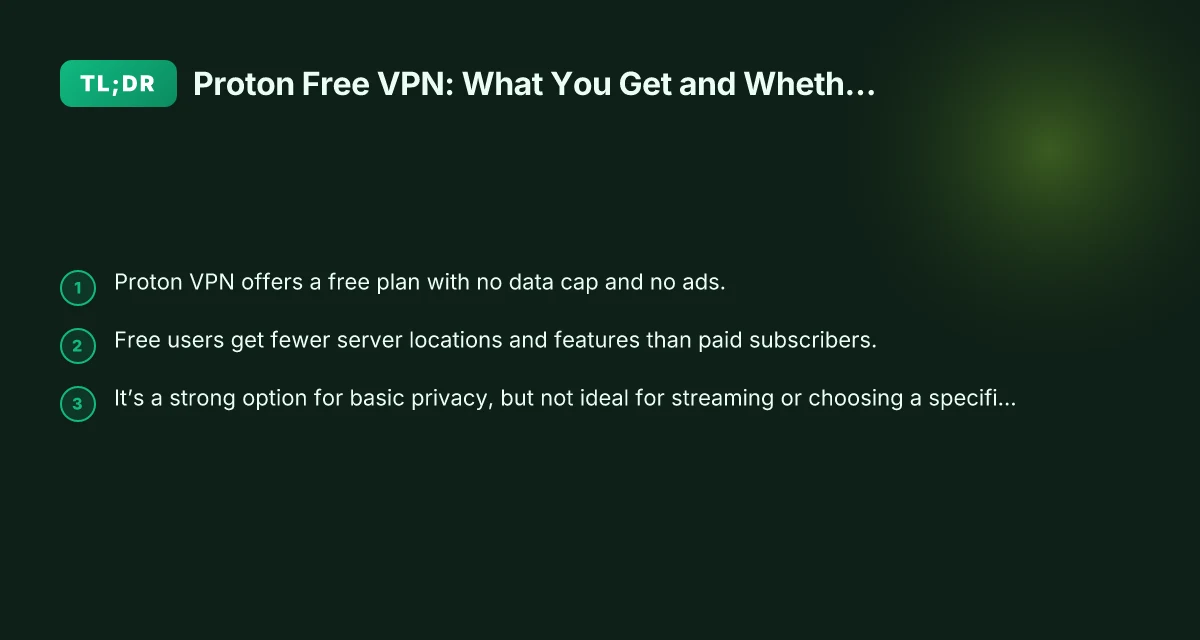
Proton VPN’s free plan is a worthwhile choice if you want a reputable VPN for everyday privacy without paying a subscription. It has no data cap and does not show ads, but it limits server locations, connection choices, and some advanced features. Those trade-offs make it suitable for general browsing on a budget, but less suited to streaming, torrenting, or accessing a particular country.
Proton VPN Free at a glance
| Area | Free plan | What it means |
|---|---|---|
| Price | Free | No subscription payment |
| Data allowance | Unlimited | No monthly data cap |
| Ads | No | The app is ad-free |
| Servers | Limited locations | Fewer choices than paid plans |
| Device connections | One at a time | Only one connected device |
| Streaming | Not guaranteed | Streaming access can vary |
| P2P traffic | Not supported | No torrenting on the free plan |
| Best suited for | Basic VPN use | Browsing and everyday privacy |
Compiled November 2026; check the provider's site for current details.
| VPN | Obfuscation | From / month | Plan | Free plan | Refund | Alipay | UnionPay | Crypto | Website opens in China | Trustpilot | |
|---|---|---|---|---|---|---|---|---|---|---|---|
 Proton VPN | Turn on manually Stealth, free plan too | $2.99/mo | 12 months: $35.88 | Yes | 30 days | ✗ | ✗ | ✗ | ✓ | ✗ Blocked | 2.1/5 (1,040 reviews) |
 ZoogVPN | Turn on manually Shadow | $2.49/mo | 27 months: $59.99 | Yes | 7 days | ✓ | ✓ | ✓ | ✓ | Official site blocked; our special link opens (4.4 s) | 4.2/5 (195 reviews) |
 NordVPN | Turn on manually Obfuscated Servers / NordWhisper | $3.49/mo | 27 months: $94.23 | No | 30 days | ? | ✗ | ✓ | ✓ | ✗ Blocked | 4.2/5 (51,628 reviews) |
 ExpressVPN | ✓ On by default all servers | $3.00/mo | 28 months: $84 | No | 30 days | ✗ | ✗ | ✓ | ✗ | ✗ Blocked | 4.4/5 (29,706 reviews) |
 Surfshark | ✓ On by default Camouflage, with OpenVPN | See site | See site | No | 30 days | ✗ | ✗ | ✗ | ✓ | ✗ Blocked | 4.3/5 (31,823 reviews) |
 Astrill VPN | Turn on manually StealthVPN / OpenWeb | $12.50/mo | 24 months: $300 | No | See site | ✗ | ✗ | ✗ | ✓ | ✗ Blocked | 1.3/5 (110 reviews) |
 Private Internet Access | Turn on manually Shadowsocks, OpenVPN only | $2.03/mo | 40 months: $81.2 | No | 30 days | ✗ | ✗ | ✗ | ✗ | ✗ Blocked | 4.2/5 (11,033 reviews) |
 CyberGhost | Turn on manually selected servers | $2.19/mo | 28 months: $61.32 | No | 45 days | ✗ | ✗ | ✗ | ✓ | ✗ Blocked | 4.0/5 (24,178 reviews) |
 PureVPN | Turn on manually switch to OpenVPN | $1.69/mo | 60 months: $101.55 | No | 31 days | ? | ? | ✗ | ✓ | ✗ Blocked | 4.4/5 (17,994 reviews) |
 AdGuard VPN | ✓ On by default TrustTunnel | $2.99/mo | 24 months: $71.76 | Yes | 30 days | ✓ | ✗ | ✓ | ✓ | Official site blocked; our special link opens (3.7 s) | 4.3/5 (290 reviews) |
 Mullvad | Turn on manually QUIC / Shadowsocks / LWO | $5.61/mo | €5/mo | No | 14 days | ✗ | ✗ | ✗ | ✓ | ✗ Blocked | 3.2/5 (192 reviews) |
 Windscribe | Turn on manually Stealth / WStunnel | $5.75/mo | 12 months: $69 | Yes | See site | ✗ | ✗ | ✗ | ✓ | ✗ Blocked | 4.7/5 (13,355 reviews) |
 StrongVPN | Turn on manually Scramble, OpenVPN TCP | See site | See site | No | 30 days | ✓ | ✗ | ✗ | ✗ | ✗ Blocked | 4.4/5 (2,695 reviews) |
 LightXtreme 闪连 | Not listed | $7.08/mo | 12 months: $84.99 | Yes | 30 days | ✓ | ✓ | ✓ | ✓ | ✓ Yes (3.5 s) | No page |
Prices checked 2026-11-10 on each vendor's pricing page (cheapest long plan, USD). Check the vendor's checkout for the final price.
Obfuscation checked 2026-11-14 on each vendor's site and help center: "on by default" = nothing to set; "turn on manually" = switch protocol or mode in settings; "not listed" = the vendor describes no obfuscation.
Payment methods checked 2026-11-10 on each vendor's payment pages: all 14 take cards and PayPal; ✗ = not listed, ? = the vendor's own pages disagree.
China access: whether the official website opens from mainland China networks (tests the website only, not the VPN connection). Last checked 2026-11-18 01:02 Beijing time.
Trustpilot score and review count checked 2026-11-10.
What Proton VPN’s free plan includes
Proton VPN is made by Proton, the company behind Proton Mail. Its free plan is designed to provide basic VPN protection rather than access to every premium feature.
The main benefit is unlimited data. You can use the VPN for regular browsing without tracking a monthly allowance or being cut off after a small quota. Proton also says its free service is funded by paid subscribers, not by selling users’ browsing history or displaying advertisements.
Free plan features can change, so check Proton VPN’s official plan page for the latest details. In general, the free tier includes:
- Encrypted VPN connections to protect traffic between your device and the VPN server.
- A choice of supported VPN protocols, depending on the app and device.
- Apps for common operating systems, including Windows, macOS, Android, iOS, and Linux.
- A kill switch or similar connection-protection settings on supported platforms.
- Access to a limited selection of free servers and locations.
The exact server availability and app features may differ by platform and over time. Proton may also manage free-server selection automatically, rather than letting every free user choose any server. Forticlient VPN online installer.exe: How to Download and Install It Safely
Limitations to know before you sign up
The free plan’s biggest drawback is limited choice. Paid subscribers get access to more countries, servers, and features. Free users may have fewer location options and less control over which server they connect to.
That matters when a website or service requires an IP address from a particular country. It can also affect performance: free servers may be busier at popular times, so speeds can vary with demand, your location, and your internet connection.
| Feature | Proton VPN free plan | Paid plan |
|---|---|---|
| Data allowance | Unlimited | Unlimited |
| Server and country choice | Limited | Broader selection |
| Ability to select a specific location | Restricted or unavailable, depending on the current plan | More flexible |
| Streaming access | Not a primary free-plan feature | More suitable, though access can vary |
| Advanced features | Some restrictions | More options |
Do not assume that unlimited data means unlimited speed or guaranteed access to every online service. A VPN can add latency, and streaming platforms regularly change how they detect VPN connections. Proton VPN’s free tier may not work consistently for unlocking region-specific content.
Privacy and security
A VPN encrypts traffic between your device and the VPN server. This can help protect your connection on public Wi-Fi and reduce what your local network can see about your browsing. It does not make you anonymous, prevent every form of tracking, or protect you from malware and phishing. Configure Windows 11 VPN IPsec Client to Replace FortiClient: What Works and How
Proton VPN emphasizes privacy and publishes information about its security practices. Before relying on any VPN, it is sensible to review its current privacy policy, independent audit reports, and the permissions requested by its apps. A provider’s reputation is useful context, but it is not a substitute for understanding what the service can and cannot protect.
For safer everyday use:
- Download the app from Proton’s official website or your device’s trusted app store.
- Keep the app and your operating system up to date.
- Enable the kill switch if it is available and appropriate for your device.
- Use strong, unique passwords and multi-factor authentication for important accounts.
- Remember that websites can still identify you through account logins, cookies, and browser fingerprinting.
A VPN also does not replace HTTPS. When visiting websites, look for a secure connection in your browser and avoid entering sensitive details on suspicious pages.
Speed, streaming, and everyday use
For basic tasks such as browsing, email, and messaging, Proton VPN’s free plan can be a practical option. Since there is no data cap, it is also more convenient than free services that restrict monthly usage. Nord VPN Obfuscated Server: What It Does and How to Use It
Performance depends on several factors: how far away the server is, how busy it is, your device, and the quality of your normal internet connection. If your connection feels slow, try reconnecting or choosing another available server if the app allows it. A nearby server usually provides lower latency, but free users may not always be able to select one.
Streaming is less predictable. The free plan does not offer the same breadth of server choice as the paid service, and streaming platforms may block VPN addresses. If reliably watching content from a specific country is your main goal, compare current paid-plan features and consider a service with a refund period before committing.
Is Proton VPN Free right for you?
| If you want to… | Free plan fit | Why |
|---|---|---|
| Browse with a VPN | Good | Unlimited data for general use |
| Avoid subscription fees | Good | The plan is free |
| Use several devices at once | Poor | One connection at a time |
| Choose from many server locations | Limited | Free locations are restricted |
| Stream reliably from abroad | Uncertain | Streaming access is not guaranteed |
| Use P2P or torrenting | Poor | P2P is not supported |
| Try Proton VPN before paying | Good | You can start with the free plan |
Compiled November 2026; check the provider's site for current details. Browsec VPN - Free VPN for Chrome 3.92.7: What to Know
How to get started
To use Proton VPN for free, create an account through Proton’s official site or install the official app from a trusted store. Choose the free plan, sign in, and connect using the app’s recommended option.
Before connecting, review the privacy and connection settings. On a phone, check whether the VPN should remain active on mobile data as well as Wi-Fi. On a computer, consider enabling automatic connection on untrusted networks. If the app offers a kill switch, understand how it behaves before relying on it, since it may block internet access when the VPN disconnects.
Avoid unofficial “Proton VPN free” downloads or browser extensions claiming to provide the full service. They may be fake, outdated, or unsafe. Use Proton’s official channels and confirm the publisher before installing.
Who should choose the free plan?
Proton VPN’s free plan is best for someone who wants a no-cost VPN for basic privacy and values having no data cap. It is also a reasonable way to try Proton’s apps and learn how a VPN fits into your routine. Android VPN: How to Choose and Use One Safely
It may not be the right choice if you need:
- A particular country or city for a connection.
- Reliable access to international streaming libraries.
- A broad range of servers for travel or work.
- Premium features that are not included in the free tier.
For those needs, compare Proton VPN’s current paid plans with other reputable providers, checking the specific features you require rather than relying on broad claims.
Getting started and using the free plan
| Step or consideration | What to expect | Tip |
|---|---|---|
| Create an account | Sign up for the free plan | Check plan details before confirming |
| Install the app | Use Proton VPN’s app | Choose the version for your device |
| Connect | Select an available free server | Free server choices are limited |
| Browse | Use the VPN for everyday activity | Keep the app connected while browsing |
| Add another device | One connection at a time | Disconnect the first device |
| Watch streaming services | Access may vary | Don’t rely on the free plan for streaming |
| Need P2P traffic | Not available on free | Consider whether a paid plan fits |
| Need more options | Free plan has limitations | Compare paid plans before upgrading |
Compiled November 2026; check the provider's site for current details. How to Change VPN Location Free: Safe and Simple Options
Recommendation
Proton VPN is one of the more appealing options if you want a free VPN for everyday browsing: its no-data-cap approach avoids a common limitation of free services, and its privacy-focused reputation makes it worth considering. Start with the free plan if you need basic protection and can accept limited server choice. Upgrade only if you need more locations, greater flexibility, or features the free tier does not provide.