VPN fundamentals and concepts

A clear, practical guide to VPN fundamentals and concepts, covering how VPNs work, types, protocols, and common use cases.
VPN fundamentals and concepts
A Virtual Private Network (VPN) is a security technology that creates an encrypted tunnel between your device and a VPN server over the Internet. That tunnel protects data from prying eyes as it travels across networks, including public Wi‑Fi. But there’s more to VPNs than just encryption. To make informed choices, it helps to understand the core ideas, common architectures, and typical use cases behind VPNs.
VPN types at a glance
| Type | Typical use | Pros | Cons/considerations |
|---|---|---|---|
| Remote-access VPN | Individual user connects to corporate network | Easy to use; broad compatibility | Potentially slower; depends on VPN server load |
| Site-to-site VPN | Connects two networks over the Internet | Transparent for users; secure between sites | Complex setup; limited to predefined networks |
| SSL/TLS VPN | Web-based client access to apps | No full tunnel; easy on devices | Granularity varies; VPN gatekeeping needed |
| IPSec VPN | Network-to-network or client-to-network | Strong security options | Configuration complexity; firewall handling |
| WireGuard-based VPN | Lightweight, fast tunnels | High performance; simple codebase | Maturity varies by product; ecosystem growing |
| VPN Over DNS / Cloud-based VPN | Quick, low-privilege access | Minimal footprint; easy standby | Lower security guarantees; leakage risks |
Compiled November 2026; check the provider's site for current details.
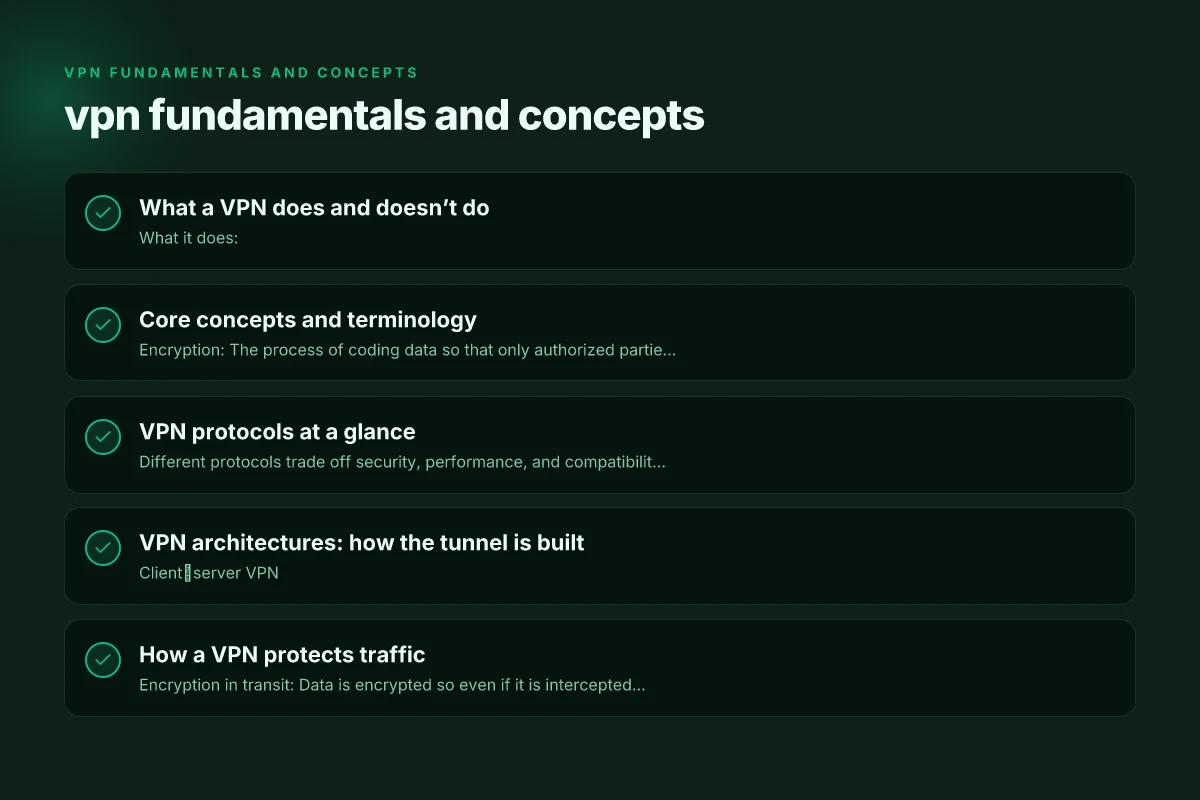
What a VPN does and doesn’t do
- What it does:
- Encapsulates and encrypts traffic between your device and the VPN server.
- Masks your IP address by making it appear as if traffic originates from the VPN server.
- Helps bypass certain regional restrictions or filtering, depending on the setup and policy of the VPN.
- What it doesn’t do:
- It does not guarantee absolute anonymity. Operators can see connection metadata and, in some configurations, not all traffic is fully hidden.
- It does not inherently secure your endpoint devices from malware or phishing.
- A VPN is not a magic cure for slow Internet. Server location, load, and protocol choice affect performance.
Core concepts and terminology
- Encryption: The process of coding data so that only authorized parties can read it. VPNs typically use strong encryption algorithms (for example, AES‑256) to protect data in transit.
- Tunneling: The method by which VPN traffic is encapsulated inside another protocol. Tunneling creates a private path through public networks.
- VPN server: The remote endpoint your device connects to. The server is effectively the “gateway” to the Internet from the VPN’s perspective.
- Client: The software or built‑in OS feature on your device that connects to the VPN server.
- Protocols: Rules that govern how data is packaged, transported, and secured within the tunnel. Common VPN protocols include IPsec, OpenVPN, WireGuard, and L2TP.
- Kill switch: A safety feature that blocks all Internet traffic if the VPN connection drops, preventing unencrypted data from leaking.
- Split tunneling: A configuration that lets some traffic go through the VPN while other traffic goes directly to the Internet.
VPN protocols at a glance
Different protocols trade off security, performance, and compatibility. Here are the most common ones you’ll encounter:
- IPsec (Internet Protocol Security)
- Often used with IKEv2 or with IPsec in tunnel mode.
- Strong security, good stability on mobile networks, widely supported.
- OpenVPN
- Open‑source, highly configurable, uses TLS for encryption.
- Broad compatibility across platforms. Can run over UDP for speed or TCP for reliability.
- WireGuard
- Modern, small codebase, designed for speed and simplicity.
- Uses strong cryptography and tends to offer faster connections with lower overhead.
- L2TP/IPsec
- Combines Layer 2 Tunneling Protocol with IPsec for encryption.
- Easy to set up on many devices but can be blocked by some networks.
- GRE and other tunnels
- Some VPNs use GRE or other tunneling methods in addition to encryption, often for compatibility or specific routing needs.
Choosing a protocol depends on your priorities: maximum security (OpenVPN, WireGuard with good configuration), device support, and network reliability (IPsec/IKEv2 for mobile use).
Core concepts and terminology quick reference
| Term | Definition (short) | How it’s used | Common pitfalls |
|---|---|---|---|
| Encryption | Scrambles data | Protects data in transit | Weak ciphers; misconfigures certificates |
| Tunneling | Encapsulates packets | Creates VPN path | Split tunneling misuses |
| VPN protocol | Rules for data flow | Determines security and speed | Incompatible devices |
| Authentication | Verifies user/device | Prevents impersonation | Weak credentials; no MFA |
| VPN server | End point of tunnel | Joins client to network | Single point of failure |
| Kill switch | Cuts traffic if VPN drops | Prevents leaks | Not always effective |
| DNS leak | DNS queries bypass VPN | Reveal sites visited | Disable via settings |
| Split tunneling | Some traffic outside VPN | Optimize speed | Data exfiltration risk |
| MTU | Maximum transmission unit | Affects performance | Fragmentation issues |
Compiled November 2026; check the provider's site for current details. VPN fundamentals and benefits
VPN architectures: how the tunnel is built
- Client‑server VPN
- Your device (client) connects to a centralized VPN server. The server then accesses the broader Internet on your behalf.
- Common for personal VPNs, remote work, and secure browsing.
- Site‑to‑site VPN
- Connects entire networks at separate locations (e.g., two office networks) through an encrypted tunnel.
- Used by businesses to interlink campuses or branch offices securely.
- Remote access vs. transit VPN
- Remote access VPNs let individual users connect securely from anywhere.
- Transit VPNs create secure pathways between networks and can be part of a larger enterprise network design.
How a VPN protects traffic
- Encryption in transit: Data is encrypted so even if it is intercepted, it’s unreadable without the key.
- IP masking: Your IP address appears to come from the VPN server, which can help with location privacy and access control.
- Secure authentication: VPNs require credentials or tokens to establish trust, reducing the chance of unauthorized access.
- Integrity checks: Protocols verify that data hasn’t been tampered with en route.
However, keep in mind that a VPN protects data in transit but not necessarily data stored on your devices or data after it leaves the VPN server. Endpoint security remains essential.
Common use cases for VPNs
- Privacy and anonymity on public networks
- When connected to coffee shops, airports, or hotels, a VPN helps protect sensitive data like credentials and payment information.
- Accessing geo‑restricted content
- A VPN server in a different country can make services appear as if you’re local to that region.
- Remote work and secure telework
- Employees connect to a corporate VPN to access internal resources as if they were on the office network.
- Bypassing censorship and surveillance (within legal and policy boundaries)
- In some contexts, a VPN helps circumvent restrictive networks while still respecting local laws.
A simple comparison: VPN types and what they’re best for
Table (textual representation):
Personal VPN (consumer VPN)
Best for: Private browsing, secure public Wi‑Fi, streaming, general privacy. VPN free Windows
Typical protocols: OpenVPN, WireGuard.
Pros: Easy to use, cross‑platform, good performance.
Cons: Trust depends on provider. Some services log data.
Corporate VPN VPN free unblocked
Best for: Remote employees connecting to a company network.
Typical protocols: IPsec, IKEv2, OpenVPN, sometimes WireGuard.
Pros: Strong access controls, centralized management.
Cons: Requires IT configuration. Performance depends on the corporate network. VPN free trial PC
Site‑to‑site VPN
Best for: Linking campuses or offices securely.
Typical protocols: IPsec, sometimes GRE inside IPsec.
Pros: Transparent to end users, scalable for sites. VPN free trial UK
Cons: Requires network architecture planning.
Mesh VPN (emerging concept)
Best for: Private, distributed networks with multiple nodes.
Typical protocols: Depending on vendor, often builds upon WireGuard or custom protocols. VPN free trial no payment
Pros: Flexible routing, resilience.
Cons: Complexity and interoperability considerations.
Security considerations and best practices
- Choose reputable providers or implement self‑hosted VPNs if privacy is paramount.
- Verify the encryption strength and protocol support. Prefer modern protocols (WireGuard or OpenVPN with strong ciphers).
- Enable a kill switch and leak protection to prevent IP or DNS leaks if the VPN disconnects.
- Use two‑factor authentication where possible to add an extra layer of security.
- Review privacy policies to understand logging practices. Some providers may log connection metadata even if payload is encrypted.
- Keep VPN software updated to mitigate vulnerabilities and ensure compatibility with current protocols.
- Be mindful of legal and policy boundaries when bypassing region locks or censorship.
The role of DNS and leaks in VPN security
- DNS leaks occur when your device uses a DNS resolver outside the VPN tunnel, revealing the sites you visit.
- A robust VPN setup routes DNS requests through the tunnel or uses its own DNS servers to prevent leaks.
- Regular testing can help you detect leaks: simple online tools can show whether your IP and DNS queries align with the VPN service or reveal your local address.
How to evaluate a VPN option
- Privacy posture: Look for a transparent privacy policy, independent audits, and clear data handling commitments.
- Protocols and performance: Check which protocols are supported and how well they perform on your devices and network.
- Jurisdiction and law: Consider where the provider is based and applicable data retention laws.
- Device and platform support: Ensure compatibility with your devices (PC, Mac, Android, iOS, routers).
- Customer support and reliability: Gauge response times, knowledge, and service SLAs.
- Pricing model: Understand what you get for free or paid tiers, and any trial periods.
How to evaluate VPN options (checklist)
| Criterion | What to look for | Why it matters | Example indicators |
|---|---|---|---|
| Privacy policy | No-logs commitment | True user anonymity | third-party audits; declared data kept |
| Jurisdiction | Country data laws | Legal data access | Swiss/UE vs data-retention regimes |
| Encryption strength | AES-256, ChaCha20 | Core security | listed ciphers; perfect forward secrecy |
| Protocol support | WireGuard, OpenVPN, IKEv2 | Performance/compatibility | multiple protocols offered |
| DNS handling | DNS over HTTPS/TLS; no leaks | Prevents tracking | DNS leak tests; internal DNS resolution |
| Leak protection | Kill switch; WebRTC/DNS leak controls | Data remains private | leak test results supported |
| Device/app coverage | Platforms supported | Convenience; consistent security | Windows/macOS/iOS/Android; router support |
| Server network | Locations; load | Performance; access | number of countries; concurrent connections |
| Audits | Independent audits | Trust and transparency | published reports, scope |
Compiled November 2026; check the provider's site for current details. VPN fundamentals and security
Practical tips to get started
- Start with a reputable consumer VPN to learn basic usage and privacy behavior.
- Test on different networks (home, public Wi‑Fi) to observe performance changes and assess stability.
- Enable automatic connection on startup for devices that require consistent protection.
- Use split tunneling thoughtfully. For most users, routing all traffic through the VPN enhances privacy, unless you need local access to a service that performs poorly behind a VPN.
- Regularly review device and account security settings beyond the VPN (antivirus, OS updates, browser hygiene).
Final recommendation
If you’re new to VPNs, begin with a trusted consumer VPN that supports both WireGuard and OpenVPN, offers clear privacy commitments, and provides a kill switch. Use it on public networks and for privacy‑conscious browsing. As your needs grow, such as remotely accessing a company network or interconnecting multiple offices, consider enterprise‑grade solutions or self‑hosted VPNs managed with strong authentication, audited privacy practices, and transparent behavior. Remember, a VPN is a powerful tool for securing traffic and shaping how you appear online, but it’s most effective when paired with good device security, smart browsing habits, and a clear understanding of what you’re trying to protect and access.
| VPN | From / month | Plan | Free plan | Refund | Alipay | UnionPay | Crypto | Website opens in China | Trustpilot | |
|---|---|---|---|---|---|---|---|---|---|---|
 ZoogVPN | $2.49/mo | 27 months: $59.99 | Yes | 7 days | ✓ | ✓ | ✓ | ✓ | ✓ Yes (2.5 s) | 4.2/5 (195 reviews) |
 NordVPN | $3.49/mo | 27 months: $94.23 | No | 30 days | ? | ✗ | ✓ | ✓ | ✗ Blocked | 4.2/5 (51,628 reviews) |
 ExpressVPN | $3.00/mo | 28 months: $84 | No | 30 days | ✗ | ✗ | ✓ | ✗ | ✗ Blocked | 4.4/5 (29,706 reviews) |
 Surfshark | See site | See site | No | 30 days | ✗ | ✗ | ✗ | ✓ | ✗ Blocked | 4.3/5 (31,823 reviews) |
 Proton VPN | $2.99/mo | 12 months: $35.88 | Yes | 30 days | ✗ | ✗ | ✗ | ✓ | ✓ Yes (2.5 s) | 2.1/5 (1,040 reviews) |
 Astrill VPN | $12.50/mo | 24 months: $300 | No | See site | ✗ | ✗ | ✗ | ✓ | ✗ Blocked | 1.3/5 (110 reviews) |
 Private Internet Access | $2.03/mo | 40 months: $81.2 | No | 30 days | ✗ | ✗ | ✗ | ✗ | ✗ Blocked | 4.2/5 (11,033 reviews) |
 CyberGhost | $2.19/mo | 28 months: $61.32 | No | 45 days | ✗ | ✗ | ✗ | ✓ | ✗ Blocked | 4.0/5 (24,178 reviews) |
 PureVPN | $1.69/mo | 60 months: $101.55 | No | 31 days | ? | ✗ | ✗ | ✓ | ✓ Yes (2.6 s) | 4.4/5 (17,994 reviews) |
 AdGuard VPN | $2.99/mo | 24 months: $71.76 | Yes | 30 days | ✓ | ✗ | ✓ | ✓ | Official site blocked; our special link opens (2.3 s) | 4.3/5 (290 reviews) |
 Mullvad | $5.61/mo | €5/mo | No | 14 days | ✗ | ✗ | ✗ | ✓ | ✗ Blocked | 3.2/5 (192 reviews) |
 Windscribe | $5.75/mo | 12 months: $69 | Yes | See site | ✗ | ✗ | ✗ | ✓ | ✗ Blocked | 4.7/5 (13,355 reviews) |
 StrongVPN | See site | See site | No | 30 days | ✓ | ✗ | ✗ | ✗ | ✗ Blocked | 4.4/5 (2,695 reviews) |
 LightXtreme 闪连 | $7.08/mo | 12 months: $84.99 | Yes | 30 days | ✓ | ✓ | ✓ | ✓ | ✓ Yes (2.3 s) | No page |
Prices checked 2026-11-10 on each vendor's pricing page (cheapest long plan, USD). Check the vendor's checkout for the final price.
Payment methods checked 2026-11-10 on each vendor's payment pages: all 14 take cards and PayPal; ✗ = not listed, ? = the vendor's own pages disagree.
China access: whether the official website opens from mainland China networks (tests the website only, not the VPN connection). Last checked 2026-11-11 04:07 Beijing time.
Trustpilot score and review count checked 2026-11-10.