VPN free Chrome
A practical guide to using free VPNs for Chrome, how they work, benefits, and potential downsides.
VPN free chrome
If you’re looking for a quick privacy boost while browsing in Chrome, a free VPN extension for Chrome can be a convenient option. These tools sit in your browser toolbar and route your browser traffic through a remote server, masking your IP address and encrypting data in transit. They’re popular for unblocking geo-restricted content, protecting on public Wi-Fi, and avoiding simple trackers. But not all free Chrome VPNs are created equal, and it helps to know what you’re getting, and what you’re not.
Comparison of free Chrome VPN extensions at a glance
| Extension | Free tier data limits | Server locations | Speed impact | Privacy policy | Annual usage limits |
|---|---|---|---|---|---|
| Windscribe Free | 10 GB/mo | 10 locations | Moderate | Transparent | Yes, monthly cap |
| Proton VPN Free | No data cap | 3 locations | Slow to moderate | Strong | No fixed cap, limitations |
| TunnelBear Free | 500 MB/mo | 20 locations | Moderate | Reasonable | Yes, monthly cap |
Compiled November 2026; check the provider's site for current details.
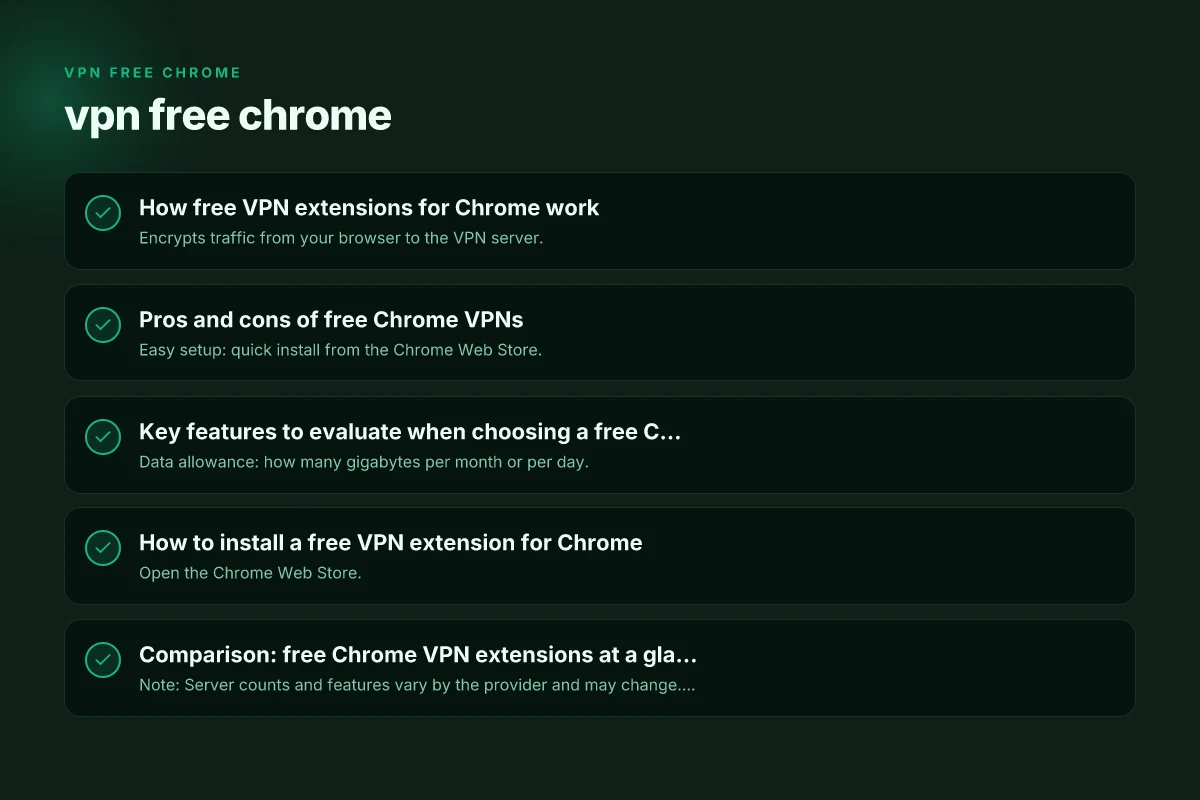
How free VPN extensions for Chrome work
What a VPN extension does
- Encrypts traffic from your browser to the VPN server.
- Masks your real IP with the server’s IP.
- Routes only Chrome traffic unless the extension is a system-wide VPN.
- May offer additional features like location switching, ad blocking, or tracker blocking.
What you should expect
- Data limits: many free plans cap monthly bandwidth (for example, 500 MB to several GB, depending on the service).
- Speed: free servers are often congested, which can slow browsing.
- Privacy posture: some free services log activity or show ads. Others claim zero-logs but should be reviewed in their privacy policy.
- Ads and prompts: free extensions may display ads or upsell paid plans.
Pros and cons of free Chrome VPNs
Pros
- Easy setup: quick install from the Chrome Web Store.
- No payment method required for basic use.
- Useful for modest privacy needs, basic unblock attempts, and securing public Wi-Fi traffic in the browser.
- Lightweight: extensions don’t typically require extra software.
Cons
- Limited data and slower speeds due to server load.
- Inconsistent privacy guarantees. Some vendors monetize data.
- Fewer servers and locations compared to paid plans.
- Potential for leaks if the extension is poorly configured.
Key features to evaluate when choosing a free Chrome VPN
Essential features
- Data allowance: how many gigabytes per month or per day.
- Number of server locations: affects your ability to unblock content and find fast routes.
- Privacy policy: look for no-logs guarantees, jurisdiction, and transparency reports.
- Security: protocol support (OpenVPN, WireGuard, etc.), DNS leak protection.
Nice-to-have features
- Ad and tracker blocking.
- Kill switch for browser traffic (to prevent leaks if the VPN drops).
- Browser-wide vs. only Chrome traffic: confirm scope of protection.
- Easy upgrade path: clarity on when and how you can switch to a paid plan.
How to install a free VPN extension for Chrome
- Open the Chrome Web Store.
- Search for a reputable free VPN extension (examples you’ll see include names like VeePN, Windscribe, Browsec, and Proton VPN, among others).
- Check the publisher, reviews, and the privacy policy.
- Click Add to Chrome and grant necessary permissions.
- Open the extension from the toolbar, choose a server/location if available, and connect.
- Test with a site that shows your IP address to verify the VPN is active.
Tips:
- Start with a trial session to assess speed and reliability before relying on it for sensitive tasks.
- Review permissions requested by the extension. At minimum, it should only need access to your browser data or the sites you visit to function properly.
Comparison: free Chrome VPN extensions at a glance
| Feature / Extension | Data limit | Server locations | Ad blocking | Kill switch | Logs policy | Notable notes |
|---|---|---|---|---|---|---|
| VeePN (Free VPN for Chrome) | Varies by plan | Limited free locations | Optional | Often not included in free tier | Privacy claims vary; check policy | Popular for unblock and privacy claims; watch for prompts to upgrade |
| Windscribe (Free VPN for Chrome) | 10 GB/month (typical free tier with signup) | Moderate | Yes | Yes | Has a transparent policy; free tier may log minimally | Known for ad/tracker blocking in browser |
| Browsec VPN (Free Chrome) | Data limit varies; some allow unlimited in practice | Limited | Yes | Varies | Generally limited logging; check policy | Easy to install, simple locations |
| Proton VPN (Chrome extension) | Free plan with limited countries | Very limited on free plan | No built-in ad blocker on extension | Depends on configuration | Public policy; free tier has safe-guarded privacy | Strong brand, good security reputation; free plan limits speed and locations |
| FreeVPNPlanet (Chrome) | Typically limited | Limited | No | No | Varies by service | Often a lightweight option but be cautious on privacy |
Note: Server counts and features vary by the provider and may change. Always verify current offering and read the privacy policy before use.
Privacy and security caveats with free Chrome VPNs
- Data collection: Free VPNs must monetize in some way. Some collect minimal telemetry or show ads. Read the privacy policy to understand what data is collected and why.
- Leaks: DNS leaks or WebRTC leaks can undermine VPN protections. Look for features like DNS leak protection and a kill switch.
- Trust and audits: Free services may not publish third-party audits. For sensitive tasks, consider alternatives that provide independent security reviews.
- Jurisdiction: The country where the VPN provider operates can affect data requests from authorities. A no-logs claim is only as good as the policy and enforcement.
When a free Chrome VPN is a good fit
- Light browsing from public Wi-Fi: Basic encryption and IP masking can reduce risk on open networks.
- Unblocking limited content: If you want to access region-locked content occasionally, a free extension might suffice.
- Trialing a service: Free versions let you test how a provider’s interface, speed, and reliability feel before committing to a paid plan.
Key features to evaluate when choosing a free Chrome VPN
| Feature | Essential? | Free option presence | Notes | Typical constraint | Recommendation |
|---|---|---|---|---|---|
| Data privacy policy | yes | yes | Clear terms | May limit data collection | Check for logging stance |
| Browser extension security | yes | yes | Signed extensions | Potential push ads | Prefer reputable vendors |
| Kill switch | recommended | limited | Sometimes unavailable | May be absent | Prioritize with kill switch |
| Split tunneling | optional | rarely | Not common | Often not offered | If needed, verify |
| Speed impact | depends | yes | Affects browsing | Could throttle | Test with free trial |
| Customer support | desirable | basic | Response times | Limited channels | Look for docs |
Compiled November 2026; check the provider's site for current details. VPN free download: how to choose and use a no-cost VPN safely
When to consider paid alternatives
- Consistent privacy and performance: Paid plans generally offer better speeds, more servers, and stronger privacy assurances.
- Comprehensive protection: If you need VPN coverage beyond Chrome (e.g., system-wide protection on devices), a paid plan with a dedicated app is preferable.
- Advanced features: Kill switch on all traffic, multiple simultaneous devices, dedicated customer support, and business-grade policies.
Practical usage scenarios
- Student on campus network: A free Chrome VPN can help access resources not available in certain regions while keeping traffic within the browser encrypted.
- Traveler on public Wi-Fi: A free extension can reduce risk on cafes and airports by masking your browsing IP and encrypting browser traffic.
- Light streaming or browsing: If you’re occasionally unblocking content, a free tier may be sufficient, especially if you don’t need high-definition video or long sessions.
How free Chrome VPN extensions work vs paid alternatives
| Aspect | Free Chrome VPN | Paid Chrome VPN | Difference notes | Typical user impact | Recommendation |
|---|---|---|---|---|---|
| Data plan | limited | unlimited or high | Free caps exist | Plan around caps | Use for light use |
| Server network | small | large | More locations | More geo options | Paid for breadth |
| Ad/track blocking | sometimes included | often included | Extra protection | Improves privacy | Prefer paid for completeness |
| Support quality | community/docs | priority support | Response times | Faster help with paid | Consider budget for pro use |
Compiled November 2026; check the provider's site for current details.
Security best practices beyond a free Chrome VPN
- Use HTTPS everywhere: Ensure you browse with HTTPS whenever possible. A VPN does not substitute for secure connections.
- Keep extensions updated: Regular updates fix security holes and improve reliability.
- Avoid sensitive tasks on free networks: For banking, health data, or highly sensitive communications, consider trusted networks or a paid VPN with a strong no-logs policy.
- Consider a reputable paid VPN if privacy is critical: A paid service is more likely to offer robust privacy features, independent audits, and a stronger stance on data minimization.
Final recommendations
- Start with one reputable free Chrome VPN extension to test your needs and see how well it performs in your daily tasks. Windscribe or Browsec are commonly encountered options with reasonably clear privacy policies and useful features.
- If you regularly rely on VPNs for privacy, security, or streaming, plan to upgrade to a paid plan from a trusted provider. A paid option typically offers more locations, higher speeds, a true no-logs policy, and broader protection beyond Chrome.
- Always review the privacy policy and permissions before enabling any extension. Be cautious of extensions that request broad access to all data or require you to disable other security features.
- Use multiple layers of protection: keep your browser and extensions updated, enable HTTPS-only modes where possible, and consider other privacy tools (like tracker blockers) in addition to a VPN.
In short, free Chrome VPN extensions can be a convenient entry point for basic privacy and access needs. They’re not silver bullets for online privacy, but with careful selection and mindful usage, they can be a helpful addition to your digital toolkit. If privacy rights and reliable performance are paramount, prepare to invest in a reputable paid VPN with clear privacy commitments and robust security features. VPN free cho PC: hướng dẫn chọn và dùng VPN miễn phí cho PC an toàn
| VPN | From / month | Plan | Free plan | Refund | Alipay | UnionPay | Crypto | Website opens in China | Trustpilot | |
|---|---|---|---|---|---|---|---|---|---|---|
 Windscribe | $5.75/mo | 12 months: $69 | Yes | See site | ✗ | ✗ | ✗ | ✓ | ✗ Blocked | 4.7/5 (13,355 reviews) |
 Proton VPN | $2.99/mo | 12 months: $35.88 | Yes | 30 days | ✗ | ✗ | ✗ | ✓ | ✓ Yes (2.5 s) | 2.1/5 (1,040 reviews) |
 ZoogVPN | $2.49/mo | 27 months: $59.99 | Yes | 7 days | ✓ | ✓ | ✓ | ✓ | ✓ Yes (2.5 s) | 4.2/5 (195 reviews) |
 NordVPN | $3.49/mo | 27 months: $94.23 | No | 30 days | ? | ✗ | ✓ | ✓ | ✗ Blocked | 4.2/5 (51,628 reviews) |
 ExpressVPN | $3.00/mo | 28 months: $84 | No | 30 days | ✗ | ✗ | ✓ | ✗ | ✗ Blocked | 4.4/5 (29,706 reviews) |
 Surfshark | See site | See site | No | 30 days | ✗ | ✗ | ✗ | ✓ | ✗ Blocked | 4.3/5 (31,823 reviews) |
 Astrill VPN | $12.50/mo | 24 months: $300 | No | See site | ✗ | ✗ | ✗ | ✓ | ✗ Blocked | 1.3/5 (110 reviews) |
 Private Internet Access | $2.03/mo | 40 months: $81.2 | No | 30 days | ✗ | ✗ | ✗ | ✗ | ✗ Blocked | 4.2/5 (11,033 reviews) |
 CyberGhost | $2.19/mo | 28 months: $61.32 | No | 45 days | ✗ | ✗ | ✗ | ✓ | ✗ Blocked | 4.0/5 (24,178 reviews) |
 PureVPN | $1.69/mo | 60 months: $101.55 | No | 31 days | ? | ✗ | ✗ | ✓ | ✓ Yes (2.6 s) | 4.4/5 (17,994 reviews) |
 AdGuard VPN | $2.99/mo | 24 months: $71.76 | Yes | 30 days | ✓ | ✗ | ✓ | ✓ | Official site blocked; our special link opens (2.3 s) | 4.3/5 (290 reviews) |
 Mullvad | $5.61/mo | €5/mo | No | 14 days | ✗ | ✗ | ✗ | ✓ | ✗ Blocked | 3.2/5 (192 reviews) |
 StrongVPN | See site | See site | No | 30 days | ✓ | ✗ | ✗ | ✗ | ✗ Blocked | 4.4/5 (2,695 reviews) |
 LightXtreme 闪连 | $7.08/mo | 12 months: $84.99 | Yes | 30 days | ✓ | ✓ | ✓ | ✓ | ✓ Yes (2.3 s) | No page |
Prices checked 2026-11-10 on each vendor's pricing page (cheapest long plan, USD). Check the vendor's checkout for the final price.
Payment methods checked 2026-11-10 on each vendor's payment pages: all 14 take cards and PayPal; ✗ = not listed, ? = the vendor's own pages disagree.
China access: whether the official website opens from mainland China networks (tests the website only, not the VPN connection). Last checked 2026-11-11 04:07 Beijing time.
Trustpilot score and review count checked 2026-11-10.