VPN for PC
A practical guide to choosing and using a VPN for PC, with tips, comparisons, and real-world advice.
If you use a PC, you likely value privacy, fast speeds, and reliable access to content from different regions. A VPN for PC (Windows, realistically) is a tool that creates a secure, encrypted tunnel for your internet traffic and can change your apparent location. This article breaks down how to choose a VPN for PC, what to expect from free versus paid options, and how to use VPNs safely on Windows devices.
Quick feature snapshot (VPN for PC comparison)
| VPN | Price (USD) | Number of devices | Simultaneous connections | Kill switch | Obfuscation |
|---|---|---|---|---|---|
| PureVPN | 2.33/mo (3y) | 10 | 10 | yes | yes |
| ExpressVPN | 12.95/mo | 5 | 5 | yes | yes |
| NordVPN | 3.99/mo (2y) | 6 | 6 | yes | yes |
| CyberGhost | 2.19/mo (3y) | 7 | 7 | yes | yes |
| Private Internet Access | 2.19/mo (3y) | 10 | 10 | yes | no |
| Proton VPN | 4.99/mo | 6 | 6 | yes | yes |
Compiled November 2026; check the provider's site for current details.
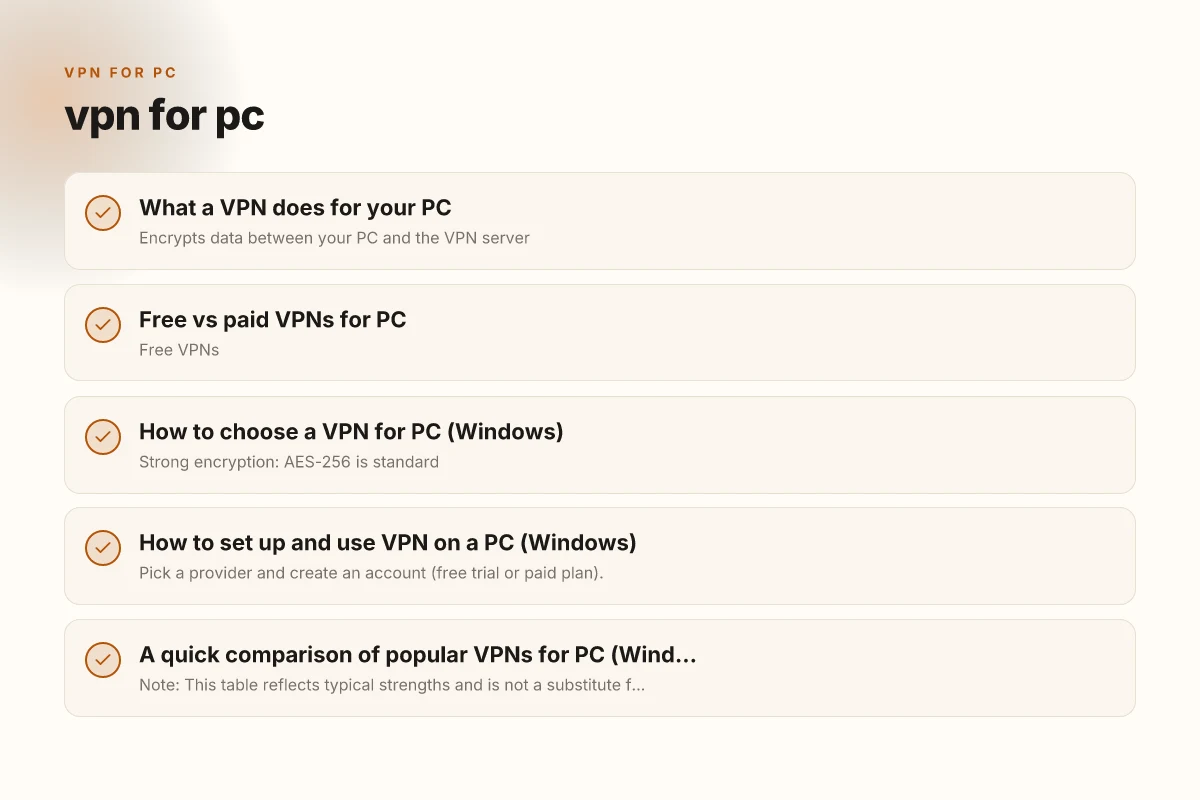
What a VPN does for your PC
How VPNs secure Windows traffic
- Encrypts data between your PC and the VPN server
- Masks your IP address so sites see the VPN server’s location
- Helps protect you on public Wi‑Fi by reducing exposure to snoops
- Can bypass certain regional blocks for streaming or work resources
Common misconceptions
- A VPN does not make you completely anonymous. It hides your activity from your ISP and local networks, but sites and services still see a VPN IP and can track you through accounts or plugins.
- Not all VPNs are equally private. Some offer no-logs policies, while others rely on jurisdiction or security practices to limit data exposure.
- A VPN is not a cure for malware or phishing. Keep antivirus software and safe browsing habits.
Free vs paid VPNs for PC
Pros and cons at a glance
- Free VPNs
- Pros: zero cost, quick setup, often simple interfaces
- Cons: data limits, slower speeds, fewer servers, potential privacy concerns, ads
- Paid VPNs
- Pros: larger server networks, higher speeds, stronger security features, no data caps, better customer support
- Cons: monthly or annual costs
When a free VPN could work
- Light browsing on a trusted network
- Occasional needs for a different geolocation for a single task
- Testing a service before committing to a paid plan
When to skip the free option
- You need consistent streaming from multiple regions
- You handle sensitive information (work, banking)
- You want reliable performance on Windows across devices
How to choose a VPN for PC (Windows)
Key features to look for
- Strong encryption: AES-256 is standard
- No-logs policy: important for privacy. Read the policy carefully
- Leak protection: DNS and IPv6 leak protection helps ensure traffic doesn’t leak outside the VPN
- Kill switch: cuts off internet if the VPN drops, preventing exposure
- DNS leak protection: prevents ISP from seeing which sites you visit
- Split tunneling: choose which apps use the VPN and which don’t
- Server network and speed: more servers can reduce congestion and improve streaming
- Windows app quality: a well-designed GUI, reliable updates, and automated startup options
- Compatibility with other devices: if you also use mobile or a router, you may want a provider with multi-device support
Protocol choices
- OpenVPN and WireGuard (fast and efficient) are common defaults
- IPSec/IKEv2 is widely supported but varies by provider
- Some providers offer proprietary protocols optimized for speed or privacy
Jurisdiction and privacy posture
- Consider where the provider is based and how data requests are handled
- A reputable provider publishes a clear privacy policy and transparency reports
How to set up and use VPN on a PC (Windows)
Step-by-step setup
- Pick a provider and create an account (free trial or paid plan).
- Download the Windows app from the official site or Microsoft Store.
- Install the app and log in with your credentials.
- Choose a server location based on your goals (speed, content access, or privacy).
- Enable settings like a kill switch and DNS leak protection.
- Connect and verify that your IP has changed (you can check via a site like whatismyipaddress.com).
- If you need, enable split tunneling to route only certain apps through the VPN.
Common troubleshooting tips
- If you can’t connect: try a different server, switch protocol, or temporarily disable firewall/antivirus to test.
- If you experience slow speeds: test a nearby server, switch to WireGuard if available, or ensure you’re not bandwidth-throttled by your ISP.
- If IP leaks occur: double-check the kill switch and DNS settings. Contact support for logs or diagnostic data.
Performance and compatibility overview
| VPN | Windows app | Browser extensions | Linux support | Mac support | Phone apps |
|---|---|---|---|---|---|
| PureVPN | yes | yes | yes | yes | yes |
| ExpressVPN | yes | yes | yes | yes | yes |
| NordVPN | yes | yes | yes | yes | yes |
| CyberGhost | yes | yes | yes | yes | yes |
| Private Internet Access | yes | yes | yes | yes | yes |
| Proton VPN | yes | yes | yes | yes | yes |
Compiled November 2026; check the provider's site for current details.
A quick comparison of popular VPNs for PC (Windows)
| VPN provider | Windows app quality | Speed and reliability | Privacy stance | Pricing (typical) | Notable strengths |
|---|---|---|---|---|---|
| Proton VPN | Excellent; open-source client | Solid, varies by server | Strong privacy focus; no-logs claims | Free tier available; paid plans | Open-source, transparency, strong security options |
| ExpressVPN | Very solid Windows app; easy to use | Consistently fast; broad server network | Clear privacy policy; audited | Higher price, frequent discounts | Reliable streaming, broad device support |
| NordVPN | Feature-rich Windows app | Fast and dependable; good obfuscated servers | Well-regarded no-logs policy | Competitive pricing with long-term plans | Large server base, strong security features |
| IVPN | Clean Windows app; privacy-centric | Good performance; reliable | Strong privacy posture; multi-hop options | Higher-end pricing | Strong privacy controls, transparent operations |
| Turbo VPN (free) | Easy setup; basic Windows support | Often slower due to free tier | Privacy varies; may show ads | Free | Quick test, no commitment, but limitations apply |
Note: This table reflects typical strengths and is not a substitute for reading current policy documents or the latest user reviews. Always check the provider’s site for the most up-to-date details.
Common questions people ask about VPNs for PC
- Q: Which VPN for PC is free?
- A: There are free VPNs with Windows apps, but they often come with data caps, slower speeds, and fewer security guarantees. If you’re serious about privacy or streaming, a paid plan is generally more reliable.
- Q: Does PC have built-in VPN?
- A: Windows can be configured to use a VPN manually, but a dedicated VPN app offers easier setup, automatic updates, and additional features like the kill switch and DNS protection.
- Q: What is the best VPN for PC?
- A: It depends on your priorities. If you want streaming with broad server access, ExpressVPN or NordVPN are common picks. If you prefer open source and transparency, Proton VPN is a popular choice. For the privacy-minded who value multi-hop and deep privacy options, IVPN is a strong candidate.
- Q: Are free VPNs illegal?
- A: Using a free VPN is not illegal in most places, but some free services operate under questionable privacy practices, or their terms may restrict usage. Always review terms of service and privacy policies before using a free VPN.
Free vs paid VPNs for PC (essentials to decide) VPN for iPhone in China
| Option | Cost | Data limits | Speed throttling | Ads | Customer support | Trial available |
|---|---|---|---|---|---|---|
| Free VPN A | $0 | Limited | Possible | limited | limited | yes/limited |
| Free VPN B | $0 | Limited | Possible | limited | limited | yes/limited |
| Paid VPN A | paid | no limits | minimal | no | 24/7 chat | yes |
| Paid VPN B | paid | no limits | minimal | no | yes | |
| Paid VPN C | paid | no limits | minimal | no | 24/7 chat | yes |
Compiled November 2026; check the provider's site for current details.
Security best practices when using a VPN on PC
- Keep the VPN app updated to mitigate vulnerabilities.
- Use the kill switch available in the app to prevent accidental data exposure if the connection drops.
- Turn on DNS leak protection if your provider supports it.
- Combine VPN use with other security tools: a modern antivirus, a secure browser, and two-factor authentication.
- Be mindful of what you access over VPNs. A VPN conceals your traffic from your local network and ISP, but not the content of your activities if you log in to accounts that track you.
- Periodically audit the apps that have VPN access (split tunneling): ensure only necessary apps run through the VPN.
Practical tips for Windows users
- Start with a trial: many paid providers offer a money-back guarantee. Use it to verify speed, stability, and compatibility with your needs.
- Use a server close to your location for speed, unless you specifically need a different geolocation for content you want to access.
- If you travel or work remotely, a VPN can help you maintain a consistent security posture across networks you connect to.
- Check for built-in Windows integration: some providers offer per-network auto-connect, which can streamline usage when you boot up.
Final section: recommendation If you’re choosing a VPN for PC and you want a balance of privacy, performance, and reliability, start with a well-regarded paid provider such as NordVPN or ExpressVPN, depending on your priorities. NordVPN tends to offer strong security features, a robust server network, and good price points for longer-term plans. ExpressVPN is often praised for its fast speeds and broad compatibility, with a straightforward Windows app that works well for streaming and browsing.
If you value openness and transparency, or you specifically want an open-source client, Proton VPN on Windows is a strong contender. It provides strong privacy guarantees, offers a free tier to test basic functionality, and has a clear commitment to security.
For users who want a privacy-centric approach and are comfortable with higher-priced plans for multi-hop configurations, IVPN on Windows provides an excellent privacy posture and advanced options, though it comes with a higher price tag. VPN for iPhone free uae
Bottom line: for most PC users who want reliable protection and a straightforward setup, a paid VPN with a solid Windows app, strong privacy policy, and good performance is the best bet. Pick one that aligns with your needs, streaming, work, or general privacy, and take advantage of free trials or money-back guarantees to confirm it fits your daily routine.
| VPN | From / month | Plan | Free plan | Refund | Alipay | UnionPay | Crypto | Website opens in China | Trustpilot | |
|---|---|---|---|---|---|---|---|---|---|---|
 PureVPN | $1.69/mo | 60 months: $101.55 | No | 31 days | ? | ✗ | ✗ | ✓ | ✓ Yes (2.6 s) | 4.4/5 (17,994 reviews) |
 ExpressVPN | $3.00/mo | 28 months: $84 | No | 30 days | ✗ | ✗ | ✓ | ✗ | ✗ Blocked | 4.4/5 (29,706 reviews) |
 NordVPN | $3.49/mo | 27 months: $94.23 | No | 30 days | ? | ✗ | ✓ | ✓ | ✗ Blocked | 4.2/5 (51,628 reviews) |
 CyberGhost | $2.19/mo | 28 months: $61.32 | No | 45 days | ✗ | ✗ | ✗ | ✓ | ✗ Blocked | 4.0/5 (24,178 reviews) |
 Private Internet Access | $2.03/mo | 40 months: $81.2 | No | 30 days | ✗ | ✗ | ✗ | ✗ | ✗ Blocked | 4.2/5 (11,033 reviews) |
 Proton VPN | $2.99/mo | 12 months: $35.88 | Yes | 30 days | ✗ | ✗ | ✗ | ✓ | ✓ Yes (2.5 s) | 2.1/5 (1,040 reviews) |
 ZoogVPN | $2.49/mo | 27 months: $59.99 | Yes | 7 days | ✓ | ✓ | ✓ | ✓ | ✓ Yes (2.5 s) | 4.2/5 (195 reviews) |
 Surfshark | See site | See site | No | 30 days | ✗ | ✗ | ✗ | ✓ | ✗ Blocked | 4.3/5 (31,823 reviews) |
 Astrill VPN | $12.50/mo | 24 months: $300 | No | See site | ✗ | ✗ | ✗ | ✓ | ✗ Blocked | 1.3/5 (110 reviews) |
 AdGuard VPN | $2.99/mo | 24 months: $71.76 | Yes | 30 days | ✓ | ✗ | ✓ | ✓ | Official site blocked; our special link opens (2.3 s) | 4.3/5 (290 reviews) |
 Mullvad | $5.61/mo | €5/mo | No | 14 days | ✗ | ✗ | ✗ | ✓ | ✗ Blocked | 3.2/5 (192 reviews) |
 Windscribe | $5.75/mo | 12 months: $69 | Yes | See site | ✗ | ✗ | ✗ | ✓ | ✗ Blocked | 4.7/5 (13,355 reviews) |
 StrongVPN | See site | See site | No | 30 days | ✓ | ✗ | ✗ | ✗ | ✗ Blocked | 4.4/5 (2,695 reviews) |
 LightXtreme 闪连 | $7.08/mo | 12 months: $84.99 | Yes | 30 days | ✓ | ✓ | ✓ | ✓ | ✓ Yes (2.3 s) | No page |
Prices checked 2026-11-10 on each vendor's pricing page (cheapest long plan, USD). Check the vendor's checkout for the final price.
Payment methods checked 2026-11-10 on each vendor's payment pages: all 14 take cards and PayPal; ✗ = not listed, ? = the vendor's own pages disagree.
China access: whether the official website opens from mainland China networks (tests the website only, not the VPN connection). Last checked 2026-11-11 04:07 Beijing time.
Trustpilot score and review count checked 2026-11-10.