VPN for iPhone 16
A practical guide to using a VPN on iPhone 16, covering built-in options, setup steps, best apps, and security tips.
In today’s mobile-first world, a reliable VPN on iPhone 16 helps protect your privacy, secure your data on public Wi‑Fi, and access geo‑restricted content. The iPhone 16’s iOS supports VPN connections directly through system settings, and you can also install trusted third‑party VPN apps. This guide walks you through what matters, how to set things up, and how to choose the right VPN for your needs.
Comparison of built-in iPhone 16 VPN vs. app-based VPN features
| Feature | Built-in iOS VPN (IPSec/L2TP/IKEv2) | App-based VPN (3rd party) | Notes |
|---|---|---|---|
| Availability on iPhone 16 | Yes | Yes | Both work on iPhone 16 |
| Setup required | Minimal | Yes | Native vs app install |
| Per-app VPN support | Not native | Yes (per‑app) | App-based can split traffic |
| Encryption options | Varies by protocol | Stronger options often | Depends on provider |
| Kill switch | No native | Yes / sometimes | Check app feature |
| Auto reconnect | Yes | Yes | Background behavior |
| Device-wide VPN | Yes (system) | Yes (app-configured) | Traffic all routes |
| Logging policy shown | Limited | Provider dependent | Review privacy policy |
| Cost | Included base features | Varies by provider | Free vs paid tiers |
Compiled November 2026; check the provider's site for current details.
Do you need a VPN on iPhone 16?
- Built-in options: iPhone can connect to VPNs using profiles (IKEv2, IPSec, or L2TP) without third‑party apps. You can add a VPN configuration in Settings > General > VPN & Device Management.
- Third-party apps: Most people opt for a dedicated VPN app for ease of use, extra features, and automatic reconnects.
- Why it matters:
- Public Wi‑Fi protection: Encrypts traffic on cafés, airports, and hotels.
- Privacy: Hides your IP address from trackers and some advertisers.
- Bypass restrictions: Access content unavailable in your region (where legal and permitted).
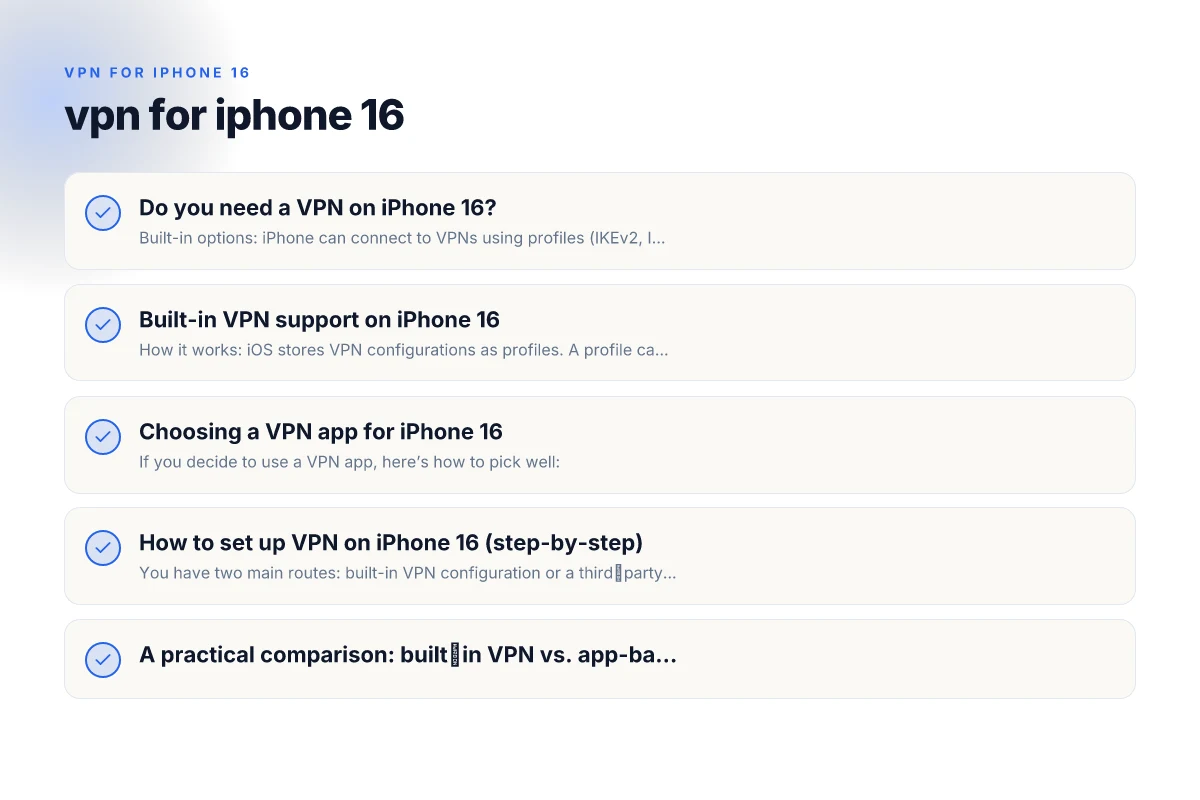
Built-in VPN support on iPhone 16
- How it works: iOS stores VPN configurations as profiles. A profile can be created by you, your workplace, or your VPN provider.
- Common protocols:
- IKEv2/IPsec: Fast and stable. Widely supported.
- IPSec: Strong encryption, commonly used.
- L2TP over IPSec: Easy to set up but slightly slower due to double encryption.
- When to use built-in: If your organization provides a profile or you want to avoid extra apps.
- Limitations: Manual setup may be technical. Fewer advanced features than some apps.
Choosing a VPN app for iPhone 16
If you decide to use a VPN app, here’s how to pick well:
- Privacy and logging: Look for no-logs policies or strong privacy commitments. Check independent audits if available.
- Encryption and protocols: Prefer WireGuard, OpenVPN, or IKEv2 with strong encryption (AES-256, ChaCha20).
- Server network: A larger server network gives more options and faster speeds.
- No ads and performance: Free tiers often come with limits, ads, or slower speeds.
- Kill switch and DNS leak protection: Prevent data leaks if the connection drops.
- Jurisdiction: Companies in privacy-friendly jurisdictions reduce government data requests impact.
- Price and value: Free options can be tempting but may compromise privacy or performance. Subscriptions often unlock better security and faster speeds.
How to set up VPN on iPhone 16 (step-by-step)
You have two main routes: built-in VPN configuration or a third‑party VPN app.
- Option A: Built-in VPN configuration
- Obtain a VPN profile from your employer, school, or VPN provider.
- Go to Settings > General > VPN & Device Management.
- Install or add the VPN configuration following on-screen prompts.
- Toggle the VPN switch to connect.
- If prompted, allow essential permissions (like allowing VPN configuration to modify network settings).
- Option B: Using a VPN app
- Open the App Store and search for a trusted VPN (e.g., a reputable provider with solid reviews).
- Subscribe or sign in, then authorize installation.
- Open the app and grant necessary permissions (VPN configuration prompts are common).
- Choose a server location and connect.
- Use the app’s kill switch and privacy features as needed.
- Quick tip: In iOS, you’ll see a VPN icon in the status bar when connected. If the status says “VPN is off,” you’re not protected.
Quick‑start decision table for iPhone 16 VPN options
| Scenario | Built-in VPN | App-based VPN | Recommendation |
|---|---|---|---|
| You want privacy for Wi‑Fi | Limited | Strong | App-based preferred |
| You need per‑app control | No | Yes | App-based preferred |
| You want simple setup | Easy | Moderate | Built-in for simplicity |
| You need advanced features (split tunneling, obfsproxy) | Limited | Yes | App-based preferred |
| You’reBudget-conscious | Free built-in | Paid app often | Built-in first, then consider app if needed |
| You value transparency of policy | Limited | Provider varies | Check policy before install |
| You travel frequently and want reliability | Moderate | High | App-based often more reliable |
Compiled November 2026; check the provider's site for current details. VPN for iPhone 15
A practical comparison: built‑in VPN vs. app-based VPN
| Factor | Built-in VPN (iPhone) | App-based VPN |
|---|---|---|
| Ease of use | Moderate; manual setup | High; guided setup in app |
| Features | Basic connect/disconnect; profile management | Kill switch, DNS protection, split tunneling (depending on app) |
| Privacy controls | Dependent on profile/provider | Often stronger privacy options and audits |
| Server access | Tied to configured profiles | Wide server networks with quick location changes |
| Updates | Dependent on provider/profile | Regular app updates and security patches |
| Cost | Often includes enterprise or provider access | Free tiers possible but premium plans unlock more |
Security tips for using VPN on iPhone 16
- Keep iOS up to date: System updates include security improvements that enhance VPN performance and protection.
- Use trusted providers: Favor providers with transparent privacy practices and independent audits.
- Enable the kill switch: Prevent traffic leaks if the VPN drops unexpectedly.
- Verify DNS settings: Some apps offer their own DNS. Ensure it’s not leaking your real location.
- Avoid free VPNs with questionable logs: Free services often monetize user data or inject ads.
- Check for IPv6 leaks: If possible, disable IPv6 or use a provider that prevents IPv6 leaks when the VPN is active.
- Test for leaks: Periodically run a privacy check (websites that test IP, DNS, and WebRTC) to ensure your traffic is routed through the VPN.
Practical setup decision table for iPhone 16
| Step | Built-in VPN | App-based VPN | Key tip |
|---|---|---|---|
| Enable in Settings | Yes | No | Go to Settings > General > VPN |
| Choose protocol | IPSec/L2TP/IKEv2 | App‑provided | Built-in supports classic protocols |
| Enter server/credentials | Manual | Auto or QR | App may autofill |
| Test connection | Connect and verify | Connect and verify | Use a known test site |
| Per‑app traffic | No | Yes | Enable per‑app in app if needed |
| Auto reconnect | Yes | Yes | Check feature in app |
| Disconnect | Manual | Manual | Confirm VPN is off when done |
Compiled November 2026; check the provider's site for current details.
Common questions about VPN for iPhone 16
Q: Does my iPhone 16 have a built-in VPN? A: Yes. iPhone 16 supports VPN configurations natively via settings, and you can add profiles from providers or workplaces. You can also install third‑party VPN apps for enhanced features.
Q: Is there any 100% free VPN for iPhone? A: Free VPNs exist, but they often come with limitations (data caps, speed throttling, fewer servers) and may log data. If privacy is a priority, a paid VPN with a proven no-logs policy is generally a safer choice. VPN for iPhone 13
Q: Does the iPhone have a built-in VPN switch, like a global toggle? A: When you connect to a VPN, iOS shows a VPN status indicator in the status bar. You can turn the VPN on/off from Settings or within a VPN app.
Q: Is it worth having a VPN on an iPhone? A: If you frequently use public Wi‑Fi, want extra privacy, or need to access region‑restricted content (where legal), a VPN is worth it. For general mobile browsing on private networks, it’s a balance of privacy, speed, and trust in the provider.
Practical recommendations for most users
- If you’re new to VPNs: Start with a reputable paid VPN app that uses WireGuard or OpenVPN, includes a kill switch, and has a clear privacy policy.
- If you’re connecting to work or school networks: Use the built-in VPN configuration or the enterprise‑approved app, as required by your IT department.
- If you value transparency and openness: Consider open‑source options with independent audits. Verify they meet your privacy expectations.
- If you often travel or stream: Choose a provider with a broad server network, fast speeds, and streaming-optimized servers, keeping in mind that some streaming services actively block VPNs.
Final recommendation
For most iPhone 16 users, a trusted third‑party VPN app paired with a robust no‑logs policy offers a smoother experience and stronger privacy protections than relying on a basic built-in profile alone. Start by selecting a reputable provider, enable features like a kill switch and DNS leak protection, and connect to a server that balances speed and privacy for your needs. Keep your iPhone and the VPN app updated, and periodically review the provider’s privacy practices to ensure you’re still aligned with your privacy goals. VPN for iPhone 14
| VPN | From / month | Plan | Free plan | Refund | Alipay | UnionPay | Crypto | Website opens in China | Trustpilot | |
|---|---|---|---|---|---|---|---|---|---|---|
 ZoogVPN | $2.49/mo | 27 months: $59.99 | Yes | 7 days | ✓ | ✓ | ✓ | ✓ | ✓ Yes (2.5 s) | 4.2/5 (195 reviews) |
 NordVPN | $3.49/mo | 27 months: $94.23 | No | 30 days | ? | ✗ | ✓ | ✓ | ✗ Blocked | 4.2/5 (51,628 reviews) |
 ExpressVPN | $3.00/mo | 28 months: $84 | No | 30 days | ✗ | ✗ | ✓ | ✗ | ✗ Blocked | 4.4/5 (29,706 reviews) |
 Surfshark | See site | See site | No | 30 days | ✗ | ✗ | ✗ | ✓ | ✗ Blocked | 4.3/5 (31,823 reviews) |
 Proton VPN | $2.99/mo | 12 months: $35.88 | Yes | 30 days | ✗ | ✗ | ✗ | ✓ | ✓ Yes (2.5 s) | 2.1/5 (1,040 reviews) |
 Astrill VPN | $12.50/mo | 24 months: $300 | No | See site | ✗ | ✗ | ✗ | ✓ | ✗ Blocked | 1.3/5 (110 reviews) |
 Private Internet Access | $2.03/mo | 40 months: $81.2 | No | 30 days | ✗ | ✗ | ✗ | ✗ | ✗ Blocked | 4.2/5 (11,033 reviews) |
 CyberGhost | $2.19/mo | 28 months: $61.32 | No | 45 days | ✗ | ✗ | ✗ | ✓ | ✗ Blocked | 4.0/5 (24,178 reviews) |
 PureVPN | $1.69/mo | 60 months: $101.55 | No | 31 days | ? | ✗ | ✗ | ✓ | ✓ Yes (2.6 s) | 4.4/5 (17,994 reviews) |
 AdGuard VPN | $2.99/mo | 24 months: $71.76 | Yes | 30 days | ✓ | ✗ | ✓ | ✓ | Official site blocked; our special link opens (2.3 s) | 4.3/5 (290 reviews) |
 Mullvad | $5.61/mo | €5/mo | No | 14 days | ✗ | ✗ | ✗ | ✓ | ✗ Blocked | 3.2/5 (192 reviews) |
 Windscribe | $5.75/mo | 12 months: $69 | Yes | See site | ✗ | ✗ | ✗ | ✓ | ✗ Blocked | 4.7/5 (13,355 reviews) |
 StrongVPN | See site | See site | No | 30 days | ✓ | ✗ | ✗ | ✗ | ✗ Blocked | 4.4/5 (2,695 reviews) |
 LightXtreme 闪连 | $7.08/mo | 12 months: $84.99 | Yes | 30 days | ✓ | ✓ | ✓ | ✓ | ✓ Yes (2.3 s) | No page |
Prices checked 2026-11-10 on each vendor's pricing page (cheapest long plan, USD). Check the vendor's checkout for the final price.
Payment methods checked 2026-11-10 on each vendor's payment pages: all 14 take cards and PayPal; ✗ = not listed, ? = the vendor's own pages disagree.
China access: whether the official website opens from mainland China networks (tests the website only, not the VPN connection). Last checked 2026-11-11 04:07 Beijing time.
Trustpilot score and review count checked 2026-11-10.