VPN for Android phone
A practical guide to choosing and using a VPN for Android, with tips, options, and safety considerations.
Using a VPN on an Android phone is a straightforward way to protect your data on public Wi‑Fi, hide your location from apps and websites, and access region‑restricted content. The Android ecosystem supports a wide range of VPN providers and protocols, so you can tailor a solution to your needs, whether you want a free option for occasional use or a robust paid service for daily browsing and streaming. This guide breaks down how to choose, set up, and use a VPN on Android, plus tips to maximize privacy and performance.
VPN features by Android app
| App | Encrypts traffic | Kill switch | Split tunneling | Ad blocking | Price (per month) |
|---|---|---|---|---|---|
| ExpressVPN | yes | yes | yes | yes | $12.95 |
| NordVPN | yes | yes | yes | yes | $11.99 |
| ProtonVPN | yes | yes | yes | basic | $9.00 |
| Surfshark | yes | yes | yes | yes | $12.95 |
| Private Internet Access | yes | yes | yes | no | $9.95 |
Compiled November 2026; check the provider's site for current details.
What a VPN on Android does for you
How a VPN protects your data
- Encrypts traffic between your phone and the VPN server, making it harder for attackers on public networks to read your data.
- Masks your IP address so websites and apps see the VPN server’s address instead of your real location.
- Routes traffic through a choice of servers, which can improve privacy when used thoughtfully.
Common reasons people use a VPN on Android
- Public Wi‑Fi protection at coffee shops, airports, or hotels.
- Bypassing regional content restrictions for streaming or news sites.
- Concealing online activity from network providers or advertisers (note: VPNs aren’t a magic shield. Choose a trusted provider).
- Securing sensitive actions (banking, messaging) on devices that may be at risk.
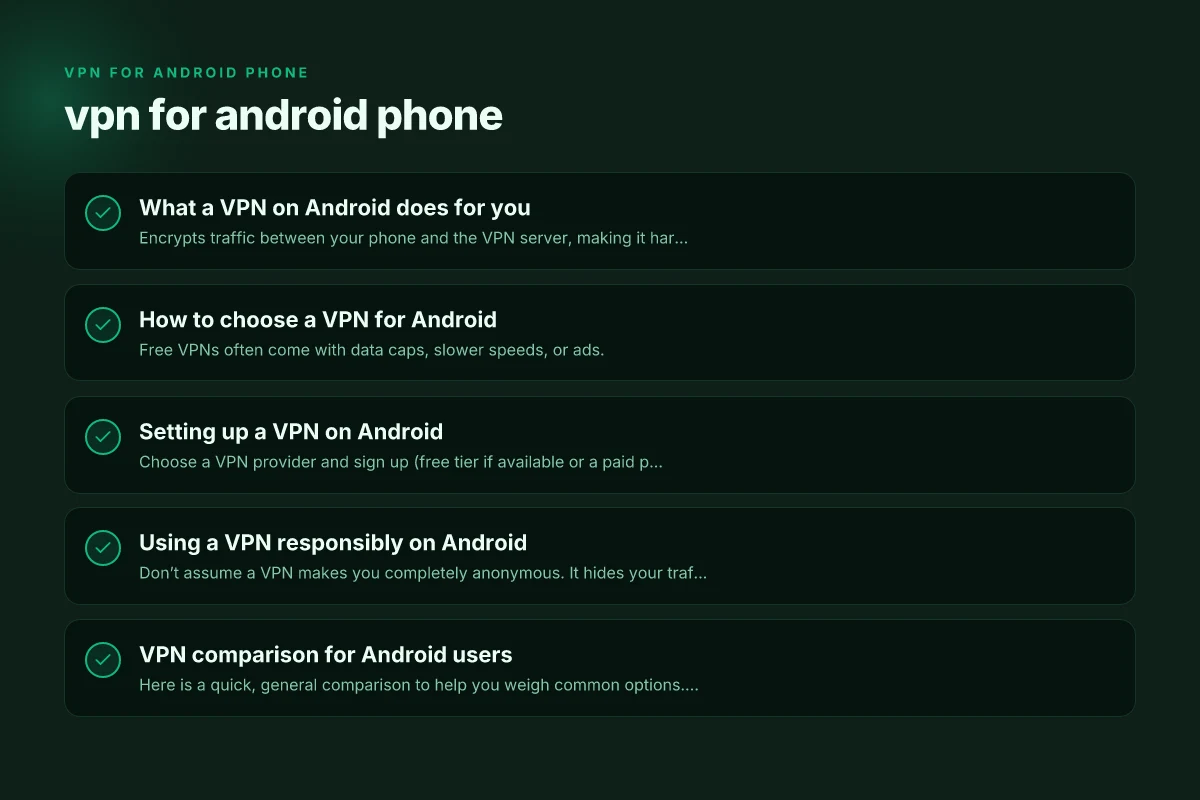
How to choose a VPN for Android
Paid vs. free VPNs
- Free VPNs often come with data caps, slower speeds, or ads.
- Some free services have strong privacy policies, but even reputable free options may limit features or have a data ceiling.
- Paid VPNs typically offer unlimited data, faster speeds, more servers, stronger privacy protections, and advanced features.
Key features to look for
- No-logs policy: independent audits or credible transparency reports help verify claims.
- Strong encryption and secure protocols: typical options include OpenVPN, WireGuard, and IKEv2.
- Wide server network: more locations give better access to geo-restricted content and potential latency balance.
- Kill switch: stops all internet traffic if the VPN disconnects, preventing accidental exposure.
- Split tunneling: choose which apps or sites go through the VPN and which don’t.
- Apps and platform support: check that the Android app is well-rated, regularly updated, and easy to use.
- Multi-device support: if you want protection on phones, tablets, laptops, and routers, confirm compatibility and simultaneous connections.
What about free options?
- Free options vary in quality. Some reputable providers offer free tiers or trials with reasonable limits.
- If you rely on a free VPN, review the privacy policy to ensure data isn’t being sold or logged in ways you don’t expect.
- For consistent use across apps and networks, a paid plan often provides a smoother experience.
Setting up a VPN on Android
Step-by-step setup (Android 10+)
- Choose a VPN provider and sign up (free tier if available or a paid plan).
- Install the provider’s Android app from the Google Play Store.
- Open the app, sign in, and grant necessary permissions (VPN and device admin prompts may appear).
- Select a server location that matches your needs (speed, proximity, or region).
- Tap Connect. If you care about leakage protection, enable kill switch and DNS leak protections in settings.
- Verify your connection by checking your IP address or looking for a VPN icon in the status bar.
Alternative: manual VPN configuration
Some providers support manual configuration using OpenVPN or WireGuard profiles. This can be useful if you’re offline from the app store or want to test setup before committing.
- Download configuration files from your provider.
- Import into Android’s VPN settings or a third-party app (like OpenVPN Connect or WireGuard).
- Connect and test similarly to the app-based method.
Common troubleshooting tips
- If the connection won’t start, try switching servers or protocols.
- Check for app updates and Android OS updates. Compatibility issues can block connections.
- Disable battery optimization for the VPN app to prevent it from being paused in the background.
- Ensure only a single VPN connection is active to avoid conflicts.
Using a VPN responsibly on Android
Privacy best practices
- Don’t assume a VPN makes you completely anonymous. It hides your traffic from your network but the VPN provider can see it. Pick a provider with a trustworthy privacy policy and, ideally, a no-logs commitment.
- Use the kill switch to prevent data leaks if the VPN drops.
- Regularly review app permissions and limit access to only what you need.
Performance considerations
- Proximity to the server usually yields better speeds. Choose nearby locations for streaming or quick browsing.
- WireGuard is often faster and more power-efficient than older protocols like OpenVPN, but depending on the server, results vary.
- If streaming or large downloads cause buffering, try a different server, enable split tunneling to route only certain apps through VPN, or switch to a higher-bandwidth plan if you’re on paid service.
Security tips
- Keep the VPN app up to date to benefit from security patches.
- Avoid free VPNs with questionable privacy practices. If you must use free, limit the amount of sensitive activity you perform through the VPN.
- Be cautious of VPNs offering unlimited bandwidth with suspicious terms. Read the privacy policy and user reviews.
VPN comparison for Android users
Here is a quick, general comparison to help you weigh common options. Note: the table reflects typical strengths but you should verify current details on each provider’s site.
| Provider | Free tier available | Speed potential | Server count | Kill switch | Split tunneling | Logs policy | Android app quality |
|---|---|---|---|---|---|---|---|
| Proton VPN | Yes (free plan) | Varies; often good on modern devices | Moderate | Yes on many plans | Yes on some plans | No-logs claims are common; verify via reviews | High-quality, user-friendly |
| NordVPN | No free plan (trial sometimes) | Very fast; large network | Large | Yes | Yes | Privacy-forward stance; independent audits | Excellent Android app, feature rich |
| Surfshark | No free plan; trials exist | Strong performance | Large | Yes | Yes | No-logs policy; credible reputation | Solid Android app, easy to use |
| ExpressVPN | No free plan; 7-day trials sometimes | Very reliable | Wide network | Yes | Yes | Strong privacy stance; independent audits | Renowned app quality; straightforward UX |
| Free options (various) | Yes | Often slower; caps | Limited | Sometimes | Sometimes | Varies; many free tiers log data | Mixed quality; ads in some cases |
- Free tier caveat: free plans can be attractive, but they come with trade-offs. Expect data caps, slower speeds, fewer locations, and possibly more aggressive data handling.
- Paid plans tend to provide more reliable performance, better privacy guarantees, more servers, and additional features like multi-hop, obfuscated servers, or simultaneous connections.
Android setup steps by app
| App | Download | Install | Sign in | Connect | Settings access | Notes |
|---|---|---|---|---|---|---|
| ExpressVPN | Google Play | tap to install | sign in | tap a server | available | auto-connect option |
| NordVPN | Google Play | tap to install | sign in | tap a server | available | quick connect feature |
| ProtonVPN | Google Play | tap to install | sign in | tap a server | available | free tier option |
| Surfshark | Google Play | tap to install | sign in | tap a server | available | multi-device allowed |
| Private Internet Access | Google Play | tap to install | sign in | tap a server | available | manual server choice |
Compiled November 2026; check the provider's site for current details. VPN for Android in China
What to do if you’re deciding between Android VPN apps
- Determine your primary use: casual browsing, streaming, or high-security needs (e.g., handling sensitive information).
- Test multiple providers: many offer money-back guarantees or trial periods. Use these to compare speeds, server variety, and app quality on your device.
- Assess device impact: some VPNs can consume more battery due to constant encryption. Look for lightweight clients or adjust settings like connection protocol to optimize power use.
- Review reviews and audits: look for transparency about logs and independent audits. A third-party audit is a strong signal of trustworthiness.
Safety notes for Android users
- Don’t install VPN apps from untrusted sources. Stick to Google Play, or the provider’s official site if you’re downloading APKs.
- Be cautious of apps that require excessive permissions or request access to unrelated data.
- If you’re using a VPN to access business or school networks, ensure you comply with your organization’s policies to avoid violations.
Use-case suitability by Android scenario
| Scenario | Privacy focus | Streaming | Gaming | Business use | Battery impact | Notes |
|---|---|---|---|---|---|---|
| Public Wi-Fi | high | limited | moderate | yes, with split tunneling | medium | choose strong encryption |
| Bypassing geo-restrictions | yes | yes | no | no | yes | choose location variety |
| Low data plan | energy saver | data saver mode | low | yes | minimal | prefer lightweight apps |
| Work from home | enterprise option | depends | depends | yes | enterprise accounts | check policy |
Compiled November 2026; check the provider's site for current details.
Real-world use cases
- Public Wi‑Fi protection: Encrypted tunnel when connected to a coffee shop network, reducing the risk of eavesdropping on traffic.
- Regional content access: If you’re traveling and want to access your home streaming library, set a server in your home location or a country with the content you want.
- Private browsing on shared devices: Even within a family, a VPN on Android helps compartmentalize online privacy for each user.
Final recommendation
For most Android phone users who want dependable privacy, reliable performance, and broad access, a reputable paid VPN is worth it. Proton VPN’s free tier can be a good test bed if you want to try a no-sign-up option with a straightforward Android app that emphasizes safety. If you foresee heavy usage, streaming, or travel, a paid option such as NordVPN, Surfshark, or ExpressVPN typically delivers faster speeds, more servers, and richer features like kill switches and split tunneling. Start with a test drive: install a couple of top-rated Android VPN apps, compare performance on your typical networks, test key features (kill switch and split tunneling), and review the privacy policy to see how data is handled. With the right choice and proper configuration, your Android phone can stay private and secure while you browse, work, or enjoy your favorite content on the go.
| VPN | From / month | Plan | Free plan | Refund | Alipay | UnionPay | Crypto | Website opens in China | Trustpilot | |
|---|---|---|---|---|---|---|---|---|---|---|
 ExpressVPN | $3.00/mo | 28 months: $84 | No | 30 days | ✗ | ✗ | ✓ | ✗ | ✗ Blocked | 4.4/5 (29,706 reviews) |
 NordVPN | $3.49/mo | 27 months: $94.23 | No | 30 days | ? | ✗ | ✓ | ✓ | ✗ Blocked | 4.2/5 (51,628 reviews) |
 Proton VPN | $2.99/mo | 12 months: $35.88 | Yes | 30 days | ✗ | ✗ | ✗ | ✓ | ✓ Yes (2.5 s) | 2.1/5 (1,040 reviews) |
 Surfshark | See site | See site | No | 30 days | ✗ | ✗ | ✗ | ✓ | ✗ Blocked | 4.3/5 (31,823 reviews) |
 Private Internet Access | $2.03/mo | 40 months: $81.2 | No | 30 days | ✗ | ✗ | ✗ | ✗ | ✗ Blocked | 4.2/5 (11,033 reviews) |
 ZoogVPN | $2.49/mo | 27 months: $59.99 | Yes | 7 days | ✓ | ✓ | ✓ | ✓ | ✓ Yes (2.5 s) | 4.2/5 (195 reviews) |
 Astrill VPN | $12.50/mo | 24 months: $300 | No | See site | ✗ | ✗ | ✗ | ✓ | ✗ Blocked | 1.3/5 (110 reviews) |
 CyberGhost | $2.19/mo | 28 months: $61.32 | No | 45 days | ✗ | ✗ | ✗ | ✓ | ✗ Blocked | 4.0/5 (24,178 reviews) |
 PureVPN | $1.69/mo | 60 months: $101.55 | No | 31 days | ? | ✗ | ✗ | ✓ | ✓ Yes (2.6 s) | 4.4/5 (17,994 reviews) |
 AdGuard VPN | $2.99/mo | 24 months: $71.76 | Yes | 30 days | ✓ | ✗ | ✓ | ✓ | Official site blocked; our special link opens (2.3 s) | 4.3/5 (290 reviews) |
 Mullvad | $5.61/mo | €5/mo | No | 14 days | ✗ | ✗ | ✗ | ✓ | ✗ Blocked | 3.2/5 (192 reviews) |
 Windscribe | $5.75/mo | 12 months: $69 | Yes | See site | ✗ | ✗ | ✗ | ✓ | ✗ Blocked | 4.7/5 (13,355 reviews) |
 StrongVPN | See site | See site | No | 30 days | ✓ | ✗ | ✗ | ✗ | ✗ Blocked | 4.4/5 (2,695 reviews) |
 LightXtreme 闪连 | $7.08/mo | 12 months: $84.99 | Yes | 30 days | ✓ | ✓ | ✓ | ✓ | ✓ Yes (2.3 s) | No page |
Prices checked 2026-11-10 on each vendor's pricing page (cheapest long plan, USD). Check the vendor's checkout for the final price.
Payment methods checked 2026-11-10 on each vendor's payment pages: all 14 take cards and PayPal; ✗ = not listed, ? = the vendor's own pages disagree.
China access: whether the official website opens from mainland China networks (tests the website only, not the VPN connection). Last checked 2026-11-11 04:07 Beijing time.
Trustpilot score and review count checked 2026-11-10.