VPN extension free
A practical guide to free VPN extensions for Chrome, including benefits, risks, and how to choose a trustworthy free option.
The internet is full of free VPN extension promises, especially for Chrome. If you’re looking to quickly shield your browsing, bypass regional blocks, or test a service without committing, a free VPN extension can be tempting. But it’s not a one-size-fits-all solution. Here, we unpack what a free VPN extension does, what to watch out for, and how to pick a safe option while achieving your browsing goals.
What a free VPN extension offers vs. limitations
| Feature | Free plan | Free data limit | Speed impact | Privacy concern | Platforms supported |
|---|---|---|---|---|---|
| Data allowance | Limited | 500 MB–2 GB / month typical | Sometimes slower | Possible tracking | Chrome, Firefox, Edge |
| Ad/malware blockers | Sometimes available | Yes with caveats | Varies | Mixed | Chrome, Firefox |
| Server locations | Few options | 1–3 regions common | Slow to moderate | Limited | Chrome, Firefox |
| P2P support | Rare | Often disabled | May throttle | N/A | Chrome, Firefox |
| Customer support | Self-serve | Limited | Minimal | Limited | Chrome, Firefox |
Compiled November 2026; check the provider's site for current details.
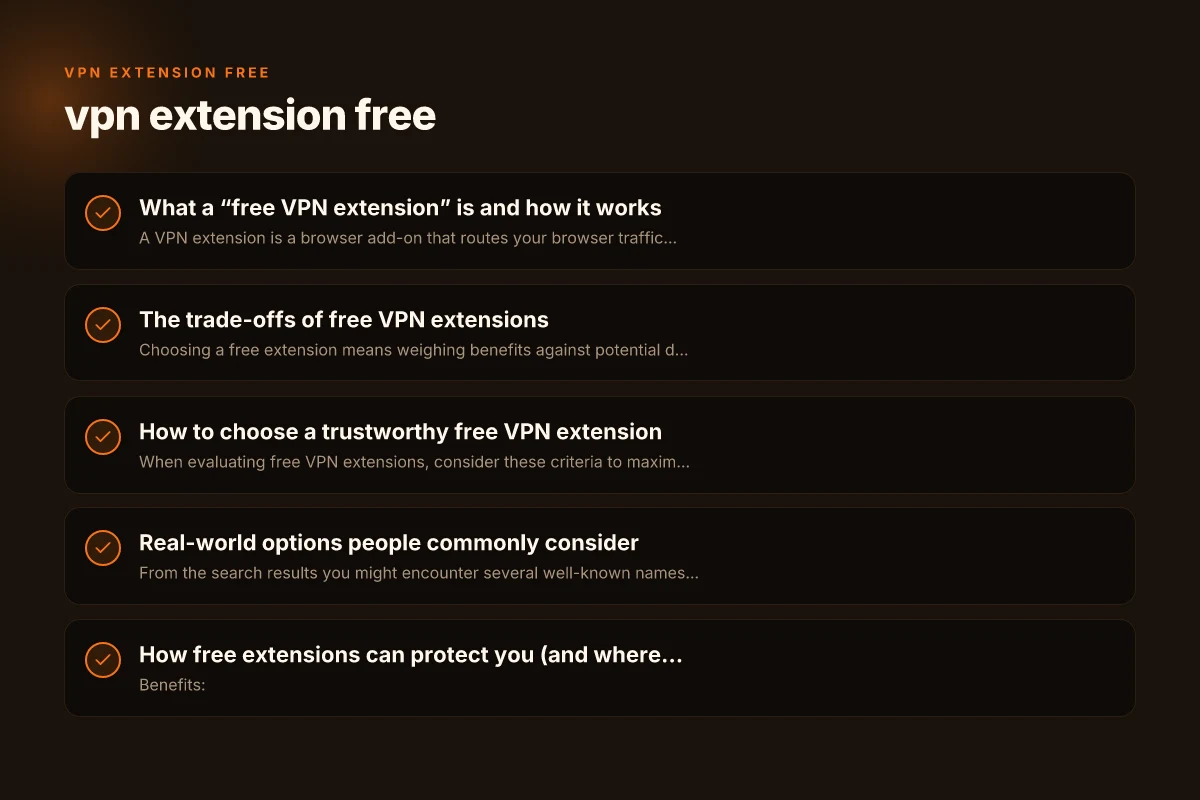
What a “free VPN extension” is and how it works
A VPN extension is a browser add-on that routes your browser traffic through a VPN server or provides a proxy-like experience. Free variants typically:
- Offer a limited set of servers or locations
- Impose monthly data caps or speed limits
- Include ads or upsell paid plans
- Promise privacy features like a kill switch or DNS leak protection, though coverage varies
Important to remember: many free VPN extensions are not full-fledged VPNs. Some operate as proxy extensions that only channel browser traffic, not all device traffic. This matters if you want to protect email apps, messaging, or other software outside the browser.
The trade-offs of free VPN extensions
Choosing a free extension means weighing benefits against potential downsides. Here are common trade-offs you should understand before installing anything.
- Data caps: Free plans often include monthly limits (for example, 10 GB or less). If you stream video or download large files, you’ll run out quickly.
- Speed and server availability: Free servers are usually congested, leading to slower performance. You may also have access to a smaller set of locations.
- Privacy and data handling: Some free providers monetize data or inject ads. Others may log browsing activity or share it with third parties. Open-source or audited options tend to offer stronger transparency.
- Security features: Premium protections like advanced malware blocking, obfuscated servers, or dedicated IPs are often reserved for paid tiers.
- Reliability and support: Free extensions may lack robust customer support or timely updates, increasing the chance of security gaps.
How to choose a trustworthy free VPN extension
When evaluating free VPN extensions, consider these criteria to maximize safety and performance. VPN extension for PC
- Reputation and transparency: Look for independent reviews, clear privacy policies, and easy-to-find data collection notices.
- Server options and data limits: Check how many locations are offered and whether there is a predictable data cap.
- Privacy protections: Prefer providers that claim a no-logs policy, have a transparent data handling approach, and offer features like DNS leak protection.
- Open-source or audits: Open-source software and third-party security audits significantly increase trust.
- Permissions and data access: Be wary of extensions requesting broad permissions beyond browser traffic, such as access to all data on websites you visit.
- Platform coverage: If you need protection beyond Chrome, verify whether the extension supports other browsers or if you need a separate VPN app.
Trade-offs of free VPN extensions
| Trade-off area | Free vs paid | Risks | Benefit | Typical user impact | Recommendation note |
|---|---|---|---|---|---|
| Privacy protection | Partial | Data sharing | Basic encryption | Low for sensitive use | Use with caution |
| Speed and reliability | Lower | Connection drops | Browsing access | Inconsistent | Consider trial paid tier |
| Data limits | Restricted | Overages | Short tasks | Planning required | Monitor usage |
| Security features | Basic | Fewer extras | Fewer features | Less protection | Verify before use |
| Customer support | Self-help | Slow response | Quick fixes | Frustrating | Prefer reputable brands |
Compiled November 2026; check the provider's site for current details.
Real-world options people commonly consider
From the search results you might encounter several well-known names offering free Chrome extensions. I can’t vouch for every claim. Here’s a snapshot of typical patterns you’ll see, plus what to verify:
- Free VPN for Chrome extensions (various providers): These often advertise “unlimited traffic” or easy one-click connections. Check the actual data limits and whether “unlimited” applies to the browser or the service as a whole.
- Swiss-based open-source options: These frequently emphasize privacy and audits. If you see “open-source” or “audited,” look for a published security report and repository links.
- Ad-supported or data-backed free extensions: Some include built-in ad blockers or extra features, but you should inspect what data is collected and how it’s used.
- Browser-extension-focused services: Extensions like Windscribe, Urban VPN, or Turbo VPN may advertise generous allowances but verify current terms and whether the free tier aligns with your privacy expectations.
- 1-click or no-registration downloads: They can be tempting for quick use, but they may come with fewer privacy safeguards. Always read the privacy policy and permissions before installation.
Note: The landscape for free VPN extensions evolves. Features, data policies, and server networks change. Always review the latest terms within the Chrome Web Store listing and the provider’s official site. VPN extension Chrome: everything you need to know to pick, use, and trust a Chrome VPN extension
How free extensions can protect you (and where they fall short)
Benefits:
- Quick privacy boost for browser activity: An extension can mask your IP for pages you visit in Chrome, helping you avoid simple trackers and regional blocks.
- Easy testing ground: You can trial a provider’s interface, performance, and compatibility before paying.
- Lightweight footprint: Browser extensions typically consume less system resources than full VPN apps.
Limitations:
- Not a blanket device protection: If you’re using email clients, messaging apps, or other software, these may still access the internet without the VPN’s protection, depending on how the extension routes traffic.
- Trust and data handling: Free doesn’t automatically mean secure. Some extensions monetize data or show ads, which can compromise privacy.
- Inconsistent performance: Free servers get crowded. Your experience may vary day by day.
- Potential for leaks: If a service lacks proper DNS or WebRTC protections, your real IP can leak through browser connections.
How to choose a trustworthy free VPN extension
| Criterion | What to look for | What to avoid | Verification method | Practical check | Red flags |
|---|---|---|---|---|---|
| Privacy policy | Clear data collection details | Vague language | Read policy; look for data sharing | Verify third-party audits | No policy or opaque terms |
| Jurisdiction | Privacy-friendly country | Unknown | Check company HQ | Research ownership | Secrecy or opaque origin |
| Data practices | No logs or minimal data | Data selling | Look for no-logs claims | Cross-check with audits | Logs kept for analytics |
| App permissions | Least privilege | Excessive permissions | Inspect requested scopes | Install on test device | Excessive telemetry |
| Reputation | Independent reviews | Unknown brand | Search credible sources | Read user reviews | No established presence |
Compiled November 2026; check the provider's site for current details. VPN extension download
What a table can tell you about choosing a free option
Below is a simple comparison framework you can use when you visit a free VPN extension’s page. This helps you quickly compare key factors without digging through dense policy documents.
| Factor | What to look for | Why it matters |
|---|---|---|
| Data cap | Monthly data limit (e.g., 10 GB) | Determines how long you can browse securely before hitting a cap |
| Server locations | Number and distribution of servers | Impacts access to geo-blocked content and speed |
| Privacy policy | No-logs claim, data collection specifics | Directly affects your online privacy |
| Security features | DNS leak protection, kill switch, WebRTC safeguards | Reduces risk of exposing your real IP |
| Open-source/audit | Availability of code or third-party audits | Increases trust and security transparency |
| Permissions | Required browser permissions | Helps you assess whether the extension overreaches into data |
| Cross-platform | Availability on other browsers/apps | If you need non-Chrome protection, look for broad support |
| Customer support | Availability of help channels | Important for troubleshooting or security concerns |
Practical usage tips for maximizing safety with free extensions
- Use trusted extensions with clear policy disclosures: Before enabling, skim the privacy policy for data practices and any third-party sharing notes.
- Pair with a broader privacy habit: Use non-browser protections alongside the extension, such as HTTPS everywhere, strong device-level security, and mindful browsing practices.
- Test for leaks: After enabling, use online tools to check for WebRTC and DNS leaks to verify your real IP isn’t leaking.
- Watch for ads and upsells: If an extension relies on ads or pushes paid upgrades, review what data is injected to support that model.
- Limit sensitive activities: If privacy is crucial (banking, credentials), consider using the extension with caution or opting for a reputable paid VPN for comprehensive coverage.
Real-world options people commonly consider (conceptual overview)
| Option type | Example profile | Pros | Cons | Typical use case | Trust note |
|---|---|---|---|---|---|
| Free Chrome extension | Lightweight, quick install | Simple tasks | Data limits, ads | Quick browsing | Lower trust ceiling |
| Free Firefox extension | Open-source possibility | Respectable visibility | Less feature-rich | Privacy testing | check code availability |
| Free multi-browser solution | All-in-one | Convenience | Inconsistent across browsers | Quick testing | Varies by vendor |
| Freemium model | Free tier + paid upgrade | Access to some features | Upgrades required for full | Casual use | Read upgrade terms |
| Open-source option | Community-maintained | Transparency | Requires setup | Tech-savvy users | Review code responsibly |
Compiled November 2026; check the provider's site for current details.
Compare a few popular free extensions (conceptual overview)
- Free VPN for Chrome (example listing from Chrome Web Store)
- Pros: Easy to install. Reasonable one-click use. Basic privacy features
- Cons: Data caps or speed throttling possible. May claim “unlimited” but apply to browser traffic only. Potential data sharing
- Swiss-based open-source option
- Pros: Emphasis on privacy. Open-source code helps independent verification
- Cons: Free tiers may still have limits. Ensure audits are recent
- Windscribe Chrome extension
- Pros: Known for a solid free allotment (data cap varies by plan. Includes ad blocker)
- Cons: Free data might be limited. Some advanced features require a paid plan
- Urban VPN browser extension
- Pros: Claims unlimited bandwidth and straightforward usage
- Cons: Alphabet soup of server lists can be opaque. Verify privacy commitments
- Turbo VPN Chrome extension
- Pros: Simple one-click connection
- Cons: Risk of aggressive data collection or misrepresented limits. Verify current terms
When you’re evaluating any of these, the best current approach is to visit the provider’s official site and the Chrome Web Store listing. Check the latest user reviews, update frequency, and privacy notes. Look for explicit statements about data collection, what traffic is encrypted, and what, if any, is stored on servers. VPN extension: what it is, how it works, and how to choose
Is there a 100% free VPN that’s trustworthy?
Most security-minded users recognize that true 100% free, privacy-preserving VPNs with robust performance are rare. Some providers offer free plans with strong privacy protections and modest limits, while others rely on ads or data monetization, which can undermine privacy goals. If your priority is reliable privacy and consistent performance, a paid plan is typically worth the investment. There are reputable options that provide a free tier to start, with clear upgrade paths, audited privacy practices, and responsive support. This approach gives you more confidence that your data isn’t being sold and that the extension remains updated against evolving online threats.
Final recommendations
- Start with a reputable extension that emphasizes privacy transparency: look for open-source components, third-party audits, and a clear no-logs policy. If you can’t verify these, proceed with caution.
- Treat free extensions as browser-protective tools rather than universal device-wide shields. If you need to protect a broader range of apps, consider a full VPN app or service with broader device coverage.
- Be mindful of data caps and speed limits. Free extensions are excellent for quick privacy checks or bypassing simple blocks, but they’re not designed to replace a paid VPN for heavy usage such as streaming or large downloads.
- Always verify where your data goes. If the policy mentions data collection or sharing with third parties, assess whether that aligns with your privacy comfort level.
Bottom line: Free VPN extensions for Chrome can be a helpful starting point for safeguarding browser activity and testing a provider, but they come with limits and trade-offs. Choose carefully, stay aware of permissions and data practices, and balance free convenience against your privacy needs. If you require stronger, more consistent protection, consider stepping up to a reputable paid VPN plan after testing with a free option.
| VPN | From / month | Plan | Free plan | Refund | Alipay | UnionPay | Crypto | Website opens in China | Trustpilot | |
|---|---|---|---|---|---|---|---|---|---|---|
 Windscribe | $5.75/mo | 12 months: $69 | Yes | See site | ✗ | ✗ | ✗ | ✓ | ✗ Blocked | 4.7/5 (13,355 reviews) |
 ZoogVPN | $2.49/mo | 27 months: $59.99 | Yes | 7 days | ✓ | ✓ | ✓ | ✓ | ✓ Yes (2.5 s) | 4.2/5 (195 reviews) |
 NordVPN | $3.49/mo | 27 months: $94.23 | No | 30 days | ? | ✗ | ✓ | ✓ | ✗ Blocked | 4.2/5 (51,628 reviews) |
 ExpressVPN | $3.00/mo | 28 months: $84 | No | 30 days | ✗ | ✗ | ✓ | ✗ | ✗ Blocked | 4.4/5 (29,706 reviews) |
 Surfshark | See site | See site | No | 30 days | ✗ | ✗ | ✗ | ✓ | ✗ Blocked | 4.3/5 (31,823 reviews) |
 Proton VPN | $2.99/mo | 12 months: $35.88 | Yes | 30 days | ✗ | ✗ | ✗ | ✓ | ✓ Yes (2.5 s) | 2.1/5 (1,040 reviews) |
 Astrill VPN | $12.50/mo | 24 months: $300 | No | See site | ✗ | ✗ | ✗ | ✓ | ✗ Blocked | 1.3/5 (110 reviews) |
 Private Internet Access | $2.03/mo | 40 months: $81.2 | No | 30 days | ✗ | ✗ | ✗ | ✗ | ✗ Blocked | 4.2/5 (11,033 reviews) |
 CyberGhost | $2.19/mo | 28 months: $61.32 | No | 45 days | ✗ | ✗ | ✗ | ✓ | ✗ Blocked | 4.0/5 (24,178 reviews) |
 PureVPN | $1.69/mo | 60 months: $101.55 | No | 31 days | ? | ✗ | ✗ | ✓ | ✓ Yes (2.6 s) | 4.4/5 (17,994 reviews) |
 AdGuard VPN | $2.99/mo | 24 months: $71.76 | Yes | 30 days | ✓ | ✗ | ✓ | ✓ | Official site blocked; our special link opens (2.3 s) | 4.3/5 (290 reviews) |
 Mullvad | $5.61/mo | €5/mo | No | 14 days | ✗ | ✗ | ✗ | ✓ | ✗ Blocked | 3.2/5 (192 reviews) |
 StrongVPN | See site | See site | No | 30 days | ✓ | ✗ | ✗ | ✗ | ✗ Blocked | 4.4/5 (2,695 reviews) |
 LightXtreme 闪连 | $7.08/mo | 12 months: $84.99 | Yes | 30 days | ✓ | ✓ | ✓ | ✓ | ✓ Yes (2.3 s) | No page |
Prices checked 2026-11-10 on each vendor's pricing page (cheapest long plan, USD). Check the vendor's checkout for the final price.
Payment methods checked 2026-11-10 on each vendor's payment pages: all 14 take cards and PayPal; ✗ = not listed, ? = the vendor's own pages disagree.
China access: whether the official website opens from mainland China networks (tests the website only, not the VPN connection). Last checked 2026-11-11 04:07 Beijing time.
Trustpilot score and review count checked 2026-11-10.