IPsec VPN Connection Is Down FortiClient: Causes and Fixes
Troubleshoot a FortiClient IPsec VPN connection that is down with practical checks for credentials, network access, configuration, and logs.
If your IPsec VPN connection is down in FortiClient, first confirm that your device has internet access, the VPN gateway address is correct, and your account credentials are valid. Then reconnect and note any error message. Many connection failures come from a network interruption, an expired password, or a mismatch between the FortiClient profile and the FortiGate configuration. Work through the checks below in order, and avoid changing advanced settings unless your IT administrator confirms what they should be.
Start with the symptom to narrow down where the IPsec VPN connection is failing
| What you observe | Likely area to check | First check | What the result suggests |
|---|---|---|---|
| VPN will not start | FortiClient profile | Confirm the correct profile is selected | Profile selection may be wrong |
| Login is rejected | Credentials or authentication | Re-enter credentials and check authentication settings | Authentication may be failing |
| Connection stops during negotiation | VPN settings or network path | Compare profile settings with the configured gateway | Settings or reachability may differ |
| VPN connects but disconnects quickly | Network stability or device | Try another network, if available | The current network or device may be involved |
| VPN connects but internal resources fail | Routes, DNS, or access | Check whether the expected resources resolve and respond | The tunnel may be up, but traffic may not pass |
| Failure occurs only on one network | Network restrictions | Test from a different network | The original network may block or disrupt VPN traffic |
| Failure occurs on multiple networks | Profile, client, or gateway | Review the profile and client status | The issue may be independent of one network |
| Failure began after a change | Recent configuration or software change | Identify what changed before the first failure | Reverting or correcting the change may help |
Compiled November 2026; check the provider's site for current details.
| VPN | Obfuscation | From / month | Plan | Free plan | Refund | Alipay | UnionPay | Crypto | Website opens in China | Trustpilot | |
|---|---|---|---|---|---|---|---|---|---|---|---|
 ZoogVPN | Turn on manually Shadow | $2.49/mo | 27 months: $59.99 | Yes | 7 days | ✓ | ✓ | ✓ | ✓ | Official site blocked; our special link opens (4.4 s) | 4.2/5 (195 reviews) |
 NordVPN | Turn on manually Obfuscated Servers / NordWhisper | $3.49/mo | 27 months: $94.23 | No | 30 days | ? | ✗ | ✓ | ✓ | ✗ Blocked | 4.2/5 (51,628 reviews) |
 ExpressVPN | ✓ On by default all servers | $3.00/mo | 28 months: $84 | No | 30 days | ✗ | ✗ | ✓ | ✗ | ✗ Blocked | 4.4/5 (29,706 reviews) |
 Surfshark | ✓ On by default Camouflage, with OpenVPN | See site | See site | No | 30 days | ✗ | ✗ | ✗ | ✓ | ✗ Blocked | 4.3/5 (31,823 reviews) |
 Proton VPN | Turn on manually Stealth, free plan too | $2.99/mo | 12 months: $35.88 | Yes | 30 days | ✗ | ✗ | ✗ | ✓ | ✗ Blocked | 2.1/5 (1,040 reviews) |
 Astrill VPN | Turn on manually StealthVPN / OpenWeb | $12.50/mo | 24 months: $300 | No | See site | ✗ | ✗ | ✗ | ✓ | ✗ Blocked | 1.3/5 (110 reviews) |
 Private Internet Access | Turn on manually Shadowsocks, OpenVPN only | $2.03/mo | 40 months: $81.2 | No | 30 days | ✗ | ✗ | ✗ | ✗ | ✗ Blocked | 4.2/5 (11,033 reviews) |
 CyberGhost | Turn on manually selected servers | $2.19/mo | 28 months: $61.32 | No | 45 days | ✗ | ✗ | ✗ | ✓ | ✗ Blocked | 4.0/5 (24,178 reviews) |
 PureVPN | Turn on manually switch to OpenVPN | $1.69/mo | 60 months: $101.55 | No | 31 days | ? | ? | ✗ | ✓ | ✗ Blocked | 4.4/5 (17,994 reviews) |
 AdGuard VPN | ✓ On by default TrustTunnel | $2.99/mo | 24 months: $71.76 | Yes | 30 days | ✓ | ✗ | ✓ | ✓ | Official site blocked; our special link opens (3.7 s) | 4.3/5 (290 reviews) |
 Mullvad | Turn on manually QUIC / Shadowsocks / LWO | $5.61/mo | €5/mo | No | 14 days | ✗ | ✗ | ✗ | ✓ | ✗ Blocked | 3.2/5 (192 reviews) |
 Windscribe | Turn on manually Stealth / WStunnel | $5.75/mo | 12 months: $69 | Yes | See site | ✗ | ✗ | ✗ | ✓ | ✗ Blocked | 4.7/5 (13,355 reviews) |
 StrongVPN | Turn on manually Scramble, OpenVPN TCP | See site | See site | No | 30 days | ✓ | ✗ | ✗ | ✗ | ✗ Blocked | 4.4/5 (2,695 reviews) |
 LightXtreme 闪连 | Not listed | $7.08/mo | 12 months: $84.99 | Yes | 30 days | ✓ | ✓ | ✓ | ✓ | ✓ Yes (3.5 s) | No page |
Prices checked 2026-11-10 on each vendor's pricing page (cheapest long plan, USD). Check the vendor's checkout for the final price.
Obfuscation checked 2026-11-14 on each vendor's site and help center: "on by default" = nothing to set; "turn on manually" = switch protocol or mode in settings; "not listed" = the vendor describes no obfuscation.
Payment methods checked 2026-11-10 on each vendor's payment pages: all 14 take cards and PayPal; ✗ = not listed, ? = the vendor's own pages disagree.
China access: whether the official website opens from mainland China networks (tests the website only, not the VPN connection). Last checked 2026-11-18 01:02 Beijing time.
Trustpilot score and review count checked 2026-11-10.
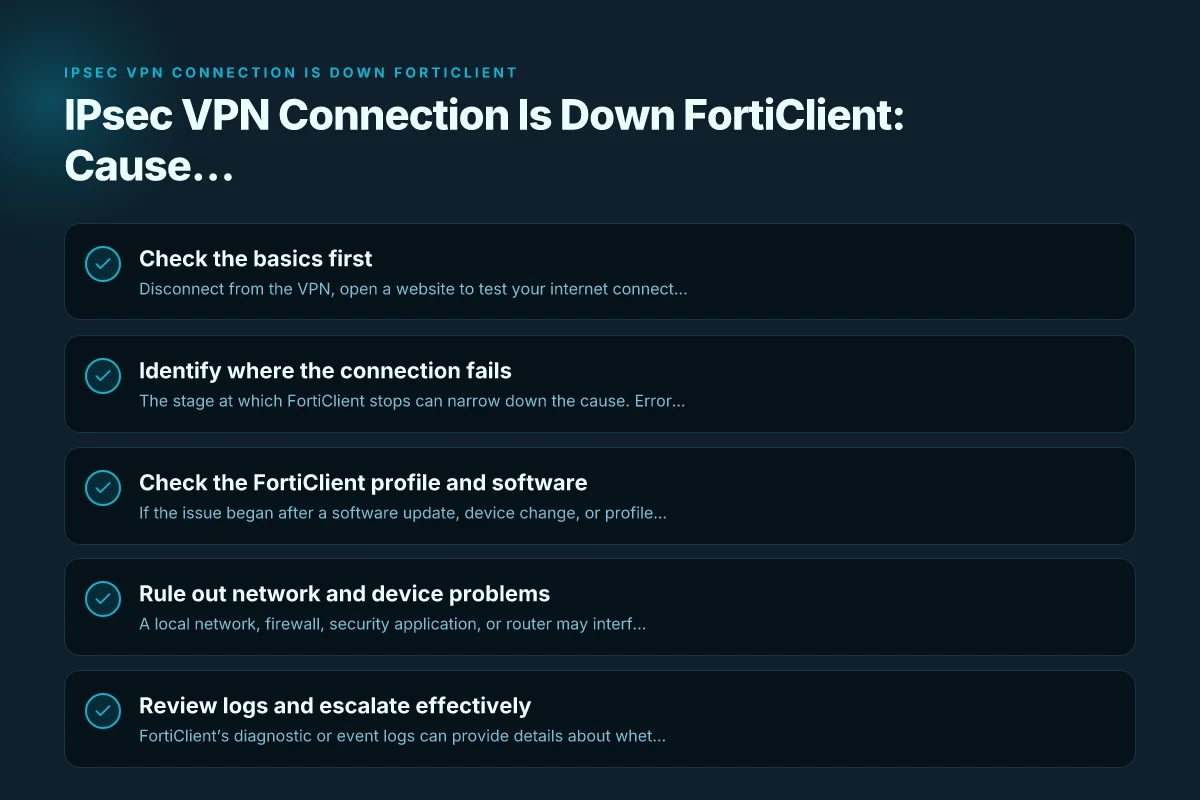
Check the basics first
Disconnect from the VPN, open a website to test your internet connection, and then try connecting again. If you are on public Wi-Fi, a hotel network, or a restricted workplace network, its firewall may block VPN traffic. Try another trusted network or a mobile hotspot if your organization permits it.
Next, check the VPN profile in FortiClient:
- Confirm that the remote gateway hostname or IP address is spelled correctly.
- Make sure you selected the correct VPN profile.
- Check whether your username or password has changed or expired.
- If your organization uses multifactor authentication, approve the prompt and enter any required code promptly.
- Verify that your device’s date and time are correct, since clock differences can interfere with authentication and certificates.
If your account recently changed or you received a new device, contact your administrator. The VPN profile may need to be updated or reissued.
Identify where the connection fails
The stage at which FortiClient stops can narrow down the cause. Error wording varies by FortiClient version and configuration, so use the message as a clue rather than a definitive diagnosis. FortiClient IPsec: Setup, Configuration, and Troubleshooting
| What you observe | Possible cause | What to check |
|---|---|---|
| The gateway cannot be reached | Incorrect address, DNS issue, network restriction, or gateway outage | Internet access, hostname spelling, and access from another network |
| Login is rejected | Incorrect credentials, account lockout, expired password, or MFA issue | Sign-in details and account status with your administrator |
| Connection starts but fails during negotiation | Mismatched IPsec settings, authentication, or proposal | VPN profile and FortiGate configuration |
| VPN connects but internal resources do not work | Routing, DNS, or access policy issue | Internal resource access and administrator-side policies |
| Connection drops after a short time | Unstable network, timeout, or device sleep | Network stability, power settings, and VPN logs |
Take a screenshot or record the exact error, time, and network you were using. This information can help your IT team match the failure to gateway logs.
Compare checks for FortiClient profile, software, network, and device issues
| Check | Profile or software issue | Network or device issue | Useful comparison |
|---|---|---|---|
| Profile selection | Wrong or outdated profile can prevent connection | Network usually does not change profile selection | Confirm the intended profile is active |
| VPN settings | Client settings may not match the gateway | Network may interrupt negotiation despite correct settings | Compare settings with the approved configuration |
| FortiClient status | Client may be outdated or malfunctioning | Device security software may interfere | Check client status and recent updates |
| Alternate network | Failure may persist across networks | Success elsewhere points to the original network | Test a different network when possible |
| Alternate device | Success elsewhere points to the original device or client | Failure across devices may indicate a shared network issue | Compare with a known-working device |
| Other internet access | Does not confirm the VPN profile is correct | No internet access can prevent VPN connection | Verify ordinary internet access first |
| Recent changes | Client or profile changes may explain a new failure | Network or device changes may also affect connectivity | Review changes on both sides |
| Resource access | A connected tunnel can still have profile or route issues | Local DNS or device settings may affect access | Check whether the tunnel connects separately from resource access |
Compiled November 2026; check the provider's site for current details.
Check the FortiClient profile and software
If the issue began after a software update, device change, or profile import, check whether FortiClient is running the version supported by your organization. Do not install a different VPN client or remove a managed profile without approval. Company policies may require a specific version or configuration. VPN Cisco: What It Is, How It Works, and How to Choose
If you are allowed to inspect the profile, compare it with the setup details provided by your organization. IPsec connections depend on compatible settings at both ends. These may include the authentication method, pre-shared key or certificate, and phase 1 and phase 2 proposals. A mismatch can prevent the VPN from establishing even when the gateway and credentials are correct.
Do not guess at advanced values or share a pre-shared key in an email or public support forum. If the profile is managed, ask IT to confirm that it is current and matches the FortiGate configuration.
You can also try these low-risk steps:
- Fully quit FortiClient and reopen it.
- Restart your device if the connection recently stopped working.
- Install approved FortiClient updates through your organization’s normal process.
- If permitted, remove and re-import the VPN profile using the official configuration file.
Rule out network and device problems
A local network, firewall, security application, or router may interfere with IPsec traffic. To test this, try connecting from another trusted network. If FortiClient works there, the original network may be blocking or disrupting the VPN connection. Where Is My VPN Located? How to Check Your VPN’s Virtual Location
If the VPN fails on every network, the problem may be with the device, account, profile, or VPN gateway. Check whether colleagues are experiencing the same outage, but do not assume that a shared failure means your device is configured correctly.
Also consider recent changes:
- A password reset or account lockout
- A new antivirus, firewall, or endpoint security policy
- A FortiClient, operating system, or network driver update
- A change to the VPN gateway or organization’s IPsec settings
- A newly installed network adapter or virtual machine software
Avoid disabling security protections to test the VPN unless your IT team directs you to do so. If a firewall exception is needed, the administrator should specify the approved change.
Review logs and escalate effectively
FortiClient’s diagnostic or event logs can provide details about whether the failure occurs during gateway discovery, authentication, or IPsec negotiation. The exact menu names depend on the client version and operating system. If your organization manages FortiClient, you may not have permission to view or export all logs. Big IP VPN Download: How to Find and Install a Safe VPN
When contacting IT, include:
- Your operating system and FortiClient version
- The VPN profile name and the time the issue occurred
- The exact error message or a screenshot
- Whether the failure happens on more than one network
- Whether other users are affected
- Any recent changes to your device, password, or network
Administrators can compare the client’s report with FortiGate logs and check gateway availability, user authentication, certificates, IPsec proposals, and access policies. This is often the fastest way to identify a configuration mismatch or service outage.
Decide what evidence to collect before escalating an IPsec VPN issue
| Evidence to collect | What it helps distinguish | Where to check | Include when escalating |
|---|---|---|---|
| Exact error message | Authentication, negotiation, or other failure | FortiClient message | Yes |
| Connection stage | Where the attempt stops | FortiClient status or observed behavior | Yes |
| Profile name and relevant settings | Profile mismatch or configuration issue | FortiClient profile | Yes |
| FortiClient version and recent changes | Client or update-related issue | Client details and change history | Yes |
| Network used | Network-specific failure | Device connection details | Yes |
| Alternate-network test | Local network versus broader issue | Repeat the connection on another network | Yes, with result |
| Alternate-device test | Device-specific versus shared issue | Repeat on another device, if available | Yes, with result |
| Resource access after connection | Tunnel failure versus access or routing issue | Test the intended internal resource | Yes, with result |
| Relevant logs | Details about the failure stage | FortiClient logs | Yes, using approved sharing practices |
Compiled November 2026; check the provider's site for current details. Urban VPN Extension Edge Download: Safe Setup and Usage Guide
Recommendation
Start with internet access, the gateway address, credentials, and a test on another trusted network. If the connection still fails, do not alter IPsec parameters or disable security software on your own. Send the error message and diagnostic details to your IT administrator so they can verify the FortiClient profile and FortiGate configuration.