Free VPNs That Change Location: Best Options and What to Know
Compare free VPNs that offer location changes, including their server limits, privacy trade-offs, and setup tips.
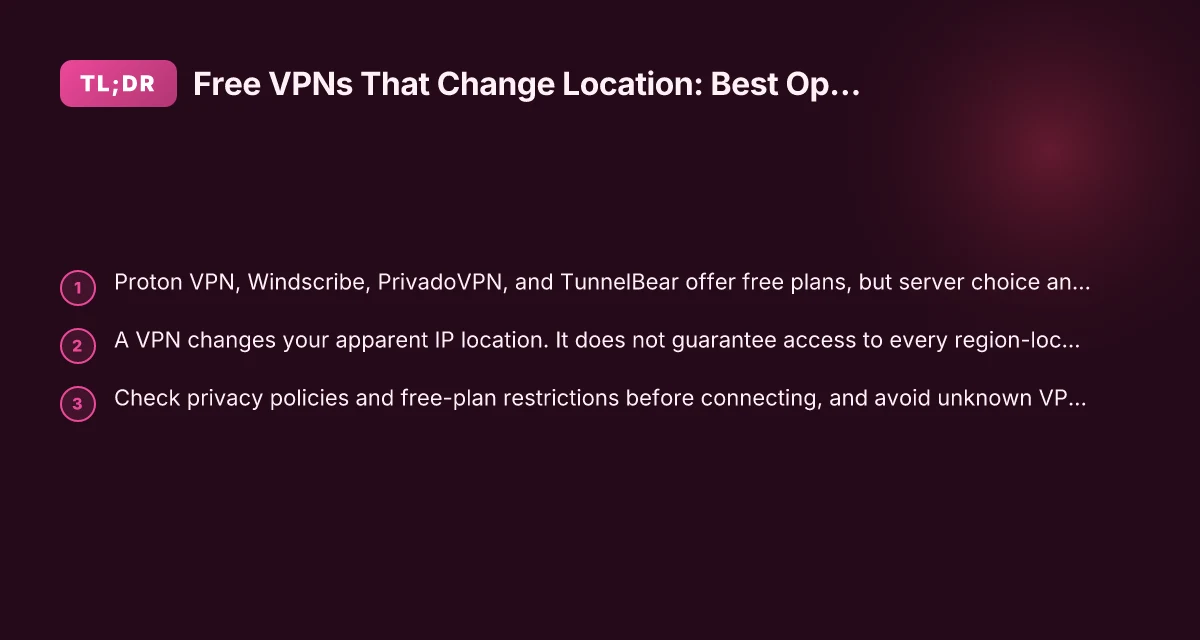
If you’re looking for free VPNs that change location, start with reputable providers that offer a clearly described free plan. Proton VPN, Windscribe, PrivadoVPN, and TunnelBear are among the better-known options, though they differ in data allowances, available countries, and how much control you get over server selection.
A VPN routes your internet traffic through a server operated by the provider. Websites generally see the server’s IP address and may infer that you’re in its country or region. Free plans can be useful for basic privacy on public Wi-Fi or occasional browsing, but they usually offer fewer locations or tighter limits than paid plans.
| VPN | Obfuscation | From / month | Plan | Free plan | Refund | Alipay | UnionPay | Crypto | Website opens in China | Trustpilot | |
|---|---|---|---|---|---|---|---|---|---|---|---|
 Proton VPN | Turn on manually Stealth, free plan too | $2.99/mo | 12 months: $35.88 | Yes | 30 days | ✗ | ✗ | ✗ | ✓ | ✗ Blocked | 2.1/5 (1,040 reviews) |
 Windscribe | Turn on manually Stealth / WStunnel | $5.75/mo | 12 months: $69 | Yes | See site | ✗ | ✗ | ✗ | ✓ | ✗ Blocked | 4.7/5 (13,355 reviews) |
 ZoogVPN | Turn on manually Shadow | $2.49/mo | 27 months: $59.99 | Yes | 7 days | ✓ | ✓ | ✓ | ✓ | Official site blocked; our special link opens (4.4 s) | 4.2/5 (195 reviews) |
 NordVPN | Turn on manually Obfuscated Servers / NordWhisper | $3.49/mo | 27 months: $94.23 | No | 30 days | ? | ✗ | ✓ | ✓ | ✗ Blocked | 4.2/5 (51,628 reviews) |
 ExpressVPN | ✓ On by default all servers | $3.00/mo | 28 months: $84 | No | 30 days | ✗ | ✗ | ✓ | ✗ | ✗ Blocked | 4.4/5 (29,706 reviews) |
 Surfshark | ✓ On by default Camouflage, with OpenVPN | See site | See site | No | 30 days | ✗ | ✗ | ✗ | ✓ | ✗ Blocked | 4.3/5 (31,823 reviews) |
 Astrill VPN | Turn on manually StealthVPN / OpenWeb | $12.50/mo | 24 months: $300 | No | See site | ✗ | ✗ | ✗ | ✓ | ✗ Blocked | 1.3/5 (110 reviews) |
 Private Internet Access | Turn on manually Shadowsocks, OpenVPN only | $2.03/mo | 40 months: $81.2 | No | 30 days | ✗ | ✗ | ✗ | ✗ | ✗ Blocked | 4.2/5 (11,033 reviews) |
 CyberGhost | Turn on manually selected servers | $2.19/mo | 28 months: $61.32 | No | 45 days | ✗ | ✗ | ✗ | ✓ | ✗ Blocked | 4.0/5 (24,178 reviews) |
 PureVPN | Turn on manually switch to OpenVPN | $1.69/mo | 60 months: $101.55 | No | 31 days | ? | ? | ✗ | ✓ | ✗ Blocked | 4.4/5 (17,994 reviews) |
 AdGuard VPN | ✓ On by default TrustTunnel | $2.99/mo | 24 months: $71.76 | Yes | 30 days | ✓ | ✗ | ✓ | ✓ | Official site blocked; our special link opens (3.7 s) | 4.3/5 (290 reviews) |
 Mullvad | Turn on manually QUIC / Shadowsocks / LWO | $5.61/mo | €5/mo | No | 14 days | ✗ | ✗ | ✗ | ✓ | ✗ Blocked | 3.2/5 (192 reviews) |
 StrongVPN | Turn on manually Scramble, OpenVPN TCP | See site | See site | No | 30 days | ✓ | ✗ | ✗ | ✗ | ✗ Blocked | 4.4/5 (2,695 reviews) |
 LightXtreme 闪连 | Not listed | $7.08/mo | 12 months: $84.99 | Yes | 30 days | ✓ | ✓ | ✓ | ✓ | ✓ Yes (3.5 s) | No page |
Prices checked 2026-11-10 on each vendor's pricing page (cheapest long plan, USD). Check the vendor's checkout for the final price.
Obfuscation checked 2026-11-14 on each vendor's site and help center: "on by default" = nothing to set; "turn on manually" = switch protocol or mode in settings; "not listed" = the vendor describes no obfuscation.
Payment methods checked 2026-11-10 on each vendor's payment pages: all 14 take cards and PayPal; ✗ = not listed, ? = the vendor's own pages disagree.
China access: whether the official website opens from mainland China networks (tests the website only, not the VPN connection). Last checked 2026-11-18 01:02 Beijing time.
Trustpilot score and review count checked 2026-11-10.
Free VPN options at a glance
| VPN | Free plan | Server locations | Data allowance | Best for |
|---|---|---|---|---|
| Proton VPN | Yes | Multiple countries | Unlimited | Regular browsing |
| Windscribe | Yes | Multiple countries | Limited | Flexible location choices |
| PrivadoVPN | Yes | Multiple countries | Limited | General use |
| TunnelBear | Yes | Multiple countries | Limited | Simple setup |
| hide.me | Yes | Multiple countries | Limited | Privacy-focused browsing |
| Hotspot Shield | Yes | Limited locations | Limited | Basic connections |
Compiled November 2026; check the provider's site for current details.
Free VPNs to consider
The best choice depends on whether you need a particular country, frequent location changes, or simply a more private connection. Free-plan features can change, so check the provider’s current plan details before installing.
| VPN | Free-plan location options | Data limits | Good to know |
|---|---|---|---|
| Proton VPN | A limited set of countries; server selection may be restricted | Typically advertised without a monthly data cap | Strong privacy focus, but free users may have fewer server choices |
| Windscribe | Free locations in several countries, depending on the current plan | Monthly allowance; some offers may increase it | Offers more location choice than many free tiers, but watch data use |
| PrivadoVPN | A selection of free locations | Monthly allowance | Useful for occasional use; free data is limited |
| TunnelBear | A broad selection of countries may be available | Low monthly allowance | Easy to use, but the data limit is restrictive for regular browsing |
“Available countries” does not always mean you can pick any city or connect to any server in that country. Some apps select a server automatically, while others reserve specific locations or manual selection features for paid customers.
How a VPN changes your location
When you connect to a VPN server, your internet traffic is routed through that server. A website will usually see the VPN server’s public IP address rather than the IP address assigned by your internet provider. If the server is in another country, websites may treat your connection as coming from there.
This changes your apparent IP-based location, not your physical location. Your device’s GPS, account details, browser settings, or other signals can still reveal where you are. A VPN also does not make you anonymous: the VPN provider may be able to see connection information, and websites can identify you through account logins, cookies, or device fingerprinting. How to Open an OVPN File on Windows, Mac, iPhone, and Android
A free VPN may be enough to:
- Protect traffic on an unfamiliar Wi-Fi network.
- Use an IP address associated with one of the plan’s available countries.
- Reduce exposure of your home IP address to websites.
- Test a provider’s app before deciding whether its paid plan is worthwhile.
Choosing the right free plan
Before installing an app, decide what you need the location change for. If you only want occasional protection while browsing, data limits may not matter much. If you need to connect to a particular country regularly, confirm that the free plan includes it and allows you to select it manually.
Consider these factors:
- Server locations: Check whether the country you need is included on the free tier. A country listed on the provider’s website may be available only to paying customers.
- Data allowance: Video, large downloads, and video calls use data quickly. An unlimited allowance is helpful, but it does not necessarily mean unlimited speed or access to every server.
- Speed and congestion: Free servers can be busy, especially during peak hours. This may lead to slower browsing or interrupted connections.
- Privacy practices: Read the provider’s privacy policy. Look for clear information about logging, data collection, and how the company supports its free service.
- App permissions: A VPN should not need unrelated access to features such as your contacts. Download the app from the provider’s official site or your device’s trusted app store.
Free VPNs are often supported by paid subscriptions, so a free tier can be a legitimate way to try the service. Be cautious of apps that make sweeping privacy promises but do not explain who runs them, how they handle data, or how they make money. Best VPN for Edge Free: Top Choices and Safe Setup
What affects a VPN’s apparent location
| Factor | What it changes | What to check | Practical effect |
|---|---|---|---|
| Exit server | Public IP address | Server country | Websites may see that country |
| Available locations | Choice of exit country | Free-plan server list | Some countries may be unavailable |
| IP detection | Location websites infer | IP lookup result | Results can vary by site |
| GPS access | Device’s physical location | App permissions | A VPN does not change GPS |
| Browser permissions | Location shared with websites | Browser settings | Sites may still access device location |
| DNS handling | Network lookup information | VPN leak protection | Leaks may reveal your usual region |
Compiled November 2026; check the provider's site for current details.
Limits and streaming considerations
A changed IP address does not guarantee that a website or streaming platform will accept your connection. Services may block known VPN server addresses, check account or payment details, or use other signals to estimate your location. Free VPN servers are particularly likely to be shared by many users and may be recognized or restricted.
Check the service’s terms and local laws before using a VPN to access content. A VPN does not change the rules that apply to your account, and it cannot guarantee access to a region-specific catalog. If reliable streaming or frequent connections to one country are essential, a reputable paid plan may offer more consistent speeds, more servers, and better support. Best Free VPN for Microsoft Edge: Safe, Practical Options
Free plans can also have connection limits, fewer simultaneous devices, or queues during busy periods. Review those details rather than relying only on claims about the number of countries available.
How to connect safely
The basic setup is straightforward:
- Choose a provider and verify the current free-plan terms.
- Download its official app and create an account if required.
- Open the app and select an available country or server.
- Connect, then check your apparent IP location with a reputable IP-checking site.
- Disconnect when you no longer need the VPN, especially if the app has a data or battery impact.
If the location does not appear to change, confirm that the VPN shows as connected and refresh the website. You can also check whether your browser has location permission enabled; GPS or browser-based location sharing can differ from the location suggested by your IP address.
Choosing and using a free VPN safely VPN Extensions for Edge: How to Choose and Use One
| Decision point | What to compare | Prefer | Watch for |
|---|---|---|---|
| Data allowance | Monthly or daily limits | Enough for your use | Caps may interrupt browsing |
| Server choice | Free locations offered | A useful country selection | Popular locations may be busy |
| Speed | Connection performance | Stable service | Congestion can slow connections |
| Streaming | Service and region access | Clear plan details | Streaming access is not guaranteed |
| Privacy | Logging and policy | Transparent privacy terms | Free plans may have trade-offs |
| Security | Encryption and leak protection | Strong safeguards | Avoid unknown VPN providers |
| Connection safety | App and network settings | Official app and secure protocol | Public Wi-Fi still needs care |
| Location checks | IP, GPS, and browser data | Review permissions | VPN alone may not change every signal |
Compiled November 2026; check the provider's site for current details.
Recommendation
For a free VPN that changes your apparent location, compare Proton VPN, Windscribe, PrivadoVPN, and TunnelBear against your specific needs. Prioritize a provider with a transparent privacy policy, the country you actually need, and a data allowance that fits your use. If you need dependable access to a particular region or use a VPN heavily, consider a reputable paid plan rather than expecting a free tier to provide unlimited locations, speed, and streaming access.