Free VPN That Allows You to Choose Location: What to Know
Compare free VPNs with selectable locations, understand their limits, and choose a safer option for your needs.
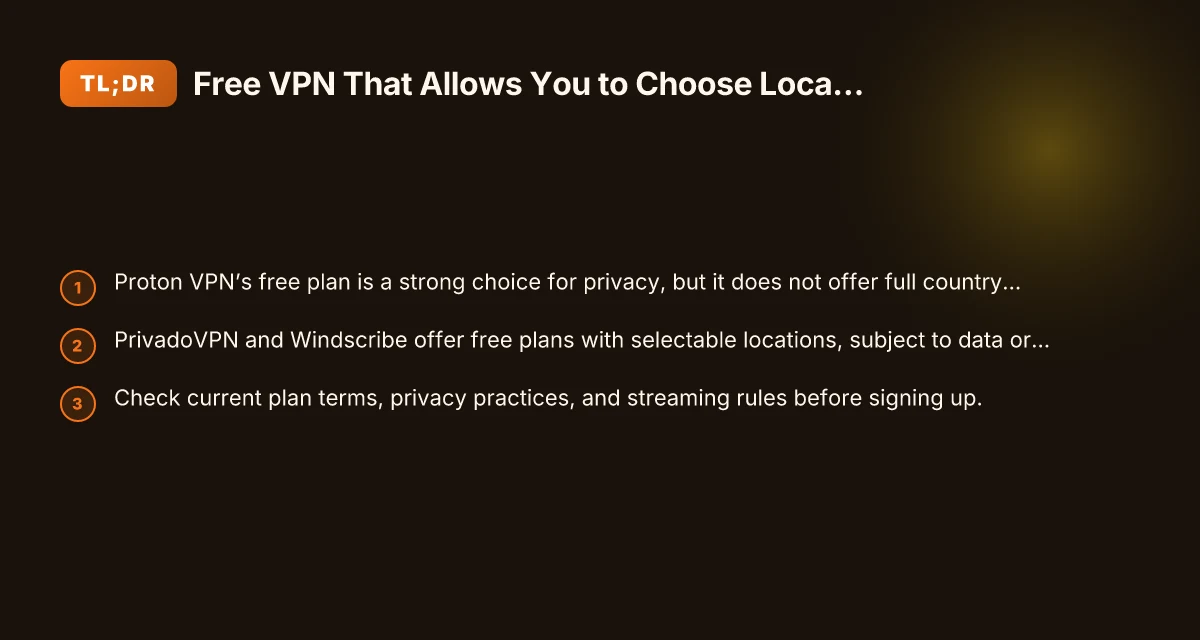
If you want a free VPN that allows you to choose a location, look at free plans from providers such as PrivadoVPN and Windscribe. Their free tiers have offered access to a selection of locations, but availability, data allowances, and features can change. Proton VPN is a reputable free option with unlimited data, but its free plan generally assigns you to a limited set of servers rather than letting you freely pick any country. Always verify the current terms on the provider’s website before installing.
Comparing free VPN options by location-selection features
| Option type | Choose a country | Choose a city | Free locations | Best suited for | Main limitation |
|---|---|---|---|---|---|
| Free plan with manual selection | Supported | Sometimes | Varies | Trying a specific country | Fewer locations than paid plans |
| Free plan with automatic selection | No | No | Varies | Quick connection | App chooses the location |
| Free trial of a paid plan | Supported | Often | Usually broader | Testing full location controls | Trial terms may apply |
| Browser-based free VPN | Sometimes | Rarely | Usually limited | Basic browser use | May not protect other apps |
| Free proxy service | Sometimes | Rarely | Varies | A simple location change | Not always a full VPN |
| Paid VPN with a free tier | Varies | Varies | Limited on free tier | Comparing plans before upgrading | Features may be restricted |
Compiled November 2026; check the provider's site for current details.
| VPN | Obfuscation | From / month | Plan | Free plan | Refund | Alipay | UnionPay | Crypto | Website opens in China | Trustpilot | |
|---|---|---|---|---|---|---|---|---|---|---|---|
 Windscribe | Turn on manually Stealth / WStunnel | $5.75/mo | 12 months: $69 | Yes | See site | ✗ | ✗ | ✗ | ✓ | ✗ Blocked | 4.7/5 (13,355 reviews) |
 Proton VPN | Turn on manually Stealth, free plan too | $2.99/mo | 12 months: $35.88 | Yes | 30 days | ✗ | ✗ | ✗ | ✓ | ✗ Blocked | 2.1/5 (1,040 reviews) |
 ZoogVPN | Turn on manually Shadow | $2.49/mo | 27 months: $59.99 | Yes | 7 days | ✓ | ✓ | ✓ | ✓ | Official site blocked; our special link opens (4.4 s) | 4.2/5 (195 reviews) |
 NordVPN | Turn on manually Obfuscated Servers / NordWhisper | $3.49/mo | 27 months: $94.23 | No | 30 days | ? | ✗ | ✓ | ✓ | ✗ Blocked | 4.2/5 (51,628 reviews) |
 ExpressVPN | ✓ On by default all servers | $3.00/mo | 28 months: $84 | No | 30 days | ✗ | ✗ | ✓ | ✗ | ✗ Blocked | 4.4/5 (29,706 reviews) |
 Surfshark | ✓ On by default Camouflage, with OpenVPN | See site | See site | No | 30 days | ✗ | ✗ | ✗ | ✓ | ✗ Blocked | 4.3/5 (31,823 reviews) |
 Astrill VPN | Turn on manually StealthVPN / OpenWeb | $12.50/mo | 24 months: $300 | No | See site | ✗ | ✗ | ✗ | ✓ | ✗ Blocked | 1.3/5 (110 reviews) |
 Private Internet Access | Turn on manually Shadowsocks, OpenVPN only | $2.03/mo | 40 months: $81.2 | No | 30 days | ✗ | ✗ | ✗ | ✗ | ✗ Blocked | 4.2/5 (11,033 reviews) |
 CyberGhost | Turn on manually selected servers | $2.19/mo | 28 months: $61.32 | No | 45 days | ✗ | ✗ | ✗ | ✓ | ✗ Blocked | 4.0/5 (24,178 reviews) |
 PureVPN | Turn on manually switch to OpenVPN | $1.69/mo | 60 months: $101.55 | No | 31 days | ? | ? | ✗ | ✓ | ✗ Blocked | 4.4/5 (17,994 reviews) |
 AdGuard VPN | ✓ On by default TrustTunnel | $2.99/mo | 24 months: $71.76 | Yes | 30 days | ✓ | ✗ | ✓ | ✓ | Official site blocked; our special link opens (3.7 s) | 4.3/5 (290 reviews) |
 Mullvad | Turn on manually QUIC / Shadowsocks / LWO | $5.61/mo | €5/mo | No | 14 days | ✗ | ✗ | ✗ | ✓ | ✗ Blocked | 3.2/5 (192 reviews) |
 StrongVPN | Turn on manually Scramble, OpenVPN TCP | See site | See site | No | 30 days | ✓ | ✗ | ✗ | ✗ | ✗ Blocked | 4.4/5 (2,695 reviews) |
 LightXtreme 闪连 | Not listed | $7.08/mo | 12 months: $84.99 | Yes | 30 days | ✓ | ✓ | ✓ | ✓ | ✓ Yes (3.5 s) | No page |
Prices checked 2026-11-10 on each vendor's pricing page (cheapest long plan, USD). Check the vendor's checkout for the final price.
Obfuscation checked 2026-11-14 on each vendor's site and help center: "on by default" = nothing to set; "turn on manually" = switch protocol or mode in settings; "not listed" = the vendor describes no obfuscation.
Payment methods checked 2026-11-10 on each vendor's payment pages: all 14 take cards and PayPal; ✗ = not listed, ? = the vendor's own pages disagree.
China access: whether the official website opens from mainland China networks (tests the website only, not the VPN connection). Last checked 2026-11-18 01:02 Beijing time.
Trustpilot score and review count checked 2026-11-10.
Free VPNs with selectable locations
“Choose location” can mean different things. Some VPNs let you select a country, while others let you choose only from a short list of free servers. A location menu does not guarantee access to every country or city available to paying subscribers.
| Provider | Free-plan location selection | Main trade-off |
|---|---|---|
| PrivadoVPN | A limited selection of locations has been available | Free data allowance and server access may be restricted |
| Windscribe | A selection of free locations has been available | Monthly data limits and feature restrictions may apply |
| Proton VPN | Limited free servers; typically not unrestricted country choice | Strong free-data offering, but less control over location |
These are starting points, not permanent guarantees. Providers can revise their free plans, so check the current location list, data cap, and signup requirements before relying on a particular country.
How to choose the right free VPN
Start with your main reason for needing a location choice. The best option depends on whether you want to protect public Wi-Fi traffic, use a nearby server, or test how a website appears from another region.
Consider these factors: Urban VPN Proxy: What It Does, Where It Works, and What to Consider
- Location list: Confirm that the free plan includes the country you need. Some providers show paid locations in the app that are unavailable to free users.
- Data allowance: Check whether the plan has a monthly cap. Video, large downloads, and frequent use can consume data quickly.
- Speed and congestion: Free servers may be slower or busier than paid ones, especially during peak hours.
- Privacy policy: Look for clear information about logging, data handling, and independent security audits.
- Device support: Make sure the free plan works on your phone, computer, or other device.
- Renewal and upgrade terms: A free tier should be clearly labeled. Review any trial period, payment details, or automatic renewal terms.
How to choose a free VPN for your needs
| What to check | A useful sign | Why it matters | Question to ask |
|---|---|---|---|
| Location selection | Country list is visible | Confirms you can choose a location | Can I pick a country manually? |
| City selection | Cities are listed | May help with city-specific access | Are city choices available for free? |
| Data allowance | Clear usage limit | Helps avoid unexpected cutoffs | Is there a monthly data cap? |
| Connection speed | Speed limits are disclosed | Affects browsing and streaming | Are speeds restricted on the free plan? |
| Privacy policy | Data practices are explained | Shows what information is collected | What activity data is retained? |
| Device coverage | Supported devices are listed | Determines where the VPN can be used | Does it cover my phone and computer? |
| Upgrade terms | Free and paid features are distinct | Prevents confusion about plan limits | Which features require payment? |
Compiled November 2026; check the provider's site for current details.
Understanding location and privacy limits
A VPN routes your internet traffic through a server operated by the provider. Websites then usually see the server’s IP address instead of your usual public IP address. This can help reduce exposure on untrusted networks and make your connection appear to come from another region.
It does not make you completely anonymous. A VPN provider may still process connection data, and websites can identify you through account logins, cookies, browser settings, or other signals. A VPN also does not replace antivirus software or protect you from every scam or tracking method. Xforticlientvpnsetup_7.2.10.1217_x64.exe: Download, Verify, and Install
Location selection can be less precise than it sounds. A server labeled with a country or city may use infrastructure elsewhere, and online services can use additional checks to estimate your location. If accuracy matters, test the connection with a reputable IP-location checker and review the provider’s server information.
Free VPN trade-offs to expect
Free services have to cover their operating costs. Some reputable providers support a free tier through paid subscriptions, while others may use stricter limits on data, speed, server choice, or simultaneous connections.
Be cautious with unknown apps that promise unlimited access to every country. Before installing, check who operates the service and read its privacy policy. Avoid VPNs that make vague claims, request unnecessary permissions, or do not explain how they fund the service.
Also, do not assume that a free VPN will reliably unblock streaming platforms. Streaming services often restrict VPN traffic, and a free plan may not include the servers or support needed to access a particular library. Follow the provider’s terms and the streaming service’s rules. What Is an.ovpn File? How to Use an OpenVPN Configuration
A simple way to get started
- Visit the VPN provider’s official website or an authorized app store listing.
- Confirm that the free plan includes the location you want.
- Read the data limit, privacy policy, and device restrictions.
- Install the app and connect to the selected free server.
- Check that the VPN is connected and that your apparent IP location has changed.
- Disconnect if the app behaves unexpectedly or asks for access that is not needed.
Keep the app updated, and avoid entering sensitive information over a connection you do not trust. If a provider offers a kill switch on its free plan, consider enabling it. This feature can block internet traffic if the VPN connection drops.
Free VPN trade-offs and a safe way to get started
| Consideration | What to expect | Practical check | Safer approach |
|---|---|---|---|
| Available locations | Free plans may offer fewer choices | Review the location list in the app | Confirm your needed location is included |
| Privacy protections | Policies and safeguards vary | Read the privacy policy | Avoid services with unclear data practices |
| Data limits | Usage may be capped | Check the plan details | Track usage if you have a limited allowance |
| Speed and congestion | Connections may be slower or busy | Test during your usual usage hours | Keep expectations modest |
| Streaming access | Services may block VPN connections | Check the service’s current rules | Do not assume access is guaranteed |
| App permissions | Some apps request extra access | Review permissions before installing | Install only from official sources |
| Location verification | A VPN changes the apparent IP location | Check the result with a reputable IP lookup | Do not treat it as a guarantee of anonymity |
Compiled November 2026; check the provider's site for current details.
Recommendation
For a free VPN that allows you to choose a location, compare the current free-server lists for PrivadoVPN and Windscribe first, since both have offered selectable locations on their free plans. If you value unlimited data more than choosing a specific country, Proton VPN may be a better fit, but its free locations are limited. Choose based on the location and limits you actually need, and verify the provider’s latest terms before signing up. VPN Microsoft Edge: How to Turn It On and Choose the Right Option